
Table of Contents
Quick Summary:
- Software integration connects business applications so data can move between systems without repeated manual transfers.
- Businesses can use APIs, native connectors, middleware, iPaaS, ESB, or custom software integration, depending on their systems and requirements.
- Enterprise software integration can connect ERP, CRM, ecommerce, finance, inventory, HR, and other applications across departments.
- The right software integration solution depends on compatibility, security, data requirements, scalability, monitoring, customization, and long-term cost.
- Successful integrations require clear planning, testing, ownership, and ongoing support as connected applications change.
Businesses often add new software as their operations grow, but those systems do not always communicate with each other. Information then gets stuck in separate applications, leaving teams to move data manually or resolve differences between systems.
As those connections multiply, keeping data current becomes harder. A change made in one application may not reach another at the right time, which can affect processes that depend on the same information.
Software integration creates a structured way for applications to exchange data and work together. This guide explains how integration works, the options businesses can use, and what to consider when planning and managing integrations.
What is software integration?
Software integration connects the applications a business already uses, allowing information to pass between them automatically. Teams no longer have to enter the same details in several systems or keep checking which application has the latest information.
An ecommerce order shows how this works. Once the order is placed, its details can move to the ERP, update available inventory, and reach the order management system for fulfillment. Integration software handles how that information moves from one application to the next.
Businesses can connect individual applications through application software integration or connect software across several departments through enterprise software integration.
When ready-made connectors cannot handle the existing systems or business processes, custom software integration provides a connection designed for that specific setup.
How does software integration work?
Software integration starts by defining which applications need to communicate and what information needs to pass between them. The connection then sets the rules for how that data is requested, translated, sent, received, and used by each system.
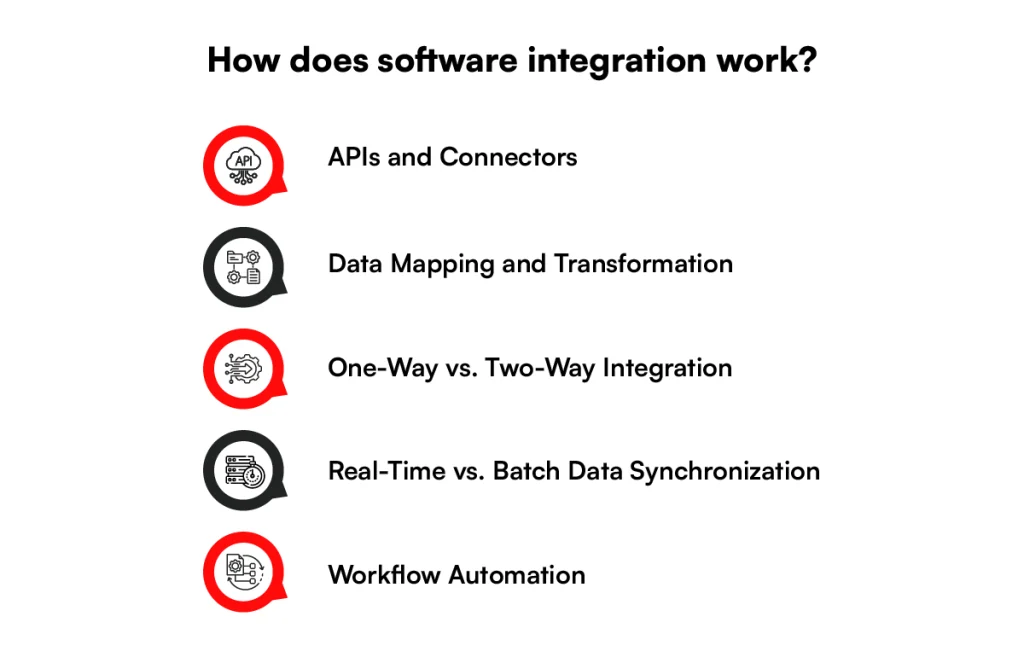
1. APIs and Connectors
APIs give one application a defined way to request data or send instructions to another. A CRM, for instance, can use an ERP API to retrieve customer or account information without accessing the ERP database directly.
Connectors provide a ready-made connection for specific applications. They usually handle common API calls, authentication, and data exchange, which reduces the amount of custom code needed to connect supported software.
2. Data Mapping and Transformation
Different applications often store the same information in different fields or formats. Data mapping matches those fields so the receiving application knows where each value belongs.
Transformation changes the data when the destination requires a different format. A date stored as 09/17/2026 in one system, for instance, may need to become 2026-09-17 before another application can accept it.
3. One-Way vs. Two-Way Integration
A one-way integration sends information in a single direction. An ecommerce platform might send completed order data to accounting software without receiving any information back.
A two-way integration allows both applications to send updates. If customer information changes in the CRM, it can update another connected system, while changes made there can also return to the CRM.
4. Real-Time vs. Batch Data Synchronization
Real-time synchronization sends an update soon after a change occurs. APIs, webhooks, or connections built using event-driven architecture can pass changes such as new orders, inventory updates, or account activity as they happen.
Batch synchronization moves data at scheduled intervals instead. Records may be collected and transferred every hour, overnight, or at another set time. The choice depends on how quickly the receiving application needs the latest data.
5. Workflow Automation
Connected applications can trigger the next step in a business process without someone moving the information manually. A change in one system becomes the event that starts an action in another.
A signed customer contract, for instance, could trigger account creation in the CRM and send the required billing details to the finance system. Rules determine what starts the workflow, which information moves, and what action each connected application takes.
Software Integration vs System Integration
Software integration connects applications so they can exchange data and trigger actions. System integration has a broader scope, connecting software with databases, infrastructure, hardware, and other technology components.
The table below shows where the two differ.
| Area | Software Integration | System Integration |
| Purpose | Connects software applications so they can exchange data and support processes that cross application boundaries. | Connects different technology components so they operate as part of a larger system. |
| Scope | Usually focuses on applications such as CRM, ERP, ecommerce, accounting, HR, or inventory software. | Can cover software, databases, networks, cloud infrastructure, hardware, and existing enterprise systems. |
| Components involved | Commonly uses APIs, webhooks, connectors, middleware, and application databases. | May involve applications, servers, databases, networks, devices, middleware, and infrastructure services. |
| Data exchange | Defines how application data is sent, received, mapped, transformed, and synchronized. | Handles communication between different system components, which can include application data, infrastructure events, device signals, and other system-level information. |
| Complexity | Complexity depends on API availability, data formats, business rules, authentication, and the number of applications being connected. | Often involves more dependencies because software, infrastructure, hardware, protocols, and older systems may need to work together. |
| Common business scenarios | Connecting an ecommerce platform with an ERP, syncing CRM data with customer support software, or connecting HR software with payroll. | Connecting warehouse software with scanners and operational systems, bringing older on-premises systems into a cloud environment, or connecting applications with physical devices. |
A business may use both approaches within the same project. Connecting a CRM with an ERP is primarily a software integration task, while a larger project that also connects databases, infrastructure, devices, and existing systems falls within system integration.
Why do Businesses Need Software Integration?
As businesses add software across departments, data can become scattered between systems. Software integration connects them, making it easier for information to move between applications. Here’s where disconnected software starts creating problems.
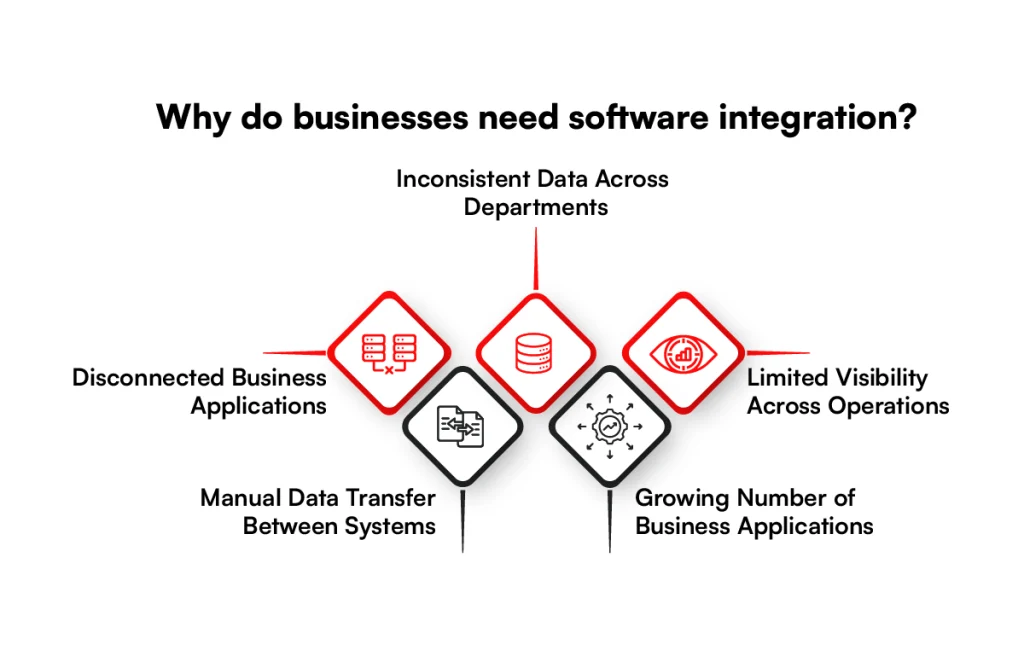
1. Disconnected Business Applications
When CRM, ERP, ecommerce, accounting, and other applications operate separately, information can get stuck within individual systems.
Business software integration creates connections between these applications, allowing data to pass from one system to another as part of the same business process.
2. Manual Data Transfer Between Systems
Without an integration, employees may have to copy order details, customer records, invoices, or product information between applications.
This becomes harder to manage as transaction volumes increase because every additional transfer creates another point where data can be entered incorrectly or missed.
3. Inconsistent Data Across Departments
Different applications can hold different versions of the same customer, product, inventory, or financial record. Enterprise software integration establishes how updates move between connected systems, so departments are not working with information maintained separately in several applications.
4. Limited Visibility Across Operations
When operational data sits in separate applications, getting a complete view often requires teams to pull information from several sources and reconcile it manually.
Connecting those systems makes it possible for reporting and operational applications to receive data from the systems responsible for sales, inventory, finance, fulfillment, and customer activity.
5. Growing Number of Business Applications
Adding more SaaS platforms and specialized software also increases the number of connections a business has to manage. Software integration solutions provide a structured way to connect these applications instead of creating separate manual processes each time another system is introduced.
Types of Software for Integrating into Business
Once a business identifies where information is getting stuck, the next question is which applications need to communicate.
Business software integration commonly connects systems responsible for customers, orders, products, employees, finances, and marketing.
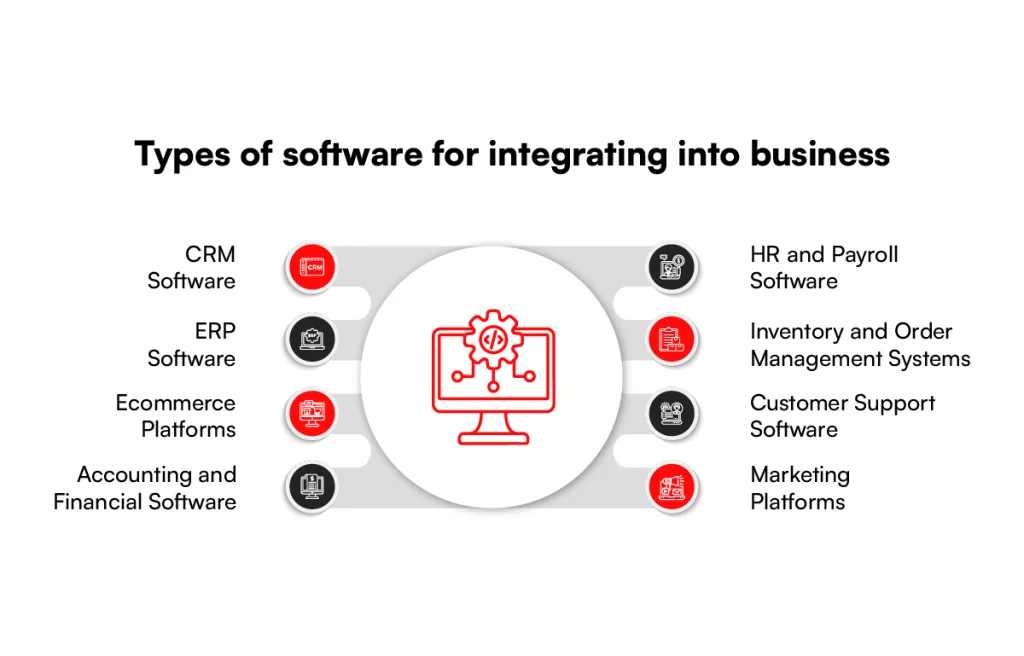
1. CRM Software
CRM software often needs data from sales, marketing, ecommerce, and customer service applications. Connecting these systems can keep customer profiles, leads, account details, and interaction history synchronized without maintaining separate records in each application.
2. ERP Software
Because ERP software often holds financial, product, procurement, and operational data, it commonly connects with ecommerce platforms, CRM systems, inventory software, and other business applications.
These connections define how orders, invoices, customer records, and product data move between the ERP and surrounding systems.
3. Ecommerce Platforms
For ecommerce operations, the storefront usually needs to communicate with several systems behind it. Software app integration can connect the ecommerce platform with payment services, ERP, CRM, inventory, OMS, shipping, and accounting software.
These connections form an important part of an ecommerce technology stack, where customer-facing and operational systems need to exchange data.
4. Accounting and Financial Software
As transactions move through a business, accounting software may need information from ecommerce, ERP, banking, payroll, and billing systems.
Integrations can pass invoices, payments, refunds, expenses, and other transaction records between these applications using defined data fields and rules.
5. HR and Payroll Software
When employee information is maintained across HRIS, payroll, benefits, identity management, and IT systems, those applications need agreed rules for exchanging records.
Changes to employee details, compensation, employment status, or access requirements can then move to the systems that depend on them.
6. Inventory and Order Management Systems
For businesses managing physical products, inventory and order management systems often connect with ecommerce platforms, ERP, WMS, POS, and fulfillment software.
These integrations carry information such as stock changes, order status, fulfillment details, cancellations, and returns between operational systems.
7. Customer Support Software
To give support applications access to relevant customer information, they can connect with CRM, ecommerce, billing, and order management systems.
Customer records, purchases, account details, and support activity can then be referenced across connected applications without maintaining isolated copies.
8. Marketing Platforms
Since marketing activity depends on customer and campaign data, marketing platforms commonly connect with CRM, ecommerce, analytics, and advertising systems. These connections can exchange contacts, campaign activity, customer attributes, and conversion data based on the information each platform requires.
Are Disconnected Systems Slowing You Down?
Connect your business applications, eliminate manual data transfers, and keep information flowing across departments.
Connect Your Software Applications
What are the Methods to Implement Software Integration?
Once the applications are identified, the next step is choosing how to connect them. The approach will depend on the APIs, system architecture, data requirements, and frequency of data exchange.
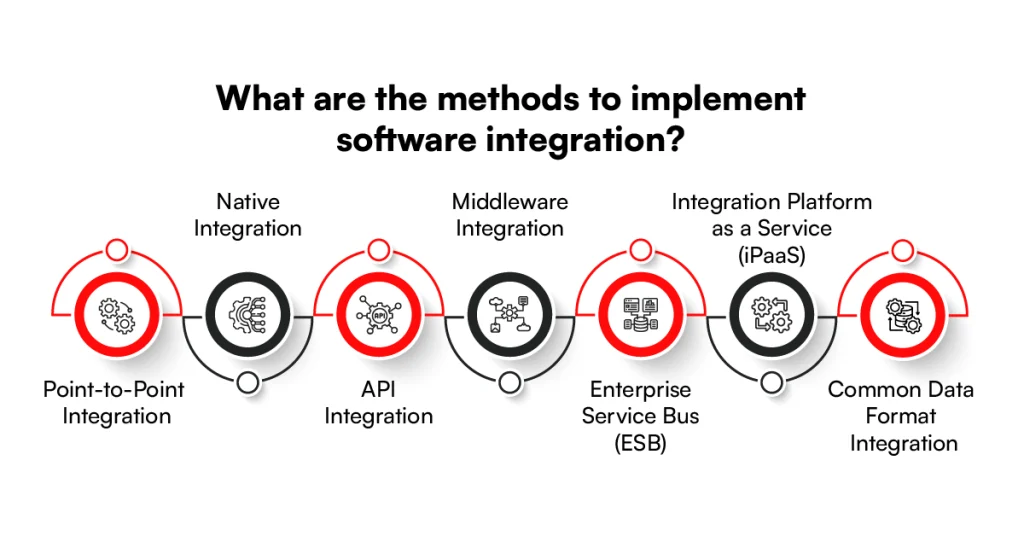
1. Point-to-Point Integration
Point-to-point integration creates a direct connection between two applications. One system sends data directly to another through an API, custom code, file transfer, or another supported interface.
This approach can work well when only a few systems need to communicate. As more applications are added, however, the number of individual connections grows and each one may need separate monitoring, testing, and maintenance.
2. Native Integration
Native integrations are connections already provided by a software vendor. A CRM might offer a built-in connection with an email marketing platform, while an accounting application may connect directly with a payment provider.
Because the connection already exists, configuration usually involves authentication, selecting data fields, and setting synchronization rules. The available functionality still depends on what the vendors support, so custom requirements may need another integration method.
3. API Integration
API integration allows applications to exchange data through defined endpoints. In ecommerce environments, an API-driven architecture can also separate services while giving storefronts and backend systems defined ways to communicate. One application sends a request to an API, the receiving system processes it, and a response is returned using formats such as JSON or XML.
APIs can support operations such as creating records, retrieving customer information, updating inventory, or checking an order status. In ecommerce, API-based digital commerce uses these connections to support communication between storefronts and backend services.
Authentication also forms part of the connection. API keys, OAuth 2.0, tokens, and other controls determine which application can access an endpoint and what actions it is allowed to perform.
4. Middleware Integration
Middleware sits between applications and manages how they communicate. Instead of every system maintaining a direct connection with every other system, applications can send data through a middleware layer.
Depending on the setup, middleware can handle routing, data transformation, protocol conversion, authentication, retries, and error handling. It is often used when applications have different interfaces or data formats that cannot communicate directly.
5. Enterprise Service Bus (ESB)
An Enterprise Service Bus provides a central communication layer for applications and services across an enterprise environment.
Systems connect to the ESB, which can route messages, transform data, and apply integration rules before sending information to the correct destination.
ESB architecture is commonly associated with environments containing several enterprise or legacy applications. It can support different protocols and message formats, although the central bus needs careful management as integrations and dependencies increase.
6. Integration Platform as a Service (iPaaS)
An Integration Platform as a Service (iPaaS) provides cloud-based tools for creating and managing integrations from one platform. Businesses can connect SaaS applications, databases, APIs, and some on-premises systems using prebuilt connectors or configured integration workflows.
Most iPaaS products provide tools for data mapping, transformation, scheduling, authentication, monitoring, and error handling.
They can also reduce the amount of custom integration code required when supported connectors already exist for the applications being connected.
7. Common Data Format Integration
Common data format integration converts information from different applications into a shared format before it reaches the destination. This is useful when connected systems store or structure the same information differently.
Instead of creating a separate transformation for every application pair, each system can translate its data to and from the common format. This approach becomes more practical when several applications need to exchange similar types of information.
Different Software Integration Services and Solutions
Depending on the systems involved, integration work can focus on applications, data, APIs, enterprise systems, or external business partners.
Software integration solutions are usually selected around what needs to connect and how the business expects information to move between those systems.
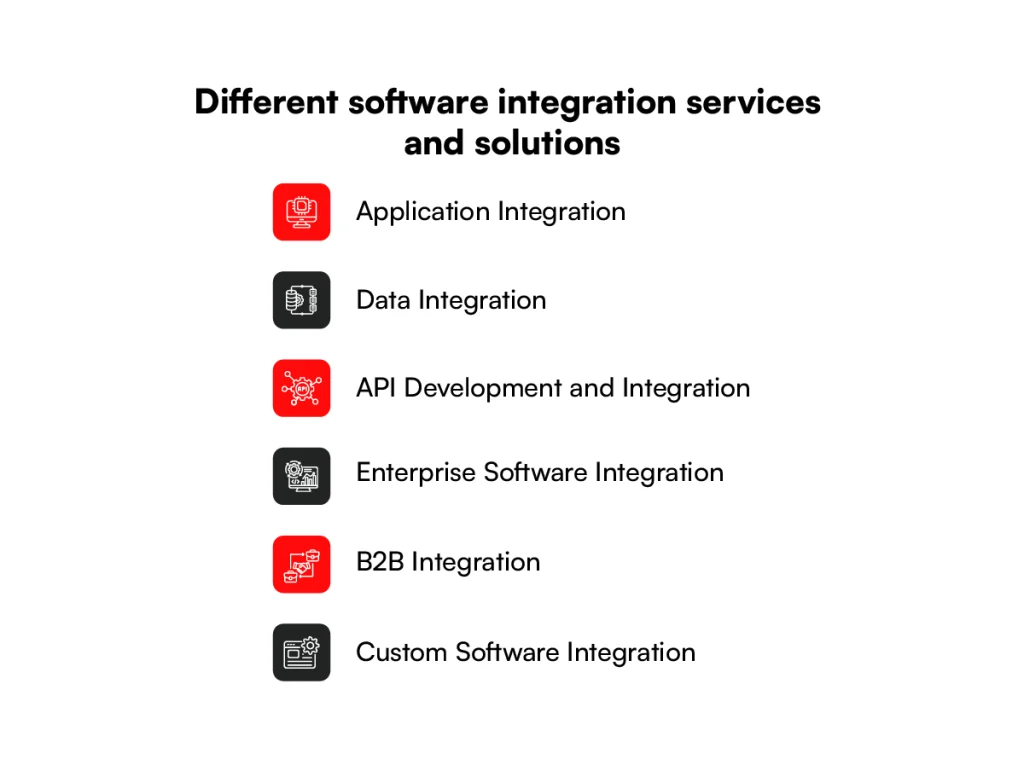
1. Application Integration
Application integration connects software that handles different parts of a business process. CRM, ERP, ecommerce, accounting, HR, and customer service applications can exchange records instead of keeping the same information separately.
The work typically includes defining which records need to move, matching fields between applications, setting synchronization rules, and handling failed transactions.
Application software integration may involve two applications or several systems that depend on the same customer, product, or order data.
2. Data Integration
Data integration brings information from different sources together for reporting, analytics, migration, or operational use. The source data may come from databases, SaaS applications, files, data warehouses, or existing enterprise systems.
This work often includes extraction, validation, transformation, deduplication, and loading. Unlike application integration, the main concern is how data is collected and prepared rather than how two applications interact during a business process.
3. API Development and Integration
When an application needs to send or receive information but does not provide the required connection, an API may need to be developed or extended.
The API defines available endpoints, request and response formats, authentication rules, permissions, and error handling.
API integration then connects other applications to those endpoints. This can include REST, GraphQL, SOAP, or vendor-specific APIs, depending on the software already in use.
4. Enterprise Software Integration
Enterprise software integration connects applications used across departments and business functions. In retail, systems integration at scale involves connecting ERP, CRM, WMS, OMS, finance platforms, and older applications that still handle important processes.
Because several systems may depend on the same records, the integration needs clear rules for data ownership, synchronization, authentication, failures, and system dependencies.
Enterprise projects may also require connections between cloud applications and on-premises software.
5. B2B Integration
B2B integration connects a company’s systems with those used by customers, suppliers, distributors, logistics providers, and other trading partners. Information such as purchase orders, invoices, shipment notices, inventory updates, and transaction records can move between organizations.
Depending on partner requirements, B2B integration software may work with APIs, EDI, managed file transfers, or other agreed data formats and protocols.
6. Custom Software Integration
Custom software integration is used when standard connectors cannot support the applications, data structures, or business rules involved. Instead of relying on a fixed vendor connection, the integration is developed around the systems already used by the business.
This may involve connecting older software with modern applications, building custom APIs, translating proprietary data formats, or adding logic for processes unique to the company.
Custom development also gives teams more control over authentication, error handling, logging, and how each system responds when an integration fails.
Use Cases and Applications of Software Integration for Business
Once business applications are connected, integration becomes part of the processes that move work between departments and systems. Here are some common ways software integration fits into day-to-day business operations.
1. Sales and Marketing
When CRM and marketing platforms are connected, lead and customer data can move between sales and marketing processes.
A lead captured through a website form can enter the CRM, while changes to its status can be passed back to marketing software to update campaigns or audience segments.
Campaign responses, form submissions, lead scores, and sales activity can also be shared between systems. This keeps both teams working with the same customer activity without maintaining separate records.
2. Ecommerce Operations
Ecommerce transactions often pass through several systems before an order reaches the customer. Software integration can send an order from the storefront to payment, inventory, OMS, ERP, warehouse, and shipping systems.
These connections become especially important in ecommerce order fulfillment, where inventory, warehouse, carrier, and order data depend on each other.
Product data can move in the opposite direction as well. Pricing, stock availability, product details, and fulfillment status can be passed from their source systems to the storefront when updates occur.
3. Finance and Accounting
Connecting operational systems with accounting software allows financial records to follow the transactions that create them. Completed orders can create invoices, payment records can update account balances, and refunds can be passed back to the accounting system.
For more complex environments, integrations may also connect ERP, billing, banking, expense management, and tax systems. Each connection determines which financial records move and how they are matched with existing transactions.
4. Human Resources
HR processes often involve HRIS, payroll, benefits, identity management, and IT applications. Connecting them allows employee information to move through the systems involved in hiring, role changes, payroll, and offboarding.
When a new employee is added to the HRIS, relevant details can be sent to payroll and identity systems. Later changes to employment status or employee information can be passed to the applications that depend on those records.
5. Customer Service
Connecting customer support software with ecommerce CRM, billing, and order systems gives support applications access to information created elsewhere.
An agent can reference account details, previous purchases, payment status, or order information without relying on separate manual updates.
Support activity can also move back to other systems. A resolved case, account change, return request, or customer update can be recorded in the applications responsible for the next part of the process.
6. Supply Chain and Fulfillment
Supply chain processes depend on information moving between inventory, OMS, WMS, ERP, shipping, and logistics systems.
An omnichannel order management system helps coordinate orders across sales channels and fulfillment operations through these integrations. Integrations can pass purchase orders, stock changes, fulfillment instructions, shipment status, and delivery information between these applications.
When an order enters the OMS, for instance, inventory data can determine availability before fulfillment details are sent to the warehouse. Shipping updates can then return through connected systems as the order progresses.
7. B2B and Partner Operations
Businesses working with suppliers, distributors, marketplaces, logistics providers, and other trading partners also need to exchange information outside their own systems.
B2B integration software can connect these parties through APIs, EDI, file transfers, or other agreed interfaces.
Purchase orders, invoices, inventory records, shipment notices, and transaction updates can then move between organizations in the formats each system expects.
This is especially relevant when several external partners use different applications or data standards.
What are the Benefits of Software Integration?
With connected applications handling the movement of data, businesses can remove several problems created by disconnected systems. The benefits of software integration can be seen across daily work, reporting, operating costs, and customer-facing processes.
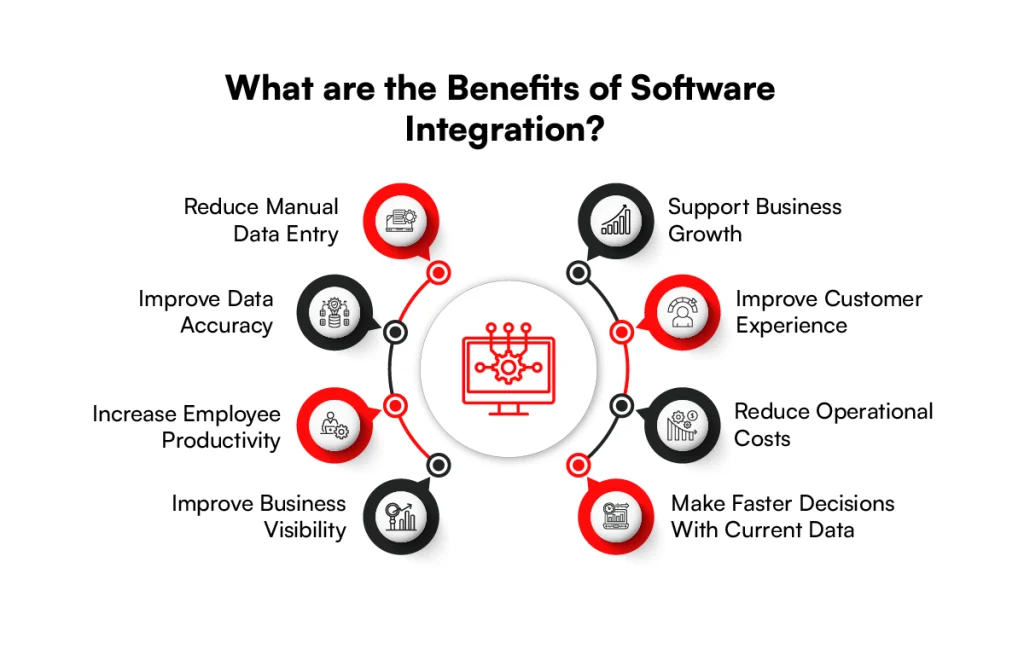
1. Reduce Manual Data Entry
When information moves automatically between connected applications, employees spend less time copying customer details, orders, invoices, inventory records, and other data from one system to another. This also removes repetitive work from processes that involve several applications.
2. Improve Data Accuracy
Entering the same information in multiple systems increases the chance of missing fields, duplicate records, and conflicting values. Software integration keeps updates moving between applications, so teams are less likely to work with different versions of the same record.
3. Increase Employee Productivity
Employees often lose time switching between applications, checking records, and reconciling information before they can complete a task.
Connected software reduces this work and allows processes to continue without waiting for someone to transfer information manually.
4. Improve Business Visibility
When sales, finance, inventory, customer, and operational systems share information, reporting can pull data from across the business. For ecommerce businesses, data warehousing can bring this information together for consolidated reporting and analysis.
Teams get a clearer view of what is happening without combining separate spreadsheets or reports from each department.
5. Make Faster Decisions With Current Data
Decisions become harder when reports depend on information that has not yet reached another system. Real-time or frequent synchronization gives teams access to more current sales, inventory, financial, and customer data when they need to act on it.
6. Reduce Operational Costs
Manual data entry, duplicate processes, reconciliation, and maintaining unnecessary application-to-application work all add operating costs.
Business software integration can reduce the amount of staff time and technical effort spent keeping disconnected systems aligned.
7. Improve Customer Experience
Connected systems can keep customer-facing processes consistent from purchase through support. A service team, for instance, can access current order and account information instead of asking customers to repeat details already stored in another business application.
8. Support Business Growth
As transaction volumes, customers, sales channels, and applications increase, manual processes become harder to maintain.
Enterprise software integration allows additional systems and data exchanges to become part of existing processes without requiring the same increase in manual work.
Ready to Simplify Complex Business Workflows?
Reduce manual handoffs and improve data accuracy with integrations designed around how your business operates.
Streamline Your OperationsHow to Build the Software Integration Strategy?
Once individual integration needs are clear, the next step is planning how they will work together across the business.
A software integration strategy should account for business processes, system dependencies, data, security, performance, and ownership before development begins.
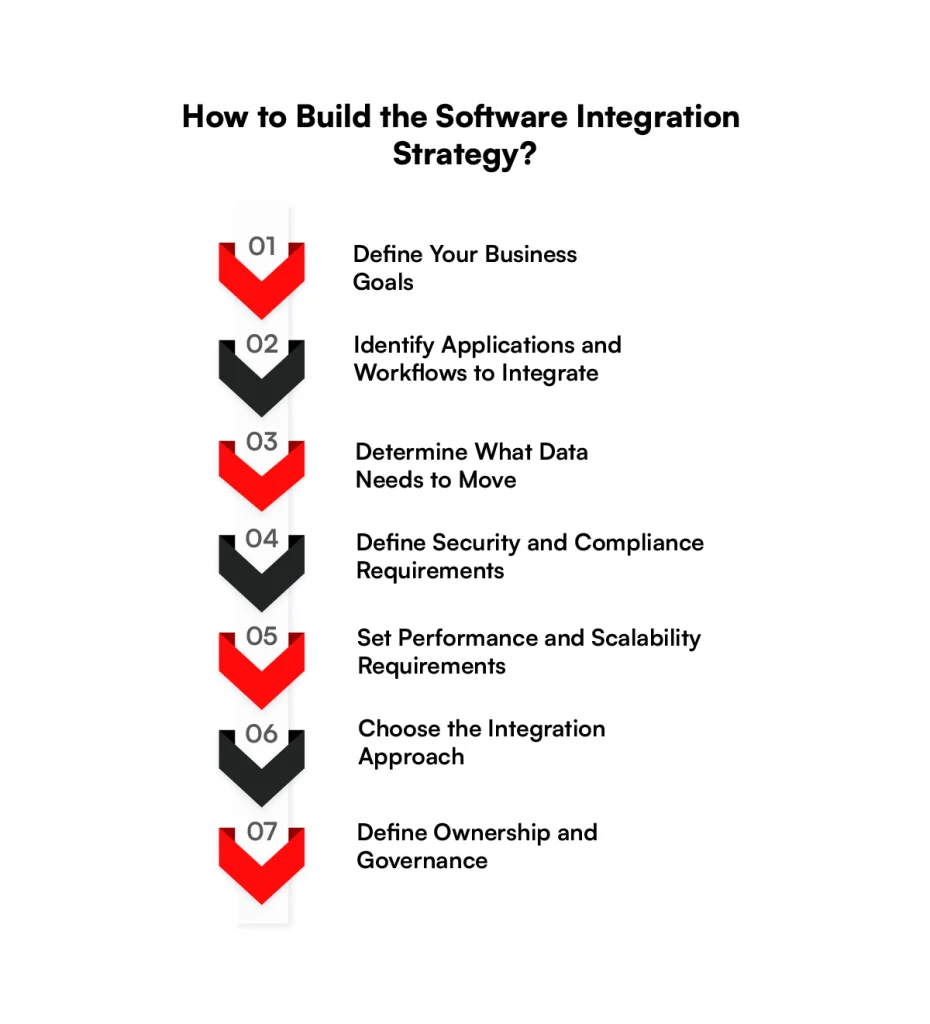
1. Define Your Business Goals
Start with the business problem the integration needs to address rather than choosing technology first.
The goal could be reducing manual order processing, connecting customer data across departments, supporting a new sales channel, or replacing an existing integration that no longer meets requirements.
Clear goals also help define what success should look like. This might include fewer manual handoffs, shorter processing times, fewer synchronization errors, or specific system availability targets.
2. Identify Applications and Workflows to Integrate
Map the applications involved in each process and document how work currently moves between them. This should include source systems, destination systems, existing integrations, manual steps, and dependencies on third-party applications.
The mapping can also reveal where one application feeds several others. These dependencies need to be understood before changing an integration because a single change may affect multiple workflows.
3. Determine What Data Needs to Move
Define the records and fields each application needs rather than transferring everything available. Customer IDs, SKUs, prices, inventory levels, order status, invoices, and other records should have a clear source and destination.
Data mapping should also account for field names, formats, validation rules, and how updates are handled. If two systems can change the same record, decide which one remains the source of truth.
4. Define Security and Compliance Requirements
Security requirements should cover how applications authenticate, which data they can access, and what permissions each connection receives.
Depending on the systems involved, this can include OAuth 2.0, API keys, encryption, role-based access, audit logs, and secrets management.
Regulatory requirements should also be identified early when integrations handle payment, customer, employee, healthcare, or other controlled data. This affects what can be transferred, stored, logged, and retained.
5. Set Performance and Scalability Requirements
Integration requirements should define expected transaction volumes, response times, synchronization frequency, and acceptable downtime.
An integration processing a few hundred records overnight has different requirements from one handling thousands of inventory or order updates throughout the day.
Planning for higher volumes also means considering API rate limits, timeouts, retries, queues, and peak traffic before they become production issues.
6. Choose the Integration Approach
With the requirements defined, select an approach that fits the systems involved. Native connectors may cover standard application connections, while APIs, middleware, iPaaS, or custom software integration may be needed for more specific processes.
The decision should consider existing architecture, API support, integration volume, maintenance requirements, security, and how easily the connection can change when an application is updated or replaced.
7. Define Ownership and Governance
Every integration needs clear ownership after it goes live. Teams should know who monitors failures, manages credentials, approves changes, updates data mappings, and responds when a connected application changes its API or data structure.
For enterprise software integration, governance becomes more important as several departments and systems share the same connections.
Documenting owners, dependencies, access rules, and change procedures keeps integration decisions from being handled separately by each team.
Common Software Integration Challenges
Integration problems often come from the differences between the systems being connected rather than the connection itself. These issues become more noticeable when several applications depend on the same data or workflow.
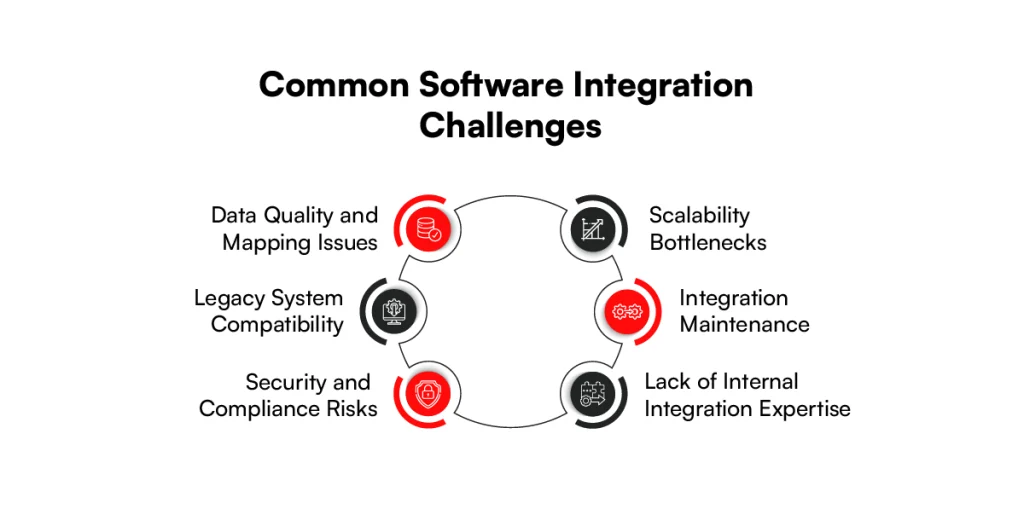
1. Data Quality and Mapping Issues
Applications may store the same information under different field names, formats, or validation rules. Missing values, duplicate records, inconsistent IDs, and incorrect mappings can then cause data to fail or arrive in the wrong format.
These issues need extra attention when several systems can update the same record.
2. Legacy System Compatibility
Older applications may rely on proprietary formats, outdated protocols, direct database access, or interfaces that were never designed for modern integrations. These limitations can also influence platform modernization decisions when businesses need older systems to work with newer applications.
Connecting them with cloud applications can require adapters, middleware, file-based transfers, or custom software integration rather than a standard connector.
3. Security and Compliance Risks
Every new connection creates another route through which business data can be accessed or transferred. Weak authentication, excessive API permissions, exposed credentials, or unencrypted data can increase security risk.
Integrations handling regulated data may also need audit logs, access controls, encryption, and retention rules that meet applicable requirements.
4. Scalability Bottlenecks
An integration that performs well at low volumes may struggle as transactions increase. API rate limits, large payloads, slow database queries, timeouts, and overloaded queues can delay data exchange when order volumes or application traffic rise.
5. Integration Maintenance
Connected applications do not remain unchanged. Vendors update APIs, authentication methods, schemas, endpoints, and usage limits, while internal teams change business rules and data structures.
Each change can affect existing integrations and may require updates, regression testing, or new mappings.
6. Lack of Internal Integration Expertise
Complex integrations can require knowledge of APIs, databases, authentication, data transformation, cloud services, middleware, and the applications being connected.
When that knowledge is spread across different teams or unavailable internally, troubleshooting and maintaining integrations becomes more difficult.
Software Integration Best Practices
Once these risks are understood, integration planning should focus on reducing avoidable failures and making connections easier to maintain.
The following practices address the technical and operational work that continues throughout the integration lifecycle.
1. Start With Clear Integration Requirements
Document what each integration needs to do before choosing tools or writing code. Requirements should identify the applications involved, records being exchanged, synchronization frequency, expected volumes, security controls, error handling, and acceptable downtime.
2. Map Data and Dependencies Before Development
Create a clear map of where data originates, where it goes, and which systems depend on it. Field mappings, data formats, source-of-truth rules, API dependencies, and downstream processes should be documented before the connection is built.
3. Build for Future Application Changes
Integration design should account for APIs and applications changing over time. Versioned APIs, configurable mappings, reusable components, and limited dependencies between systems can reduce the amount of work required when one application changes.
4. Define Integration Ownership
Assign responsibility for each integration after deployment, including who manages credentials, reviews failures, approves changes, and coordinates with application vendors.
For enterprise software integration, ownership should also cover shared connections that affect several departments.
5. Test Data and Workflow Failures
Testing should cover more than successful transactions. Invalid records, missing fields, duplicate requests, API timeouts, authentication failures, rate limits, and unavailable systems should be tested to confirm how the integration responds and whether failed transactions can be retried safely.
6. Monitor Integrations After Deployment
Production integrations should be monitored for failed requests, processing delays, API errors, queue backlogs, authentication problems, and unusual transaction volumes.
Logs and alerts give technical teams enough information to identify where a failure occurred and which connected systems were affected.
Not Sure What Your Integration Will Cost?
Share your requirements with our team and explore an integration approach that fits your systems and budget.
Request a Cost ConsultationHow Much Does Software Integration Cost?
Software integration costs can range from $2,000 for a simple application connection to $150,000 or more for complex enterprise integrations. The final cost depends on the number of systems involved, API availability, data complexity, security requirements, testing, and custom development.
The table below provides estimated software integration costs based on project scope and complexity.
| Integration Type | Estimated Cost (USD) | Typical Scope |
| Basic Software Integration | 2,000–8,000 | Connecting two SaaS applications using existing APIs or native connectors with basic data synchronization. |
| API-Based Integration | 5,000–20,000 | Connecting applications through APIs with authentication, data mapping, and custom workflows. |
| Middleware or iPaaS Integration | 10,000–35,000 | Connecting multiple applications through middleware or an integration platform with data transformation and monitoring. |
| Custom Software Integration | 15,000–50,000 | Developing integrations for proprietary applications, complex business rules, or systems with limited API support. |
| Enterprise Software Integration | 40,000–150,000+ | Connecting ERP, CRM, OMS, WMS, and other enterprise applications with advanced security, scalability, and monitoring requirements. |
The following factors determine where a project falls within these ranges.
1. Number of Systems Being Integrated
Each additional application adds connections, data mappings, authentication requirements, dependencies, and testing work.
A project connecting a CRM with one marketing platform will usually require less work than an enterprise software integration involving ERP, CRM, OMS, WMS, finance, and ecommerce systems.
2. Integration Method
The method used to connect applications affects both development and ongoing costs. Native connectors may require mostly configuration, while middleware, iPaaS, API-based connections, and custom integrations can require additional development, setup, monitoring, or platform fees.
3. API Availability
Applications with well-documented APIs are generally easier to connect because developers already have defined endpoints and authentication methods to work with.
When APIs are limited or unavailable, the project may require custom interfaces, middleware, database connections, or file-based exchanges, adding development time.
4. Data Volume and Complexity
Large transaction volumes require more attention to processing capacity, API limits, queues, retries, and synchronization frequency.
Cost can also increase when records need extensive mapping, validation, deduplication, or transformation before another system can use them.
5. Custom Business Logic
Some integrations need more than transferring records between applications. Custom software integration may need rules for pricing, approvals, order routing, inventory allocation, account permissions, or exception handling.
These requirements also influence custom software development costs because they increase development and testing effort.
6. Security and Compliance
Integrations handling payment, financial, customer, employee, or other controlled data may require additional security controls.
Authentication, encryption, role-based permissions, audit logs, secrets management, and compliance requirements can add work during architecture, development, and testing.
7. Testing Requirements
Testing costs depend on the number of applications, workflows, dependencies, and failure conditions involved. Teams may need to test field mappings, authentication, API responses, duplicate requests, timeouts, retries, failed transactions, and changes made by connected systems before releasing the integration.
8. Maintenance and Support
Integration costs continue after deployment because APIs, applications, credentials, schemas, and business rules change over time.
Ongoing support can include monitoring failed transactions, updating API versions, changing mappings, renewing credentials, troubleshooting errors, and testing integrations after application updates.
How to Choose the Right Software Integration Solution?
With the requirements and budget defined, the next step is comparing software integration solutions for the systems involved. Consider security, performance, maintenance, and long-term costs when making the choice.
1. Compatibility With Existing Systems
Start with the applications, databases, and infrastructure already in use. The integration solution should support their operating environments, data formats, authentication methods, and deployment models without requiring unnecessary changes to existing systems.
Compatibility becomes especially important when older on-premises software needs to connect with newer cloud applications. In these cases, standard connectors may not provide everything required.
2. API and Connector Support
Check which applications have ready-made connectors and what their APIs allow you to access. A connector may support basic record synchronization but leave out fields, events, or actions needed for a specific business process.
API documentation should also be reviewed for authentication, endpoints, rate limits, webhooks, versioning, and usage restrictions. These details affect how the integration can be built and maintained.
3. Real-Time Data Requirements
Consider how quickly information needs to reach another system. Inventory availability, order status, payment events, and other time-sensitive data may require real-time or event-based updates, while reporting data may work well with scheduled batch transfers.
The selected solution should support the required synchronization frequency without exceeding API limits or creating unnecessary processing load.
4. Security and Compliance
Review how the solution handles authentication, encryption, access permissions, credentials, and audit logs. Integrations should give applications access only to the data and actions required for their role.
Businesses handling regulated data should also confirm that the solution can meet the compliance requirements that apply to their industry and data.
5. Scalability
Expected transaction volumes should be considered before choosing an integration solution. The architecture needs to handle increases in API requests, records, connected applications, and concurrent processes without creating delays or failed transactions.
For enterprise software integration, scalability should also account for new departments, business units, sales channels, and systems that may need to connect later.
6. Monitoring and Error Handling
Look for enough visibility to identify failed API calls, synchronization delays, authentication errors, and unsuccessful transactions. Logs, alerts, retries, and error records help technical teams determine what failed and where it happened.
The solution should also define what happens to data when another application becomes unavailable, rather than allowing failed records to disappear from the process.
7. Customization Requirements
Standard connectors work well when their supported fields and workflows match the business requirement. When applications use proprietary data structures or processes need specific rules, custom software integration may provide more control over mappings, validation, authentication, and error handling.
The amount of customization required should be identified early because it affects development effort, testing, and future maintenance.
8. Total Cost of Ownership
Compare more than the initial implementation cost. Subscription fees, connector charges, API usage, cloud infrastructure, custom development, monitoring, maintenance, support, and future changes can all contribute to the total cost.
A lower implementation cost may become more expensive over time if the solution requires frequent manual fixes or extensive development whenever a connected application changes.
Why Choose RBMSoft for Software Integration?
RBMSoft works with businesses that need to connect software across existing technology environments without replacing systems that still serve a purpose.
Our integration work covers custom software integration, enterprise software integration, API development, legacy systems, ERP and CRM connections, ecommerce platforms, and B2B applications.
Our team can build APIs, connect cloud and on-premises applications, map data between different systems, and add custom logic where standard connectors fall short.
For retail and ecommerce businesses, our ecommerce solutions can include connecting storefronts with ERP, CRM, OMS, inventory, payment, and fulfillment systems.
RBMSoft also supports integrations after deployment through monitoring, troubleshooting, API updates, data-mapping changes, and updates required when connected applications change.
Need your business systems to work together? Talk to RBMSoft about connecting your applications and data.
FAQs
1. What is software integration?
Software integration is the process of connecting two or more software applications so they can exchange data and support connected business processes. Application software integration can connect systems such as CRM, ERP, ecommerce, accounting, inventory, and customer support software.
2. Why is software integration important for businesses?
Business software integration reduces the problems created when applications operate separately. It allows customer, order, inventory, financial, and operational data to move between systems instead of relying on manual transfers.
Enterprise software integration becomes especially useful as the number of applications and system dependencies grows.
3. What is the difference between software integration and system integration?
Software integration focuses mainly on connecting software applications and exchanging data between them. System integration has a broader scope and may connect applications, databases, infrastructure, networks, hardware, and other technology components within one environment.
4. What are the most common software integration methods?
Common methods include point-to-point connections, native integrations, API integration, middleware, Enterprise Service Bus (ESB), Integration Platform as a Service (iPaaS), and common data formats.
The right method depends on the applications, APIs, data volume, synchronization frequency, and business requirements.
5. What types of business software can be integrated?
Business integration software can connect CRM, ERP, ecommerce, accounting, HR, payroll, inventory, order management, warehouse, marketing, and customer support applications.
Software app integration can also connect specialized SaaS applications with existing enterprise or internal systems.
6. What are the best software tools for data integration?
The right data integration tool depends on the systems, data sources, volume, processing frequency, and deployment requirements.
Businesses commonly use iPaaS platforms, ETL/ELT tools, middleware, API management platforms, and cloud data integration services. For requirements that standard tools cannot support, custom software integration may be needed.
7. How much does software integration cost?
Software integration cost depends on the number of systems, API availability, integration method, data complexity, custom business logic, security, testing, and support requirements.
Connecting two SaaS applications through existing APIs generally requires less work than an enterprise software integration involving legacy and custom systems.
8. Can legacy software integrate with modern applications?
Yes. Legacy applications can connect with modern cloud and SaaS applications through APIs, middleware, adapters, database connections, or file-based data exchanges.
When standard connectors are unavailable, custom software integration can bridge older systems with newer applications without requiring an immediate system replacement.
9. Does software integration require APIs?
No. APIs are a common method for integrating software applications, but they are not the only option. Depending on the systems involved, integration can also use middleware, webhooks, message queues, database connections, EDI, managed file transfers, or scheduled file exchanges.
10. What is the difference between native and custom software integration?
A business may need custom software integration when native connectors cannot support its applications, data mappings, security requirements, or business logic.
It can also be suitable for legacy systems, proprietary software, complex B2B integration software requirements, and enterprise processes involving several dependent applications.
11. How do businesses maintain software integrations?
Businesses maintain software integrations by monitoring transactions and errors, updating API versions, renewing credentials, reviewing data mappings, testing application changes, and resolving failed data transfers.
Larger enterprise software integration environments also need clear ownership and change procedures because an update to one application can affect several connected systems.