



Table of Contents
Quick Summary:
- Elasticsearch and OpenSearch share the same Apache Lucene foundation but now differ in licensing, governance, pricing, AI capabilities, and managed services.
- Choose Elasticsearch if you want a managed platform, commercial support, Kibana, and integrated observability, security, and AI features.
- Choose OpenSearch if you prefer Apache 2.0 licensing, lower licensing costs, and deep integration with AWS services.
- Search performance depends more on architecture, indexing, and query design than on the platform itself. Test both using your own workloads before making a decision.
- Migration is often straightforward for applications using standard APIs, but plugins, security settings, and proprietary features should be reviewed before moving to production.
- The right choice depends on your cloud strategy, budget, security requirements, and long-term operating model, not on a single feature or benchmark.
Choosing a search platform is rarely just a technical decision. It affects infrastructure costs, developer productivity, security, and how easily new search capabilities can be added over time. Selecting the wrong platform often leads to unnecessary migration work and higher operating costs.
The Elasticsearch vs OpenSearch comparison has changed considerably since the two platforms began following separate development paths. Today, organizations must evaluate much more than search performance before making a decision.
In this article, you’ll find a detailed OpenSearch vs ElasticSearch comparison, covering architecture, pricing, AI capabilities, migration planning, and the strengths of each platform.
What Is OpenSearch?
OpenSearch is an open-source search and analytics platform that helps businesses search, organize, and analyze large volumes of data. It is commonly used for enterprise search, ecommerce search, log analytics, security monitoring, and AI-powered search applications.
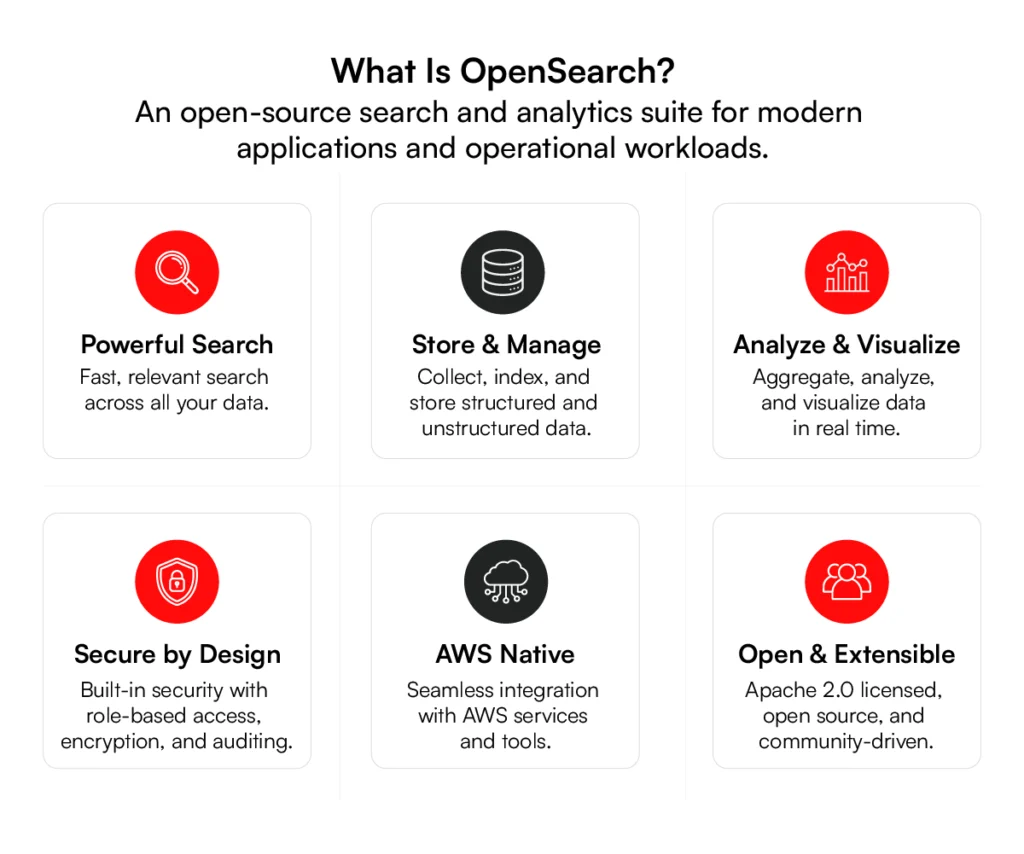
AWS launched OpenSearch in 2021 after Elasticsearch changed its licensing model. Although it started from Elasticsearch 7.10.2 and Kibana 7.10.2, OpenSearch now has its own releases, clients, dashboards, and feature roadmap under the OpenSearch Software Foundation.
Built on Apache Lucene, OpenSearch supports keyword search, vector search, semantic search, and hybrid search. Businesses can deploy it on their own infrastructure or use Amazon OpenSearch Service. Its Apache 2.0 license also gives organizations the freedom to modify the software and choose how they deploy and manage it.
What Is Elasticsearch?
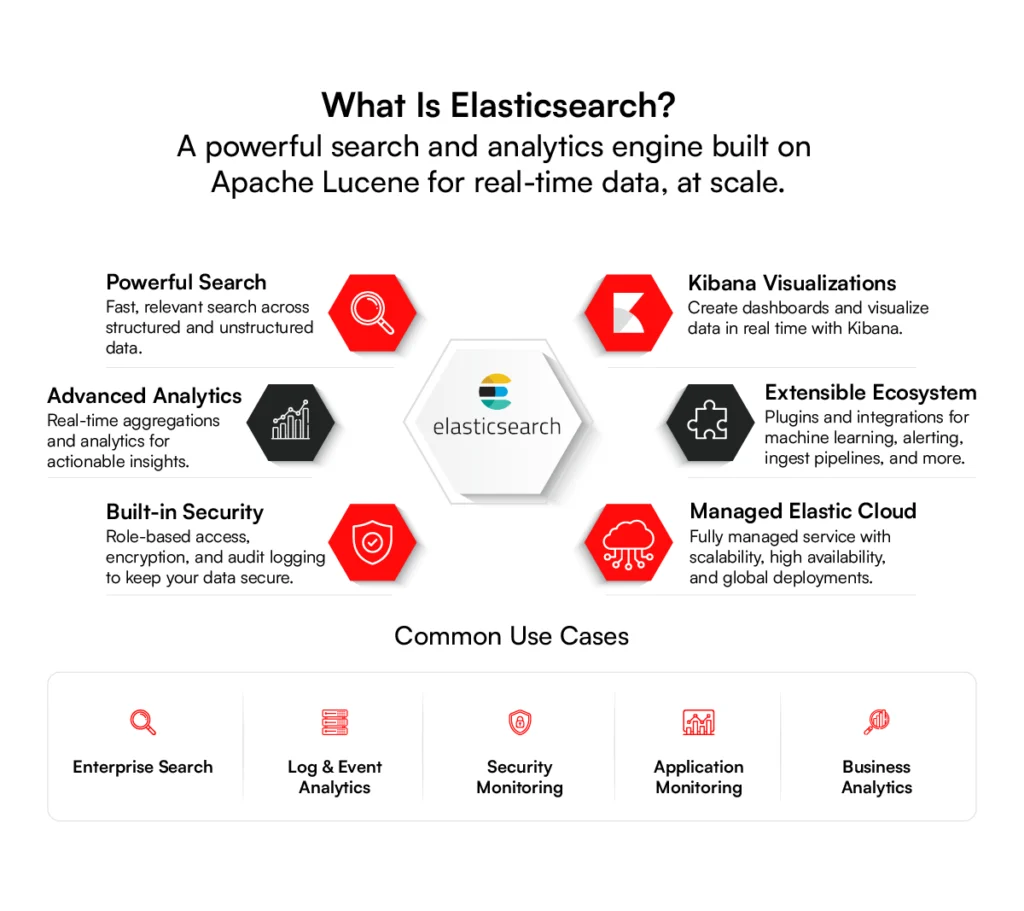
Elasticsearch is a distributed search and analytics engine developed by Elastic. Businesses use it to search large datasets, analyze logs, monitor applications, power enterprise search, and build search features into websites and software.
Like OpenSearch, Elasticsearch is built on Apache Lucene and supports keyword search, vector search, semantic search, and real-time analytics. It is part of the Elastic Stack, which also includes Kibana, Logstash, and Elastic Agent for visualization, data processing, and monitoring.
Organizations can deploy Elasticsearch on their own infrastructure or use Elastic Cloud as a managed service. It is often chosen by businesses seeking an integrated platform for search, observability, and security, with commercial support from Elastic.
Understanding what each platform offers is the first step. The next table compares their licensing, governance, AI capabilities, security, managed services, and other enterprise features in a single view.
Elasticsearch vs OpenSearch Feature Comparison Table
An OpenSearch vs Elasticsearch comparison is easier when the differences are viewed side by side. While both platforms share the same Lucene foundation, they differ in licensing, governance, AI capabilities, security features, managed services, and long-term operating costs.
The table below summarizes the main differences between OpenSearch vs Elasticsearch to help you evaluate which platform better matches your technical requirements, deployment strategy, and enterprise search goals.
| Feature | Elasticsearch 8.17+ | OpenSearch 3.2 |
| License | AGPL / Elastic License 2.0 / SSPL | Apache 2.0 |
| Governance | Elastic (commercial) | Linux Foundation (community) |
| Base Engine | Apache Lucene 9.x | Apache Lucene 9.x |
| Vector Search (kNN) | Native, HNSW + IVF, quantization | FAISS, Lucene, Nmslib engines |
| ML / AI Integration | ELSER, native inference, LLM connectors | ML plugin, agentic AI (3.2), neural search |
| Security (Free Tier) | Basic (TLS, native auth) | Full RBAC, encryption, audit logging |
| Security (Paid) | LDAP, SAML, field-level (Platinum+) | All features free and included |
| Alerting | Watcher (paid, Platinum+) | Free alerting plugin |
| Dashboards | Kibana | OpenSearch Dashboards |
| SQL Support | Elasticsearch SQL | SQL plugin + PPL (Piped Processing Language) |
| Observability | Elastic Observability (APM, logs, metrics) | Observability plugin + Trace Analytics |
| Index Management | ILM, Data Streams, Searchable Snapshots | ISM, Data Streams, Searchable Snapshots |
| Cross-Cluster Replication | Yes (Platinum+) | Yes (free) |
| Managed Service | Elastic Cloud (AWS, Azure, GCP) | Amazon OpenSearch Service |
| GitHub Stars | ~70,000 | ~10,000 |
| Contributors | ~1,900 (primarily Elastic employees) | ~3,300 (400+ organizations) |
Both platforms offer similar core search capabilities, but they differ in implementation, licensing, performance, and ecosystem support. The following sections examine these differences in greater detail to help you make an informed decision.
Elasticsearch vs. OpenSearch: Key Differences
Although Elasticsearch and OpenSearch share the same Lucene foundation, they have taken different paths since 2021. They now differ in data ingestion, client libraries, and performance, making these areas important when choosing the right platform for your business.
1. Data Ingestion
Both platforms support large-scale data ingestion, but they use different tools to collect, process, and index data.
Elasticsearch uses Logstash, Beats, Elastic Agent, and native ingest pipelines to collect and process data from applications, infrastructure, and security systems. These tools work closely with the Elastic Stack and are well suited for organizations already using Kibana, Elastic Observability, or Elastic Security.
OpenSearch supports data ingestion through OpenSearch Data Prepper, Fluent Bit, Fluentd, Logstash, and Amazon Kinesis. Organizations using Amazon OpenSearch Service can also connect directly to AWS services such as CloudWatch, S3, and Kinesis Data Streams, reducing the effort required to collect data across AWS workloads.
2. Client Libraries
Client libraries allow applications to communicate with search clusters through supported programming languages and APIs.
Elasticsearch provides officially maintained client libraries for Java, Python, JavaScript, .NET, Go, PHP, Ruby, and several other languages. These libraries are updated with each Elasticsearch release, helping applications remain compatible with new features.
OpenSearch also maintains official client libraries for popular programming languages while preserving compatibility with many Elasticsearch REST APIs. Applications built on standard APIs often require only minor code changes during migration. However, organizations using Elasticsearch-specific features should verify compatibility before moving to OpenSearch.
3. Performance
When comparing OpenSearch vs Elasticsearch performance, there is no single platform that performs better in every workload. Search speed depends on indexing strategy, query complexity, hardware, shard configuration, and cluster tuning.
Independent benchmarks show that both platforms deliver comparable performance for standard indexing and full-text search workloads. Elasticsearch often performs better in advanced vector search and filtered k-nearest neighbor (k-NN) queries because of improvements made to its search engine.
OpenSearch supports multiple vector search engines and has expanded its vector search capabilities in recent releases.
A good example is our work with DSW, where search performance improved by optimizing the search architecture, refining indexing, and tuning queries to deliver faster, more relevant results across a large product catalog.
The project demonstrates that search performance depends as much on implementation and optimization as it does on the underlying platform.
Need faster, more relevant enterprise search? See how RBMSoft helps businesses improve search performance.
Talk to a Search Expert
4. Query Languages & Search Capabilities
Although Elasticsearch and OpenSearch support many of the same search functions, they differ in their query languages, analytics features, and dashboard integrations.
Both platforms support SQL, Query DSL, and full-text search, making them suitable for enterprise search workloads. The biggest differences lie in how these capabilities fit into each platform’s ecosystem.
| Capability | Elasticsearch | OpenSearch |
| Primary query language | ES|QL (Elasticsearch Query Language) | PPL (Piped Processing Language) |
| SQL support | Elasticsearch SQL | SQL plugin + PPL |
| Query DSL | Native Elasticsearch Query DSL | Largely compatible Query DSL |
| Search capabilities | Full-text, keyword, fuzzy, phrase, wildcard, geo, and vector search | Full-text, keyword, fuzzy, phrase, wildcard, geo, and vector search |
| Analytics & aggregations | Advanced aggregations integrated with the Elastic Stack | Comparable aggregation framework through OpenSearch Dashboards |
| Dashboard integration | Kibana | OpenSearch Dashboards |
For most organizations, the core search experience is similar. The choice usually comes down to ecosystem preference and existing infrastructure rather than search features.
The same applies to B2B ccommerce site search, where platform compatibility and long-term maintenance often have a greater impact than differences in core functionality.
5. Licensing and Pricing
Licensing and managed service costs are major differences between Elasticsearch and OpenSearch. The table below compares pricing across Elastic Cloud and Amazon OpenSearch Service.
| Pricing Dimension | Elasticsearch | AWS OpenSearch Service |
| Managed deployment pricing | Resource-based pricing based on RAM, storage, cloud provider, region, and usage | Pay-as-you-go pricing based on instance hours, storage, and data transfer for managed clusters, or compute (OCUs) and storage for Serverless |
| Production deployment | Cost varies by deployment size, subscription tier, and cloud infrastructure | Cost varies by instance family, storage, deployment model, and workload |
| Enterprise security | Advanced security features available with Platinum or Enterprise subscriptions | Fine-grained access control, encryption, and audit logging included |
| Alerting | Basic alerting included; advanced capabilities depend on the subscription tier | Included |
| Cross-cluster replication | Available with Platinum or Enterprise subscriptions | Included |
| Long-term cost savings | Annual prepaid and multiyear commitment discounts available | Supports Reserved Instances (1- or 3-year terms) and Database Savings Plans for managed clusters and Serverless deployments |
| Serverless deployment | Elastic Cloud Serverless (Generally Available) | Amazon OpenSearch Serverless (Generally Available) with pricing based on OpenSearch Compute Units (OCUs) and storage |
| Self-hosted licensing | AGPLv3, SSPL, or Elastic License 2.0 | Apache 2.0 |
The right choice depends on your deployment model and budget. AWS-focused teams often prefer OpenSearch Service, while organizations looking for a fully managed platform may choose Elastic Cloud.
6. Support and Documentation
Both Elasticsearch and OpenSearch provide extensive documentation, but they follow different support models.
Elasticsearch offers official documentation maintained by Elastic, along with commercial support plans, training, and consulting services. Organizations running business-critical workloads can purchase enterprise support with defined service-level agreements (SLAs).
OpenSearch combines community-driven documentation with support from AWS and other managed service providers such as Aiven and Instaclustr. This gives organizations more flexibility when choosing a support partner, although the quality of support depends on the provider they select.
7. Security
While both platforms support enterprise security, they differ in the availability of advanced security features.
Elasticsearch includes basic security features such as TLS encryption and native authentication in its free tier. Advanced capabilities, including SAML, LDAP, field-level security, and document-level security, require higher-tier commercial subscriptions.
OpenSearch includes enterprise security features such as role-based access control (RBAC), encryption, audit logging, and fine-grained access control as part of the open-source platform.
For organizations comparing OpenSearch vs Elasticsearch solutions, ecosystem, and security, this can reduce licensing costs while still meeting common enterprise security requirements.
Elasticsearch vs. OpenSearch: AI & Vector Search
Elasticsearch and OpenSearch both support vector search and AI applications, but they take different approaches. The table below highlights the main differences.
| Capability | Elasticsearch | OpenSearch |
| Vector search performance | Generally delivers higher throughput and lower latency for k-nearest neighbors (k-NN) and filtered vector searches. Concurrent segment search improves performance for demanding AI workloads. | Vector search performance continues to improve, but results depend more on cluster configuration, storage engine, and workload than on the platform alone. |
| Retrieval-Augmented Generation (RAG) | Well suited for RAG applications with fast vector retrieval, native inference pipelines, and integrated relevance features. | Supports RAG through vector search, ML Commons, and external embedding models, making it suitable for custom AI implementations. |
| AI tooling and ecosystem | Includes Elasticsearch Relevance Engine (ESRE), native inference pipelines, LLM connectors, and built-in observability for monitoring AI models and inference costs. | Uses the ML Commons framework for model management and integrates with open-source AI frameworks and platforms such as NVIDIA NeMo. |
| Vector indexing and storage | Supports HNSW, Inverted File Index (IVF), and vector quantization with a maximum vector dimension of 4,096. | Supports multiple vector engines, including FAISS, Lucene, and NMSLIB, with flexible storage options that can scale to large vector datasets. |
| Model integration | Provides native support for deploying and running machine learning models within the Elastic ecosystem. | Supports model-agnostic deployment, allowing organizations to integrate models from multiple frameworks. |
| Best suited for | Enterprises looking for an integrated AI search platform with managed relevance, inference, and observability features. | Organizations that want an open-source AI search platform with flexible model integration and scalable vector storage, particularly in AWS environments. |
AI capabilities are only part of the decision. Before selecting either platform, it’s equally important to understand how difficult it is to migrate existing applications, data, and search workloads.
Related read: AI-Powered Enterprise Search : A Complete Guide to NLP, Machine Learning, and Semantic Search Implementation
Elasticsearch vs. OpenSearch: Migration Considerations
Every migration is different, but the same core areas should be reviewed before making the move. The table below summarizes the most important migration considerations.
| Migration Area | Elasticsearch | OpenSearch |
| API compatibility | Earlier versions share a similar REST API with OpenSearch, but newer Elasticsearch features and APIs may not be compatible. | Maintains broad compatibility with Elasticsearch APIs, but organizations should validate API behavior before migration. |
| Client libraries | Official Elastic client libraries support the latest Elasticsearch features and releases. | Many Elasticsearch client libraries continue to work, although upgrading to OpenSearch-supported clients is recommended for long-term compatibility. |
| Plugins and extensions | Elastic-specific plugins and commercial features cannot be migrated directly to OpenSearch. | Requires OpenSearch-compatible plugins or equivalent open-source alternatives during migration. |
| Security configuration | Authentication, authorization, and security settings often rely on Elastic’s commercial security features. | Uses the OpenSearch Security plugin, so user roles, permissions, and authentication settings should be reviewed and reconfigured if necessary. |
| Dashboards and visualizations | Kibana dashboards may require updates depending on the Elasticsearch version and installed plugins. | OpenSearch Dashboards supports importing many Kibana objects, but compatibility should be validated before production deployment. |
| Data migration | Existing indices can often be migrated using snapshots, remote reindexing, or rolling upgrades, depending on version compatibility. | Supports snapshot restore and remote reindexing, although migration steps vary based on Elasticsearch version and cluster architecture. |
| Application compatibility | Applications using Elasticsearch APIs generally require limited code changes, but newer proprietary features should be assessed. | Most applications migrate with minimal code changes if they rely on standard APIs rather than Elastic-specific capabilities. |
| Migration best practice | Inventory dependencies, validate feature compatibility, and test application behavior before migration. | Run a proof of concept, migrate in parallel, compare search results and performance, and maintain a rollback plan before switching production traffic. |
After reviewing migration requirements, it’s useful to look at where each platform stands out. The following section summarizes the core strengths of Elasticsearch and OpenSearch.
Planning an Elasticsearch or OpenSearch migration? Talk to our search specialists before you make the move.
Book a Free ConsultationCore strengths of Elasticsearch vs. OpenSearch
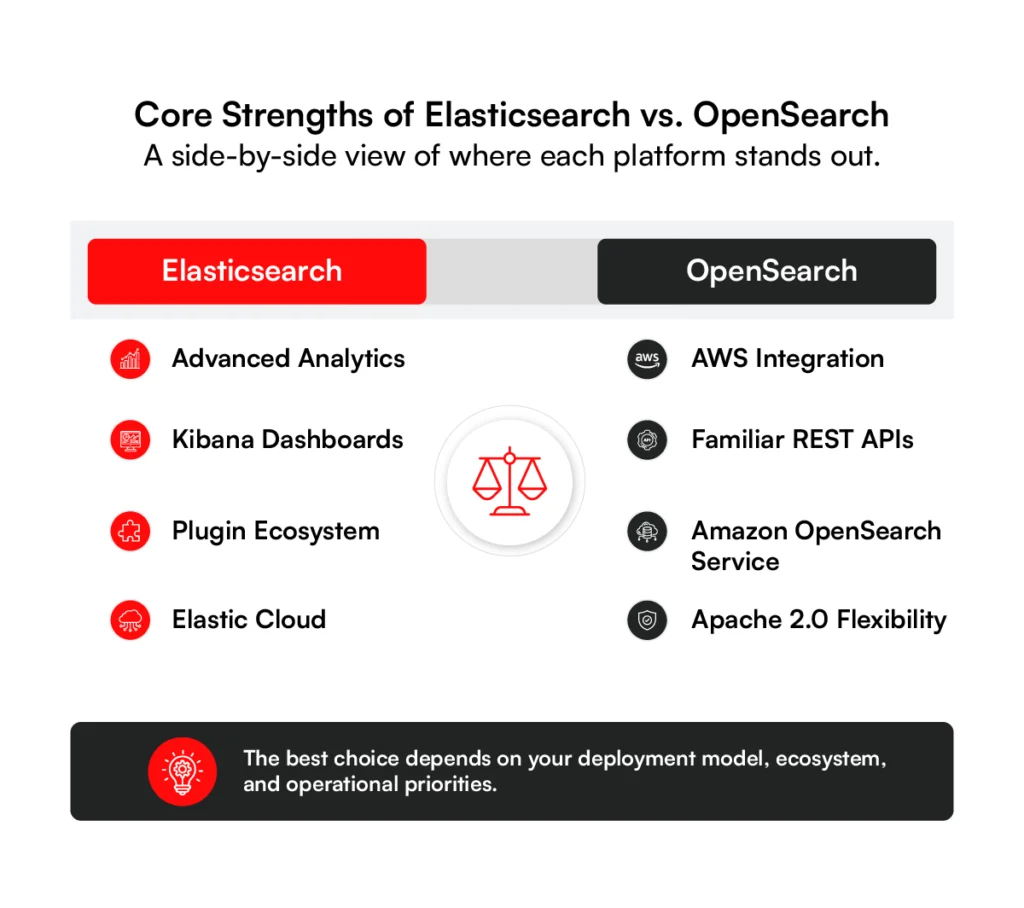
Elasticsearch and OpenSearch share many core capabilities, but each platform has strengths that suit different deployment models and business priorities. The sections below highlight where each platform stands out.
Elasticsearch Core Strengths
Advanced analytics and aggregations:
Elasticsearch provides an aggregation framework that supports complex queries across operational data, application logs, security events, and business metrics. Organizations use it to generate reports, monitor systems, and analyze large datasets in real time.
Built-in Kibana dashboards:
Kibana provides dashboards and visualization tools for monitoring search activity, logs, and business data. Teams can build reports and review operational data from a single interface.
Extensible plugin ecosystem:
Elasticsearch supports ingest pipelines, alerting, machine learning, and other plugins that add search, analytics, and data processing features. These integrations help organizations customize the platform for different workloads.
Managed Elastic Cloud:
Elastic Cloud offers Elasticsearch and Kibana as a managed service, including security, monitoring, scaling, and maintenance across AWS, Microsoft Azure, and Google Cloud.
OpenSearch Core Strengths
Native AWS integration:
OpenSearch integrates with AWS services such as Identity and Access Management (IAM), CloudWatch, Kinesis, and Amazon S3. Organizations already running AWS can connect search, monitoring, and data ingestion services using existing AWS infrastructure.
Familiar for Elasticsearch users:
OpenSearch retains a similar REST API and query syntax to Elasticsearch. Applications built on standard APIs often require only minor code changes during migration.
Managed Amazon OpenSearch Service:
Amazon OpenSearch Service manages OpenSearch clusters on AWS. AWS handles infrastructure provisioning, scaling, monitoring, and routine maintenance, reducing the amount of cluster administration required.
Comparing strengths is only part of the evaluation. The next section explains when Elasticsearch or OpenSearch is the better choice for different business needs.
Elasticsearch vs. OpenSearch: How to choose?
The right platform depends on your existing technology stack, operating model, and business requirements. Both Elasticsearch and OpenSearch provide strong search capabilities, but the following factors can help guide your decision.
1. Deployment Environment
If your infrastructure already runs on AWS, OpenSearch works naturally with services such as IAM, CloudWatch, Kinesis, and Amazon S3. Elasticsearch supports deployment on AWS, Microsoft Azure, Google Cloud, on-premises infrastructure, and hybrid environments through Elastic Cloud.
2. Integration Compatibility
Both platforms integrate with common data pipelines, monitoring tools, and applications. Before choosing a platform, review client libraries, plugins, APIs, and third-party integrations to confirm they support your existing environment.
3. Documentation and Community
OpenSearch documentation is maintained through an open-source community with contributions from multiple organizations. Elasticsearch documentation is maintained by Elastic and includes product guides, technical documentation, training, and commercial support resources.
4. Product Roadmap
OpenSearch follows an open governance model through the OpenSearch Software Foundation, allowing community members to contribute to future development. Elasticsearch’s roadmap is planned and maintained by Elastic as part of its commercial product strategy.
5. Licensing Requirements
Licensing can affect long-term costs and software distribution. OpenSearch uses the Apache 2.0 license, while Elasticsearch is available under AGPLv3, SSPL, and Elastic License 2.0. Organizations with specific open-source policies should review these licensing models before making a decision.
6. Security and Compliance
Both platforms provide enterprise security features, but the availability of advanced capabilities depends on the deployment model and licensing. Review authentication, authorization, encryption, audit logging, compliance requirements, and support options before selecting a platform.
Why Choose Elasticsearch?
Elasticsearch is a good choice for organizations looking for a managed search platform with an established ecosystem.
It may be the right fit if you need:
- High performance for text search, vector search, and analytics.
- Early access to new Apache Lucene releases and platform updates.
- Kibana, observability, security, and machine learning in a single platform.
- Commercial support and managed cloud services for production workloads.
Why Choose OpenSearch?
OpenSearch is a good choice for organizations that prefer open-source software and already use AWS.
It may be the right fit if you need:
- Apache 2.0 licensing.
- Enterprise features such as alerting and role-based access control without additional licensing fees.
- Native integration with AWS services and Amazon OpenSearch Service.
- REST APIs and query syntax that are familiar to existing Elasticsearch users.
How RBMSoft Can Help
Selecting a search platform is only the first step. Search relevance, indexing, data integration, and ongoing maintenance have an equally large impact on search quality.
RBMSoft helps organizations evaluate Elasticsearch and OpenSearch based on their business requirements, existing systems, and deployment model. Our team designs and implements enterprise search solutions, supports platform migrations, integrates search with business applications, and improves search relevance for large datasets.
Need help choosing between OpenSearch and Elasticsearch? Our enterprise search experts can help you evaluate, migrate, and optimize the right platform. Book a Free Consultation.
FAQs
1. Which is better: OpenSearch or Elasticsearch?
There isn’t a single answer. OpenSearch vs Elasticsearch depends on your deployment model, licensing requirements, budget, and existing technology stack. Elasticsearch is often chosen for its commercial ecosystem and managed services, while OpenSearch is a common choice for organizations that prefer Apache 2.0 licensing and AWS integration.
2. Which search engine is best for enterprise applications?
Both platforms support enterprise search, log analytics, observability, and AI-powered search. The best choice depends on your security requirements, cloud strategy, support expectations, and long-term operating costs.
3. Which search engine scales better for large datasets?
Both Elasticsearch and OpenSearch scale horizontally by adding nodes to a cluster. Performance depends more on cluster design, indexing strategy, hardware, and query patterns than on the platform itself.
4. What is the licensing difference between OpenSearch and Elasticsearch?
OpenSearch is released under the Apache 2.0 license. Elasticsearch is available under AGPLv3, SSPL, and Elastic License 2.0, depending on the distribution and deployment model.
5. What hidden costs should I consider when choosing Elasticsearch?
Beyond licensing, consider managed service subscriptions, infrastructure, storage, data transfer, support plans, and the cost of operating production clusters. These factors have a greater impact on the total cost of ownership than licensing alone.
6. Can I replace Elasticsearch with OpenSearch without increasing costs?
In many cases, yes. Applications built on standard REST APIs often migrate with limited code changes. However, organizations using Elastic-specific features, commercial plugins, or advanced security capabilities should evaluate migration costs before making the switch.
7. Should I use OpenSearch or Elasticsearch for AI applications?
Both platforms support vector search, semantic search, and Retrieval-Augmented Generation (RAG). Elasticsearch provides an integrated AI ecosystem, while OpenSearch offers flexible model integration and strong support for AWS-based AI environments.
8. Which search engine is best for AI-powered customer support?
Both platforms can power AI-driven customer support, knowledge search, and conversational search applications. The decision depends on your preferred AI stack, deployment environment, and integration requirements rather than the search engine alone.
9. What breaks when moving from Elasticsearch to OpenSearch?
Most applications continue to work if they rely on standard APIs. Issues are more likely to occur with Elastic-specific plugins, commercial features, security configurations, and newer platform-specific APIs. A compatibility assessment before migration helps identify these dependencies.
10. How long does an Elasticsearch migration take?
Migration timelines vary based on data volume, cluster size, application dependencies, and testing requirements. Small environments may take a few days, while large enterprise deployments often require several weeks of planning, testing, and phased rollout.
11. Which is more secure: OpenSearch or Elasticsearch?
Both platforms support encryption, authentication, access control, and audit logging. The main difference is how advanced security features are packaged and licensed rather than the security capabilities themselves.
12. Are OpenSearch APIs compatible with Elasticsearch?
OpenSearch maintains broad compatibility with Elasticsearch REST APIs. However, applications using newer Elasticsearch-specific features or commercial APIs should validate compatibility before migration.
13. Is OpenSearch or Elasticsearch better for RAG applications?
Both platforms support vector search for RAG applications. Elasticsearch offers native AI tooling and inference capabilities, while OpenSearch provides multiple vector engines and flexible integration with external machine learning models. The right choice depends on your AI architecture and deployment requirements.
14. How should I benchmark Elasticsearch vs OpenSearch?
Elasticsearch vs OpenSearch benchmarking should use your own production data, indexing volume, search queries, and hardware configuration. Vendor benchmarks provide useful reference points, but they do not always reflect real-world workloads.
15. How difficult is it to migrate from Elasticsearch to OpenSearch?
The difficulty depends on your Elasticsearch version, plugins, security configuration, and application dependencies. Organizations using standard APIs generally experience a simpler migration than those relying on commercial Elastic features.
16. Which is faster: OpenSearch or Elasticsearch?
There is no universal winner. OpenSearch vs Elasticsearch performance depends on indexing strategy, cluster configuration, hardware, query complexity, and workload. The most reliable comparison comes from testing both platforms with your own data and production search patterns.