


Table of Contents
Quick Summary:
- Ecommerce integration connects storefronts with ERP, CRM, inventory, payment, order, and fulfillment systems.
- Ecommerce ERP integration keeps commerce and operational data connected across core business systems.
- B2B ecommerce integration supports account-specific pricing, catalogs, payment terms, procurement, and fulfillment.
- APIs, middleware, native connectors, and custom ecommerce integration solutions provide different ways to connect systems.
- Data quality, legacy systems, security, scalability, and testing can affect integration complexity.
- The right ecommerce integration software should match existing systems, data volumes, synchronization needs, and future channels.
- Integration cost and timelines depend on architecture, system complexity, data requirements, and custom development.
An ecommerce business can quickly end up with orders in one system, inventory in another, and customer data somewhere else. As sales grow, those disconnected applications create more manual work and make information harder to keep consistent.
Ecommerce integration connects the storefront with ERP, CRM, inventory, payment, order management, and fulfillment systems. The goal is to keep data moving between the applications involved in each transaction instead of relying on employees to transfer it.
This guide explains how ecommerce integration works, its benefits and challenges, common integration types, ecommerce integration solutions, implementation steps, costs, and what enterprises should consider before connecting their systems.
What Is Ecommerce Integration?
Ecommerce integration connects an online store with the other systems a business uses to manage products, customers, orders, inventory, payments, and fulfillment.
Instead of each system working separately, information can move between them without teams entering the same data again.
For instance, when a customer places an order, the ecommerce platform can send the order to an ERP, update inventory, pass payment details, and share fulfillment information with the shipping system. Changes made in one system can then reach the applications that depend on that data.
This differs from ecommerce management, which covers the day-to-day work of running an online business. Ecommerce integration focuses on how the storefront, ERP, CRM, inventory, accounting, payment, and logistics systems exchange information so each application works with current data.
How Does Ecommerce Integration Work?
Once systems are connected, ecommerce integration controls how information passes between them. The setup determines what data moves, when it moves, and which system receives it, so changes do not have to be entered separately across different applications.
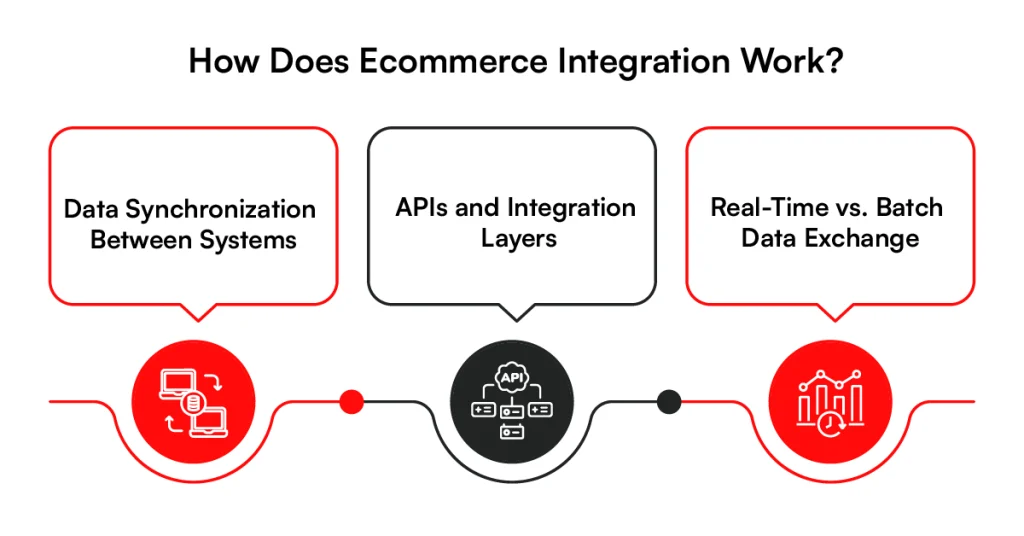
1. Data Synchronization Between Systems
Data synchronization keeps information consistent across the ecommerce platform and connected systems. Product details may come from a PIM or ERP, inventory from a warehouse system, and customer records from a CRM.
When a price, stock level, customer record, or order status changes, the integration sends that update to the systems that need it. This reduces situations where the storefront displays information that no longer matches the source system.
2. APIs and Integration Layers
APIs provide a defined way for ecommerce applications to send and receive information. In an headless API-driven architecture, those interfaces can also connect independent commerce services and external systems. An ecommerce platform can use APIs to request inventory from an ERP, send an order to an OMS, or pass customer information to a CRM.
For more complex environments, an integration layer can sit between these applications. Instead of building a separate connection for every system, it manages data exchange and business rules from a central point.
3. Real-Time vs. Batch Data Exchange
Some ecommerce data needs to move almost immediately. Inventory availability, order status, and certain pricing changes often need real-time or near-real-time updates because delays can affect what customers see and buy.
Other information can move in scheduled batches. Reports, historical records, or large catalog updates may be transferred every few hours or overnight. The right approach depends on how quickly each type of data needs to reach the next system.
How an Order Moves Across Integrated Systems
An order shows how several integrations can work together. Once the shopper checks out, order information moves through the systems responsible for processing, stock, payment, fulfillment, and customer communication.
Storefront → Order Management → ERP → Inventory → Payment → Fulfillment → Customer Update
Each system handles its part of the transaction and passes the required information forward. With this flow established, the next question is why businesses invest in connecting these systems in the first place.
Is Your Ecommerce Data Getting Stuck Between Systems?
Connect your ecommerce platform with the systems behind your operations. RBMSoft brings ERP, CRM, inventory, orders, and fulfillment data together.
Connect Your Ecommerce Systems
Why Ecommerce Integration Matters as Operations Grow
As ecommerce operations grow, processes that worked at a smaller scale can start slowing teams down. More orders, customers, and sales channels mean more information moving between systems, which becomes difficult to manage when those systems remain disconnected.
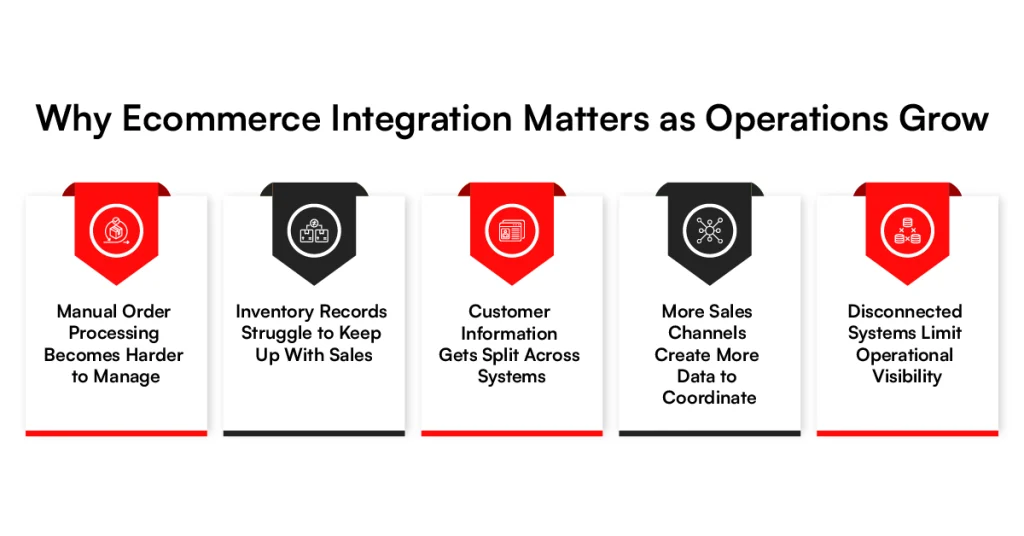
1. Manual Order Processing Becomes Harder to Manage
A growing order volume puts pressure on teams that still copy order details between the storefront, ERP, accounting software, and fulfillment systems.
During busy periods, orders can pile up faster than employees can process them, leaving a backlog that affects the rest of the operation.
Hiring more data-entry staff may provide temporary relief, but it also increases operating costs without fixing the underlying problem. Ecommerce integration allows order information to move between connected systems instead of relying on repeated manual entry.
2. Inventory Records Struggle to Keep Up With Sales
Inventory becomes harder to track when stock information sits across ecommerce platforms, warehouses, stores, and marketplaces. A sale on one channel may not appear quickly enough on another, leaving teams working with different inventory numbers.
The problem becomes more noticeable as order volumes increase. Without reliable synchronization, employees spend more time checking records and correcting differences between what systems say is available.
3. Customer Information Gets Split Across Systems
Customer details often sit in the ecommerce platform, CRM, support software, loyalty systems, and marketing tools. As the customer base grows, these separate records make it harder to maintain a consistent view of previous orders, interactions, and account activity.
An ecommerce CRM integration connects relevant customer information between these applications. It also reduces the need for teams to switch between several systems just to understand a customer’s history.
4. More Sales Channels Create More Data to Coordinate
Adding marketplaces, mobile commerce, social commerce, or B2B channels creates additional sources of orders, inventory changes, pricing updates, and customer data. Managing each channel separately increases the amount of information teams must keep aligned.
This becomes especially relevant for B2B ecommerce integration, where customer-specific catalogs, pricing, payment terms, and larger orders may need to connect with existing ERP and fulfillment systems.
5. Disconnected Systems Limit Operational Visibility
When information is spread across separate applications, teams can struggle to see what is happening across the business. An order may appear in the storefront but not yet in fulfillment, while inventory or customer records show something different elsewhere.
These operating problems explain why connecting ecommerce systems becomes more pressing as a business grows. The next question is what measurable improvements an integrated setup can bring.
Benefits of Ecommerce Integration
Once connected systems can exchange information reliably, teams spend less time moving data between applications and gain a more consistent view of ecommerce operations. The benefits of ecommerce integration become more noticeable as order volume, product catalogs, and sales channels grow.
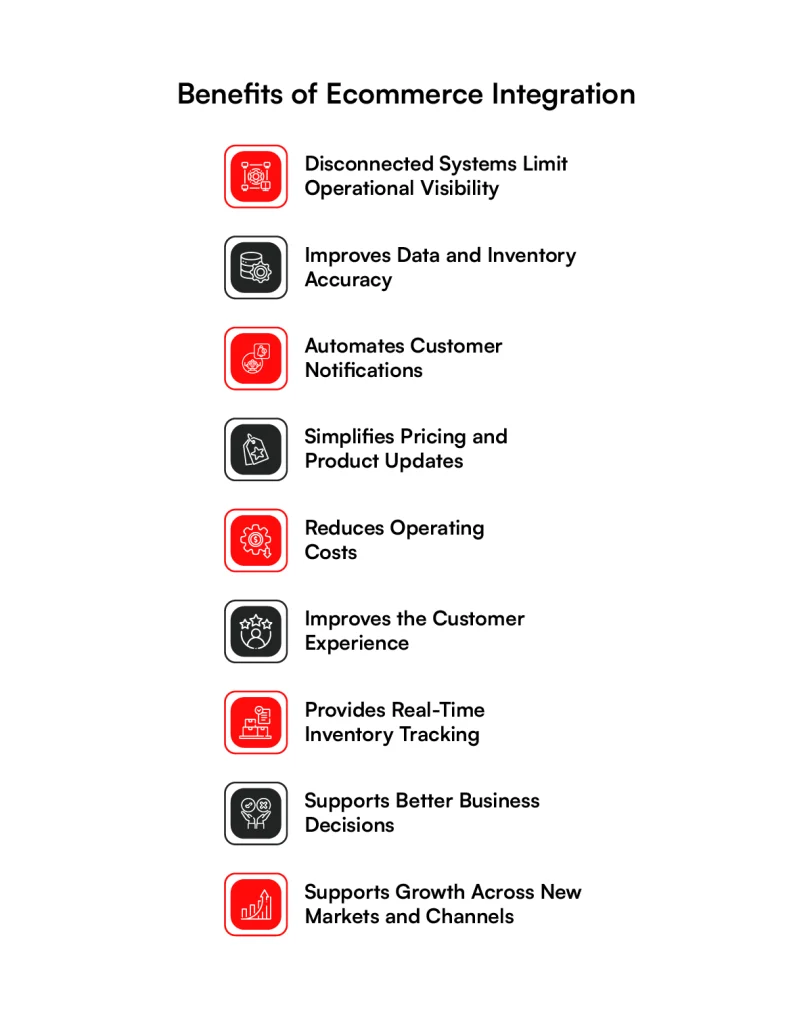
1. Eliminates Manual and Repeated Data Entry
Integrated systems can pass orders, customer details, product information, and fulfillment updates directly between applications. Employees no longer need to enter the same information separately into an ecommerce platform, ERP, CRM, or accounting system.
2. Improves Data and Inventory Accuracy
Repeated manual entry creates more opportunities for incorrect SKUs, quantities, addresses, or customer details. Ecommerce integration keeps shared information consistent by updating connected applications from the systems responsible for that data.
3. Automates Customer Notifications
Order confirmation, shipping, delivery, and cancellation updates can trigger automatically as an order changes status. Customers receive relevant information without support teams manually checking fulfillment systems and sending individual updates.
4. Simplifies Pricing and Product Updates
Price, product, and catalog changes often need to appear across several selling channels. Integration allows approved updates from an ERP, PIM, or another source system to reach the ecommerce platforms that depend on them.
5. Reduces Operating Costs
Manual order entry, data corrections, and repeated administrative work consume employee time as transaction volumes rise. Automating these exchanges can reduce the amount of routine work required to keep ecommerce operations running.
6. Improves the Customer Experience
Customers expect accurate product information and clear order updates throughout a purchase. Connected commerce systems help keep the information they see aligned with what is happening across ordering, payment, inventory, and fulfillment.
7. Provides Real-Time Inventory Tracking
Inventory integration can send stock changes between warehouses, stores, marketplaces, and ecommerce platforms as sales occur. Teams get a more current view of available inventory, while selling channels can reflect recent stock changes faster.
8. Supports Better Business Decisions
Integrated data gives teams a clearer view of orders, customers, inventory, sales, and fulfillment activity. Instead of comparing reports from disconnected applications, decision-makers can work from information drawn from connected parts of the business.
9. Supports Growth Across New Markets and Channels
Entering a new marketplace or adding another ecommerce channel introduces another system that needs product, inventory, order, and customer data. An established integration setup makes it easier to connect these channels without creating a separate manual process for each one.
These benefits depend on connecting the right applications for the business. That could mean an ERP for operational data, a CRM for customer records, or logistics software for fulfillment, which brings us to the different types of ecommerce integrations.
Types of B2B Ecommerce Integrations Solutions
The systems a business needs to connect depend on how its commerce operation is set up. Some integrations manage core operational data, while others connect customer, payment, fulfillment, or sales-channel information.
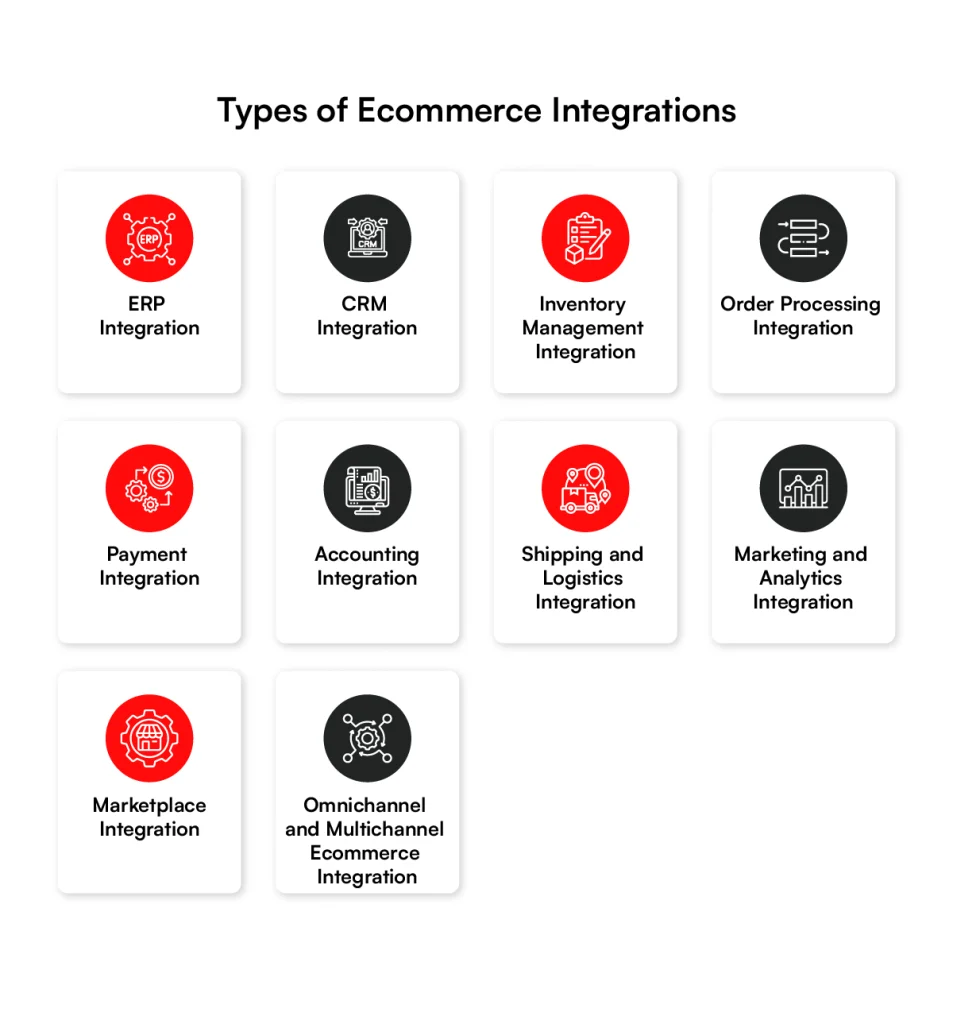
1. ERP Integration
Ecommerce ERP integration connects the ecommerce platform with the system managing core business operations. Product information, pricing, inventory, orders, and financial data can move between the two instead of being maintained separately.
For example, ecommerce integration with ERP can send completed orders into the ERP while returning updated pricing or stock information to the commerce platform. This makes ERP integration for ecommerce especially relevant when several business processes depend on the same operational data.
2. CRM Integration
Ecommerce CRM integration connects customer activity from the online store with records held in the CRM. This can include customer profiles, purchase history, previous interactions, and sales or service information.
With CRM and ecommerce integration, sales, marketing, and support teams can access relevant commerce activity alongside the customer information they already use.
3. Inventory Management Integration
Inventory management integration connects stock information across ecommerce platforms, stores, warehouses, and other systems that track availability. As inventory changes, those updates can be passed to the channels where customers are shopping.
This is also where Arvyn can fit within an existing commerce stack. Arvyn provides a near-real-time catalog read layer, helping commerce experiences work with current catalog and inventory signals without replacing the core systems that already manage the business.
4. Order Processing Integration
Order processing integration passes order information from the storefront to the systems responsible for processing and fulfillment. Status changes can then move back to the ecommerce platform as the order progresses.
This connection becomes more useful when orders arrive through several channels but still need to follow the same internal processing rules.
5. Payment Integration
Payment integration connects checkout with payment gateways and processors. It handles the exchange needed to authorize payments, record transaction status, process refunds, and return the result to the commerce platform.
The integration may also need to pass relevant transaction information to order management, accounting, or fraud detection systems.
6. Accounting Integration
Accounting integration transfers relevant sales, payment, tax, refund, and transaction records from ecommerce systems into accounting software. Finance teams can then work with commerce transactions without recreating records manually.
For businesses using an ERP for finance, some of this functionality may already sit within the broader ecommerce ERP integration.
7. Shipping and Logistics Integration
Shipping integration connects orders with carriers, warehouse systems, or logistics providers as part of the broader ecommerce fulfillment process. Once an order is ready, the required fulfillment information can pass to the appropriate system and shipping updates can return to the storefront. Tracking numbers and delivery status can then feed customer-facing order updates.
8. Marketing and Analytics Integration
Marketing integrations connect ecommerce activity with email platforms, analytics tools, advertising systems, and customer data platforms. Events such as purchases, cart activity, and product interactions can feed campaigns or reporting.
Analytics integrations can also combine commerce activity with data from other systems, giving teams a broader view of how customers move from acquisition to purchase.
9. Marketplace Integration
Marketplace integration connects channels such as third-party marketplaces with internal commerce systems. Product listings, prices, inventory, and orders can move between the marketplace and the systems responsible for managing them.
This becomes more relevant as businesses add marketplaces alongside their primary ecommerce site and need to keep commerce information aligned across each channel.
10. Omnichannel and Multichannel Ecommerce Integration
Multichannel ecommerce integration connects information across the different places where a business sells. Online stores, marketplaces, mobile commerce, and physical stores may all need access to product, inventory, customer, and order data.
Omnichannel integration goes further by connecting those channels around the customer experience. An order started in one channel may need to continue through another, which requires the underlying systems to exchange the right information throughout the transaction.
These integrations cover the common connections behind ecommerce operations. B2B commerce adds another layer because ERP data, account-specific catalogs, pricing, payment terms, procurement, and fulfillment often need to work together for each business customer.
Are Your Ecommerce Systems Working Together?
RBMSoft connects ecommerce platforms with ERP, CRM, inventory, payment, and fulfillment systems so data can move where the business needs it.
Discuss Your Integration NeedsB2B Ecommerce Integration Connects More Than the Storefront
B2B ecommerce for manufacturer often depend on account-specific pricing, larger order volumes, payment terms, and procurement processes. B2B ecommerce integration connects the storefront with the business systems that manage these requirements behind each transaction.
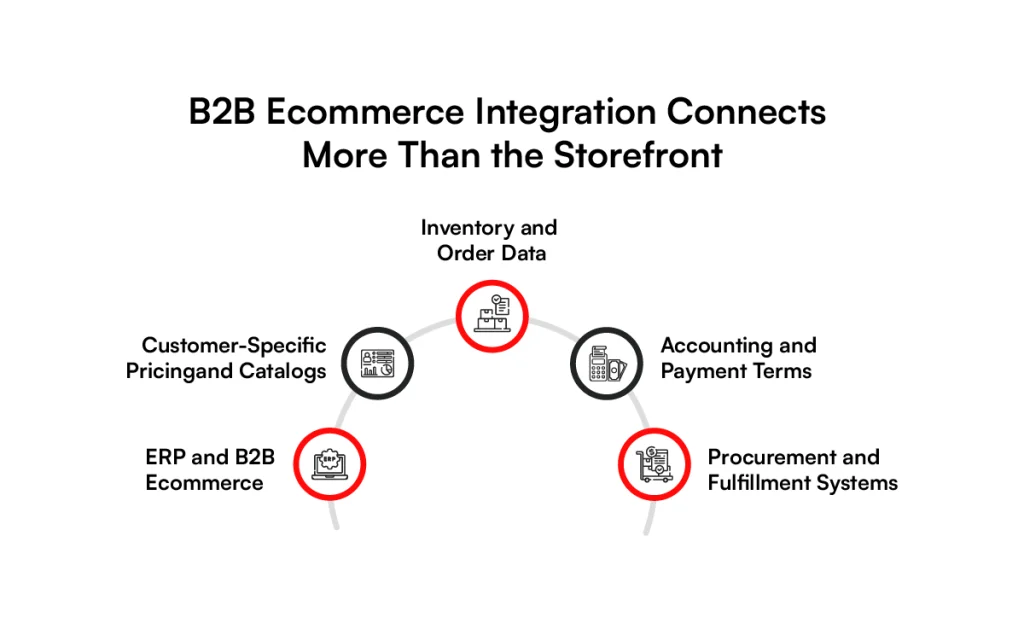
1. ERP and B2B Ecommerce
The ERP often holds much of the operational data a B2B ecommerce platform needs. B2B ecommerce ERP integration can exchange product records, customer accounts, pricing, inventory, orders, and financial information between both systems.
For businesses with more complex system setups, B2B ecommerce ERP integration solutions can also connect the ERP with other applications involved in sales and order processing.
2. Customer-Specific Pricing and Catalogs
B2B buyers may have negotiated prices, contract terms, product assortments, or volume discounts tied to their accounts. Integration allows the ecommerce platform to retrieve the appropriate catalog and pricing information when a customer signs in.
This helps the storefront present purchasing options based on the commercial terms already maintained in connected business systems.
3. Inventory and Order Data
B2B orders can involve large quantities, multiple warehouses, backorders, or scheduled deliveries. Connecting inventory and order systems gives the ecommerce platform access to the information needed to process these transactions.
Order details can then pass to the ERP or OMS, while availability and order-status changes can return to the ecommerce platform.
4. Accounting and Payment Terms
B2B checkout does not always end with an immediate card payment. Customers may purchase against credit limits, invoices, purchase orders, or agreed payment terms such as Net 30 or Net 60.
An integrated setup can check relevant account terms and send transaction information to accounting or ERP systems for invoicing, reconciliation, and financial processing.
5. Procurement and Fulfillment Systems
Some B2B customers purchase through procurement platforms rather than directly through a standard storefront. Integration can connect these purchasing processes with ecommerce, ERP, warehouse, and fulfillment systems.
Once an order is approved, the required information can continue through picking, shipping, and delivery without teams rebuilding the transaction in each system. With these connections defined, businesses can then decide which integration approach best fits their existing technology setup.
Ecommerce Integration Solutions and Software
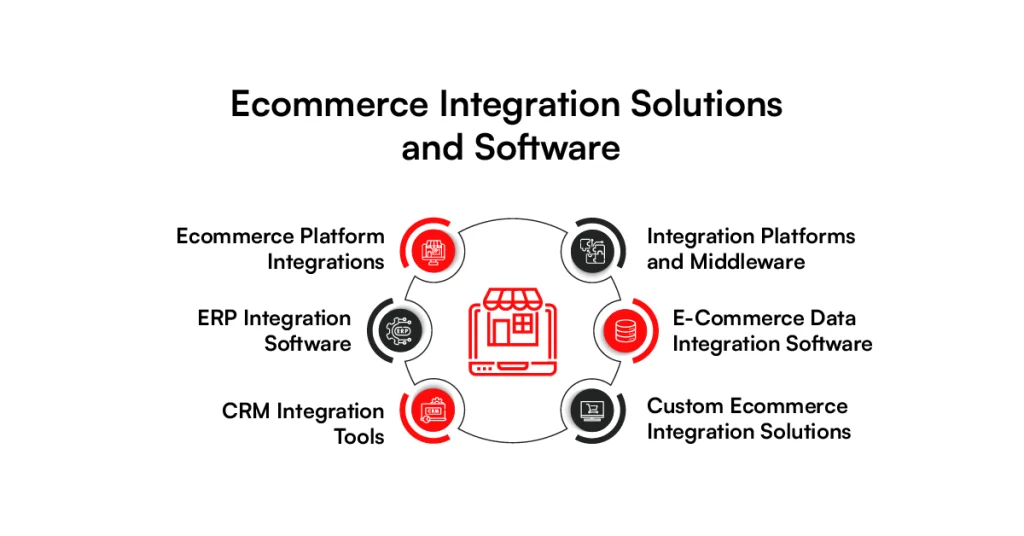
Once a business knows which systems need to connect, the next decision is how those connections will be managed. Ecommerce integration solutions can range from built-in platform connectors to middleware and custom integrations, depending on the existing technology setup and data requirements.
1. Ecommerce Platform Integrations
Ecommerce platforms often provide native integrations or connectors for common payment, shipping, marketing, inventory, and business applications. These can work well when the required connection is already supported and the data flow is relatively straightforward.
Businesses with custom workflows or older systems may need additional API development or an integration layer to move information beyond what a standard connector supports.
2. ERP Integration Software
ERP integration software connects commerce activity with operational and financial information held in the ERP. Depending on the setup, it can exchange orders, products, inventory, pricing, customer accounts, invoices, and other records.
An ecommerce integration solution for ERP needs to account for how the business actually uses its ERP. Two companies running the same ERP may still require different data mappings, synchronization rules, and order workflows.
3. CRM Integration Tools
CRM integration tools connect customer activity from the ecommerce platform with sales, service, and account records. Purchase information, customer details, and relevant interactions can then pass between both systems.
The connection should also define which application owns each customer record and how updates are handled when information changes in either system.
4. Integration Platforms and Middleware
Middleware sits between ecommerce platforms and other business applications. It can receive information from one system, apply mapping or business rules, and send the resulting data to another.
This approach becomes useful when several applications need to communicate. Instead of maintaining a growing number of direct connections, businesses can manage more of the data exchange through a shared integration layer.
5. E-Commerce Data Integration Software
E-commerce data integration software focuses on moving and synchronizing information across commerce applications. It may handle product records, orders, inventory, customers, transactions, or other data required by connected systems.
The right setup depends on the amount of data being exchanged and how quickly it needs to move. A large catalog requiring scheduled updates has different requirements from inventory data that needs near-real-time synchronization.
6. Custom Ecommerce Integration Solutions
Standard connectors do not always match existing business processes. Custom ecommerce integration solutions can address proprietary applications, legacy systems, unusual data structures, or workflows that require specific business rules.
Custom development can also connect several systems through APIs or an integration layer rather than changing established applications simply to fit the limits of an off-the-shelf connector.
How to Choose Ecommerce Integration Software
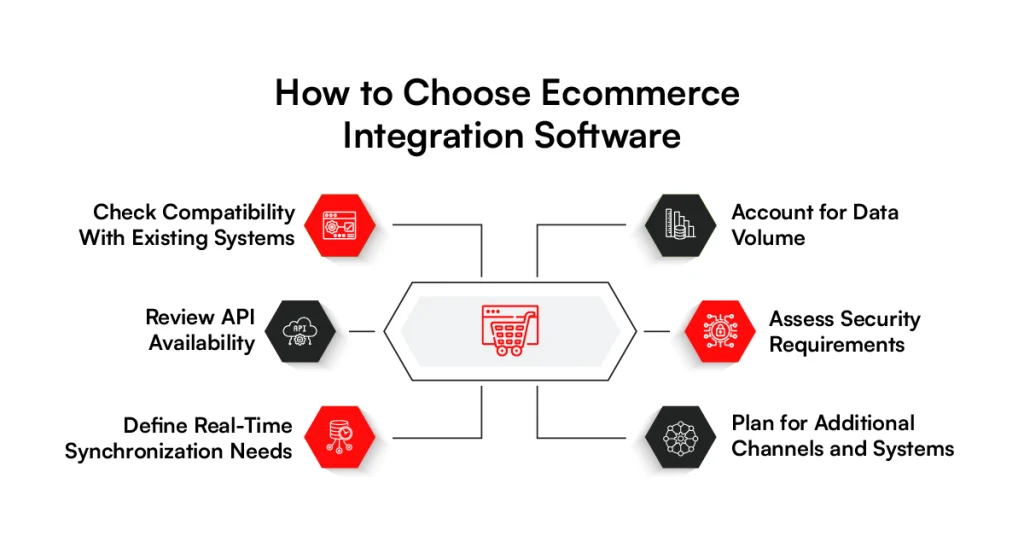
The right ecommerce integration software should fit the systems and processes already running across the business. It also needs to fit the broader ecommerce tech stack rather than creating another isolated application. Before choosing a tool, compare these six areas against your current requirements and future plans.
1. Check Compatibility With Existing Systems
Start with the ecommerce platform, ERP, CRM, OMS, PIM, accounting software, and other applications already in use. The software should connect with these systems without requiring unnecessary changes to existing processes.
2. Review API Availability
Check what APIs each platform provides and what data they allow you to access. Good API support matters when standard connectors cannot handle custom workflows, business rules, or specific data exchanges.
3. Define Real-Time Synchronization Needs
Decide which information needs immediate updates and which can wait. Inventory and order status may require real-time or near-real-time synchronization, while reporting data may work well with scheduled transfers.
4. Account for Data Volume
Consider how many products, customers, orders, and transactions will move between systems. The integration software should handle current volumes without slowing down as the business processes more data.
5. Assess Security Requirements
Identify what customer, order, payment, and financial information will pass through the integration. Review access controls, authentication, encryption, logging, and compliance requirements before connecting sensitive systems.
6. Plan for Additional Channels and Systems
The integration setup should accommodate new marketplaces, warehouses, sales channels, and business applications as requirements change. Otherwise, each addition may require another separate connection or major integration work.
Choosing the software is only one part of the process. Legacy systems, data inconsistencies, security concerns, and technical compatibility can still affect implementation, so these challenges need to be considered before development begins.
Common Ecommerce Integration Challenges
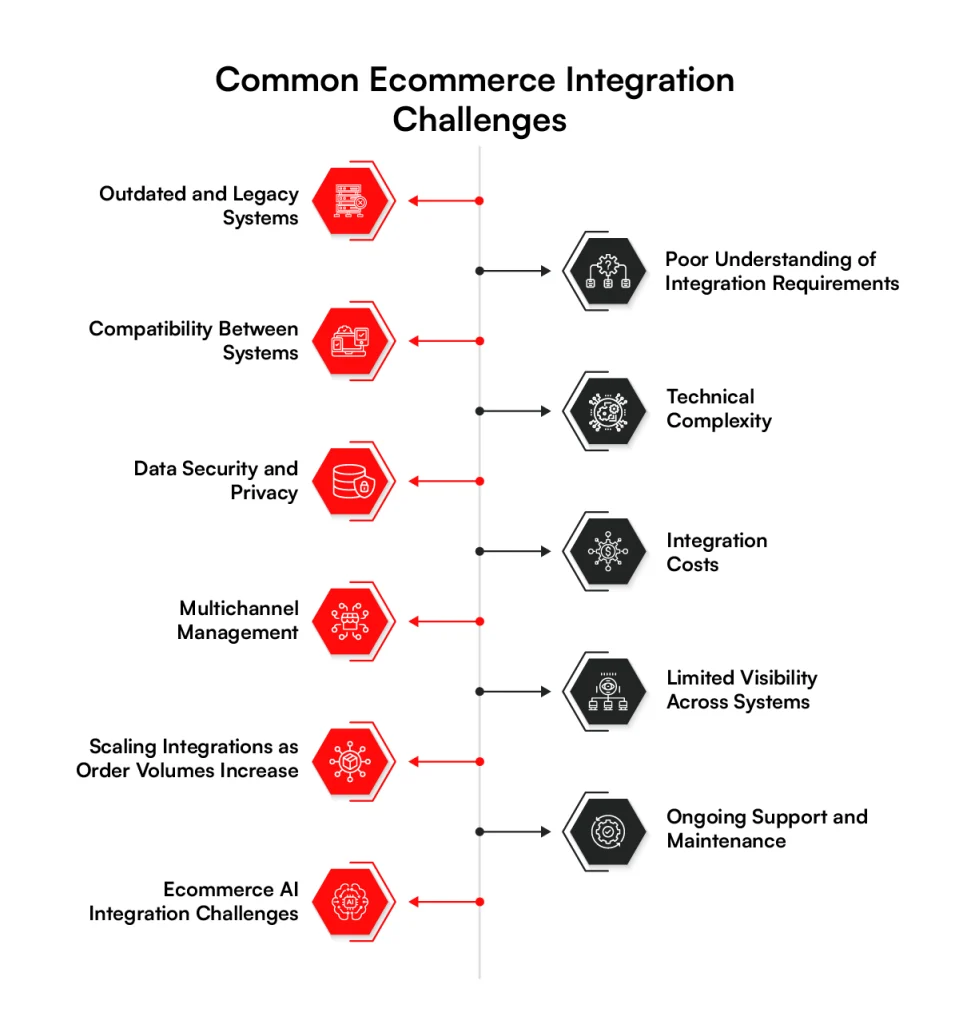
Connecting ecommerce systems can become difficult when applications were built at different times, store data differently, or follow separate business rules. These ecommerce integration challenges become more noticeable as the number of systems, channels, and transactions increases.
1. Outdated and Legacy Systems
Older ERP, inventory, accounting, or warehouse systems may have limited API support or depend on older data formats.
Connecting them with a modern ecommerce platform can require custom interfaces or additional middleware, especially when the existing application supports business processes that cannot be interrupted or replaced.
2. Poor Understanding of Integration Requirements
Integration projects can run into problems when teams start building before defining what information needs to move between systems.
Orders, inventory, pricing, customers, and fulfillment data may each follow different rules, so unclear requirements can result in missed dependencies or connections that do not match actual business processes.
3. Compatibility Between Systems
Two applications may support integration but still structure information differently. A product, customer, order, or status in one system may not have an exact equivalent in another, creating mapping issues that require additional logic before the receiving application can use the data correctly.
4. Technical Complexity
Technical complexity increases as more applications become part of the same commerce operation. APIs, authentication methods, data mappings, workflows, error handling, and synchronization schedules must work together, while a change to one application can affect other connections that depend on its data or APIs.
5. Data Security and Privacy
Ecommerce integrations can exchange customer details, transaction records, account information, and other sensitive data.
Each connection creates another path for that information, which makes authentication, access permissions, encryption, data storage, and applicable privacy requirements part of the integration planning.
6. Integration Costs
Integration costs depend on more than the number of systems being connected. Legacy applications, custom APIs, data cleanup, testing, middleware, security requirements, and specialized workflows can increase development effort, while software subscriptions, infrastructure, monitoring, updates, and technical support add ongoing costs after launch.
7. Multichannel Management
Selling through an ecommerce site, marketplaces, physical stores, mobile channels, and B2B portals creates multiple sources of commerce data.
Since each channel may handle products, prices, orders, and inventory differently, adding channels without a consistent integration structure can leave teams managing separate connections and data flows.
8. Limited Visibility Across Systems
A transaction can pass through the storefront, OMS, ERP, payment provider, warehouse, and shipping platform. When these integrations are managed separately, technical teams may struggle to locate failed API calls, synchronization delays, missing records, or the exact system where a transaction stopped moving.
9. Scaling Integrations as Order Volumes Increase
An integration that handles a few hundred daily transactions may behave differently as order and API volumes rise.
Larger catalogs and frequent inventory changes add further pressure, making throughput, API limits, processing queues, and peak transaction periods harder to manage.
10. Ongoing Support and Maintenance
Ecommerce integrations continue to change after launch as platforms update APIs, authentication methods change, business processes evolve, and new applications enter the commerce stack.
Without ongoing maintenance, previously stable connections can begin producing errors or stop exchanging certain information correctly.
11. Ecommerce AI Integration Challenges
AI integration challenges often start with fragmented business data. Customer information may sit in a CRM, product data in a PIM, transactions in an ERP, and campaign activity in marketing platforms, with each source using different formats, identifiers, or update schedules.
The challenge becomes more complex when AI in ecommerce depends on current inventory, pricing, customer, and order information to perform a task.
Data access, governance, monitoring, and rules around which systems can act on AI-generated decisions must then be considered as part of the existing ecommerce integration setup.
Understanding these challenges before implementation makes it easier to prepare the data and define how each system should exchange information. That preparation starts with identifying what data exists, where it comes from, and how it needs to move.
How to Prepare Your Data for Ecommerce Integration
Before connecting applications, you need to know what data each system holds and how that information is currently used. Preparing this upfront helps prevent incorrect records and unclear data flows from carrying over into the new ecommerce integration.
1. Identify the Data Involved
Start by listing the information that needs to pass between systems. Depending on the business, this may include product details, SKUs, pricing, inventory, customer records, orders, payments, shipping information, and returns.
Next, identify where each type of data currently sits. This gives the integration team a clearer picture of which applications need to send information and which ones need to receive it.
2. Map How Data Moves Between Systems
Once the data sources are clear, map how information moves through the business. For example, an order may start in the storefront, pass to an OMS or ERP, reach a warehouse, and return with fulfillment updates.
The map should also show what triggers each exchange and where information needs to go next. This helps uncover missing connections or unnecessary transfers before development starts.
3. Clean Duplicate and Inaccurate Data
Connecting systems can carry existing data problems from one application into another. Duplicate customer profiles, inconsistent SKUs, outdated product details, and incorrect addresses should be identified before synchronization begins.
Cleaning these records also gives teams a consistent starting point. Otherwise, the integration may move incorrect information correctly, which still leaves the business with unreliable data.
4. Decide Which System Owns Each Data Set
When several applications store the same information, decide which one will act as the source of record. Product data might come from a PIM, financial records from an ERP, and customer information from a CRM.
This decision determines which system has authority when the same record differs across applications. It also prevents one system from overwriting a more current or approved value held elsewhere.
5. Define Synchronization Rules
Finally, define when information should move and what should happen when an update fails. Inventory may require near-real-time synchronization, while some reporting or financial records can move through scheduled batches.
Rules should also cover conflicts, failed transfers, retries, and updates made in multiple systems. With the data prepared and these rules defined, the business can move into the actual ecommerce integration process with clearer technical requirements.
How to Integrate an Ecommerce Business Successfully
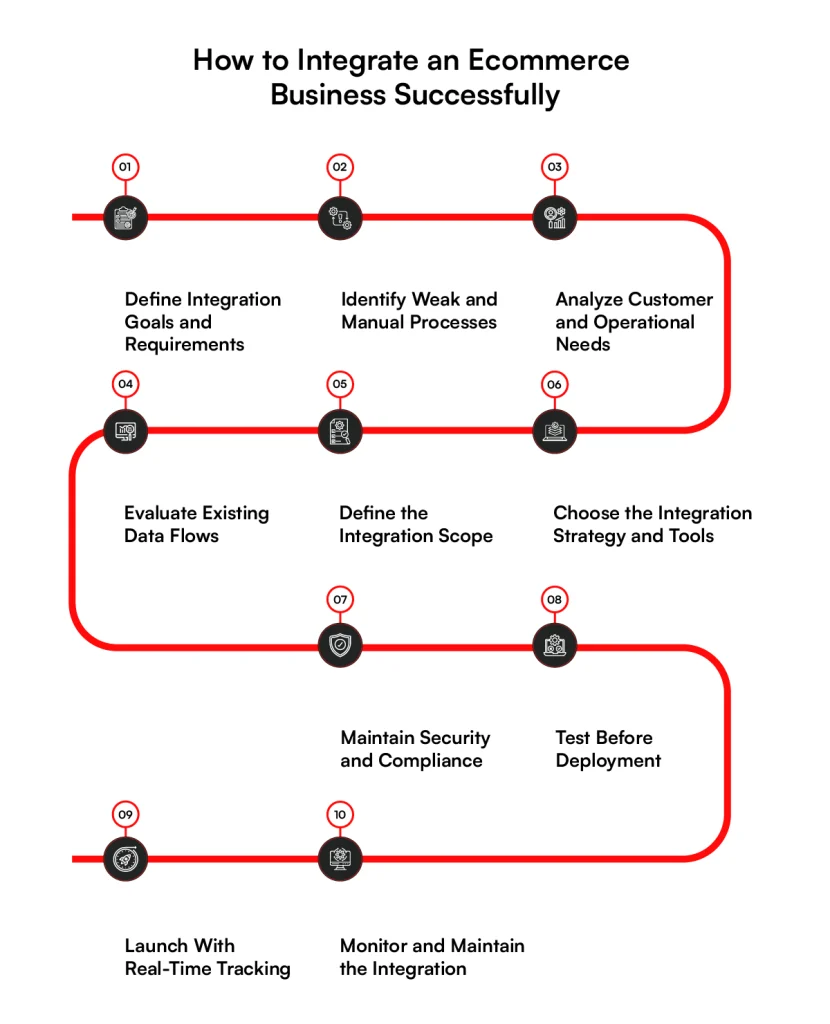
A successful ecommerce integration starts with understanding the business processes before connecting the technology. A clear plan establishes what needs to change, which systems are involved, and how information will move once the integration goes live.
Step 1. Define Integration Goals and Requirements
Start with the business reason for the integration. The goal could be faster order processing, consistent inventory across channels, ERP connectivity, fewer manual updates, or better access to customer data.
Translate each goal into requirements for the systems involved, the information they need to exchange, and the expected outcome.
Step 2. Identify Weak and Manual Processes
Review the work employees currently handle between ecommerce and other business systems. Look for repeated data entry, spreadsheet-based transfers, manual inventory updates, delayed order processing, or frequent corrections.
Areas requiring frequent employee intervention often point to gaps between systems. Documenting those gaps helps determine where automated data exchange should replace manual handoffs.
Step 3. Analyze Customer and Operational Needs
Consider how the integration will affect customers and internal teams. Customers may depend on accurate availability and order status, while operations teams need reliable information for processing, fulfillment, returns, and support.
Priorities will differ across those workflows. Inventory availability may require frequent updates, for example, while another process may work with scheduled data transfers.
Step 4. Evaluate Existing Data Flows
Document how product, customer, inventory, order, payment, and fulfillment information currently move between applications. Include automated connections and manual transfers so the entire flow is visible.
Mapping the current flow can expose duplicate transfers, missing connections, and points where one application depends on outdated information from another.
Step 5. Define the Integration Scope
Set clear boundaries around what the project will connect. Specify the applications, data sets, workflows, channels, and business rules included in the initial implementation.
Keep immediate requirements separate from connections that can be added later. Doing so prevents the initial project from expanding every time another integration opportunity appears.
Step 6. Choose the Integration Strategy and Tools
Select an approach based on the existing architecture and integration requirements. The business may use native connectors, APIs, middleware, an ecommerce integration solution, or custom development. API-heavy and headless commerce architectures may require more control over how individual commerce services communicate.
System compatibility, data volume, synchronization frequency, available APIs, and workflow complexity should guide the choice rather than the number of connectors a platform offers.
Step 7. Maintain Security and Compliance
Define how sensitive information will be protected as it passes between applications. Authentication, authorization, encryption, access permissions, and logging should match the type of data each integration handles.
Privacy, payment, and industry requirements also need consideration before production systems begin exchanging customer or transaction information.
Step 8. Test Before Deployment
Test individual connections along with complete business flows. An order, for example, should be tested from checkout through payment, inventory updates, fulfillment, and status changes.
Go beyond the expected path during testing. Failed API calls, incorrect records, duplicate transactions, and unavailable systems can reveal problems that normal transaction tests may miss.
Step 9. Launch With Real-Time Tracking
Once the integration goes live, track how information moves across connected applications. Monitor API activity, synchronization delays, failed transactions, processing queues, and other indicators that can expose problems early.
Orders and inventory deserve close attention because delays in either can quickly affect other parts of the commerce operation.
Step 10. Monitor and Maintain the Integration
Integration work continues after deployment. APIs change, platforms receive updates, transaction volumes increase, and business teams add new workflows or sales channels.
Regular monitoring gives technical teams a way to catch failures and adjust connections as requirements change. Maintenance should therefore remain part of the integration plan rather than becoming an occasional fix after something breaks.
Following a defined process reduces avoidable implementation issues, but decisions made during development can still cause problems after launch. The common ecommerce integration mistakes below show where those problems often begin.
Ecommerce Integration Mistakes That Create Problems After Launch
Even a well-planned ecommerce integration can create issues when important connections or post-launch requirements are overlooked. Some mistakes appear quickly, while others become visible only after order volumes, channels, or system dependencies increase.
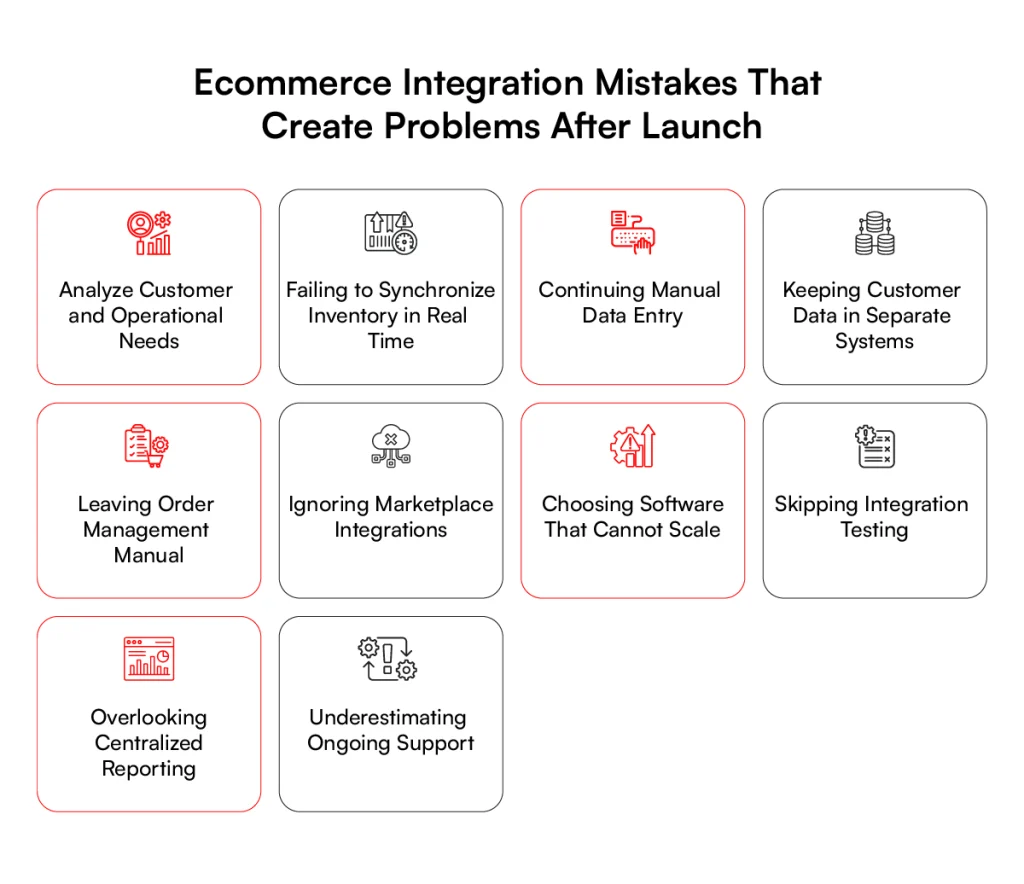
1. Keeping Systems Disconnected
Connecting the ecommerce platform while leaving ERP, CRM, inventory, or fulfillment applications isolated creates gaps in the overall flow. Employees may still need to move information manually between systems, leaving parts of the operation dependent on separate records and processes.
2. Failing to Synchronize Inventory in Real Time
Inventory can change quickly across stores, warehouses, marketplaces, and ecommerce channels. If updates arrive too slowly, customers may see stock that has already been sold or miss products that have become available again.
3. Continuing Manual Data Entry
Integration loses much of its purpose when employees still copy orders, customer details, product records, or transaction data between applications. Manual entry also becomes harder to manage as transaction volumes rise and more systems depend on accurate records.
4. Keeping Customer Data in Separate Systems
Customer information may remain split between the ecommerce platform, CRM, support software, and other applications even after other integrations are complete. Separate records make it harder to maintain a consistent customer profile across sales, service, and account activity.
5. Leaving Order Management Manual
Orders should not require employees to repeatedly transfer information between the storefront, ERP, warehouse, and fulfillment systems. Manual handoffs can slow processing and make order status harder to follow as transactions move through different applications.
6. Ignoring Marketplace Integrations
Marketplaces introduce another source of products, orders, prices, and inventory changes. Treating each marketplace development as an isolated channel can create separate workflows that become increasingly difficult to coordinate as marketplace sales grow.
7. Choosing Software That Cannot Scale
An ecommerce integration solution may work at current transaction levels but struggle as order volumes, catalog sizes, API requests, or connected channels increase. Software selection should account for expected growth rather than only the requirements present at launch.
8. Skipping Integration Testing
Testing individual APIs does not confirm that the complete commerce process works correctly. Teams also need to test end-to-end transactions, failed requests, duplicate records, unavailable systems, and other conditions that can interrupt data exchange after deployment.
9. Overlooking Centralized Reporting
Separate reports from ecommerce, ERP, inventory, fulfillment, and customer systems can provide conflicting views of the same operation. Without a consistent reporting structure, teams may spend additional time comparing records before they can understand what happened across a transaction.
10. Underestimating Ongoing Support
APIs change, platforms release updates, authentication requirements evolve, and new business processes are introduced after launch. Without planned support, integrations can gradually develop synchronization errors or stop working when one of the connected applications changes.
Avoiding these mistakes requires more than counting how many systems need to connect. Existing architecture, data quality, custom workflows, security requirements, and integration complexity all influence the work involved, which is why implementation time and cost need to be assessed separately.
How Long Does Ecommerce Integration Take?
There is no fixed timeline for ecommerce integration because connecting two standard applications is very different from integrating an ecommerce platform with several enterprise systems. Project duration depends on the existing architecture, data condition, and amount of custom work required.
1. Number of Connected Systems
Each additional ERP, CRM, OMS, PIM, warehouse, payment, or logistics system adds another connection that needs to be configured and tested. Projects involving several systems also require teams to account for dependencies between them.
2. API Availability
Well-documented APIs can make it easier to establish how applications will exchange data. Limited APIs, missing endpoints, strict rate limits, or poor documentation can require additional development work before a reliable connection is possible.
3. Legacy Applications
Older applications often extend the timeline because they may lack modern APIs or use data formats that newer ecommerce platforms do not support directly. Custom connectors, middleware, or changes to existing interfaces may be required to bridge the gap.
4. Data Migration and Cleanup
Product, customer, inventory, and order records may need cleaning before they move between systems. Duplicate entries, inconsistent identifiers, missing fields, and outdated records add preparation work before synchronization can begin safely.
5. Custom Business Logic
Standard connectors are faster to configure when existing workflows match their capabilities. Customer-specific pricing, approval rules, complex fulfillment flows, custom tax logic, or unusual order processes require additional development and validation.
6. Testing Requirements
Testing time increases with the number of systems and transaction paths involved. Teams need to verify normal data exchanges along with failed API calls, duplicate records, synchronization delays, and other conditions that could affect the integration after launch.
For these reasons, an ecommerce software integration timeline should be estimated after reviewing the systems, data flows, and business rules involved. The same factors also influence development effort and ongoing requirements, which directly affect the overall integration cost.
How Much Does Ecommerce Solutions Integration Cost?
The cost of ecommerce integration varies because each business has a different mix of platforms, data, and workflows. A simple connection between two standard applications may cost far less than an enterprise setup involving ERP, CRM, inventory, fulfillment, and custom systems.
As a ballpark estimate, ecommerce integration projects can range from $20,000 to $500,000, depending on the complexity, number of systems, level of customisation, and specific integration solutions required.
1. Number and Complexity of Integrations
Connecting more systems generally increases development and testing work, but complexity matters as much as the number of connections. An integration with custom data mappings, dependencies, or business rules can require more effort than several straightforward connections.
2. Native Connector vs. Custom Integration
Native connectors can reduce initial development when they already support the required systems and data flows. Custom integrations usually cost more because teams need to design, build, test, and maintain APIs or integration logic around specific business processes.
3. ERP and CRM Complexity
An ecommerce ERP integration may involve products, inventory, pricing, orders, invoices, and financial records, while CRM connections can include customer profiles and account activity. Customized ERP or CRM environments often require additional mapping and development work.
4. Data Volume
Large catalogs, high order volumes, extensive customer records, and frequent inventory changes affect the infrastructure required to process data. Costs can increase when integrations need to handle large volumes without creating delays or failed transactions.
5. Real-Time Requirements
Real-time and near-real-time connections generally require more engineering than scheduled batch transfers. Inventory availability, pricing, and order status may need frequent updates, while historical reporting can often run on a scheduled basis.
6. Security and Compliance
Integrations that handle customer, payment, or financial data may require additional controls around authentication, encryption, permissions, logging, and data storage. Industry or regulatory requirements can add further development, testing, and documentation work.
7. Maintenance
Integration costs continue after deployment. API changes, platform updates, monitoring, error handling, infrastructure, and new business requirements all contribute to the long-term cost of keeping connected systems working correctly.
For that reason, estimating ecommerce integrations should account for both initial ecommerce solutions development and ongoing maintenance. The architecture chosen at the start can affect those costs for years, making the experience of the integration partner an important part of the decision.
Why Choose RBMSoft for Ecommerce Integration?
Ecommerce systems rarely work alone. RBMSoft connects the platforms behind products, customers, orders, inventory, payments, and fulfillment, including systems where standard connectors are not enough.
Our ecommerce integration solutions cover:
- Ecommerce platforms: Storefront and backend system connections
- ERP and CRM: Customer, order, product, and operational data
- APIs: Custom APIs and system-to-system connections
- Legacy systems: Older applications connected with modern commerce platforms
- B2B ecommerce: Pricing, catalogs, orders, payment terms, and fulfillment
- Orders and inventory: Synchronization across storefronts, ERP, OMS, and warehouses
- Payments and logistics: Payment providers, carriers, and fulfillment systems
- Custom integrations: Business-specific workflows and data mappings
- AI integration: Commerce data connections for AI applications
RBMSoft builds around the systems a business already uses. We look at where the data comes from, where it needs to go, and how each connection fits into the transaction flow.
Conclusion
Ecommerce integration works best when it reflects how products, orders, customers, inventory, payments, and fulfillment actually move through the business. Connecting applications without understanding those flows can simply move existing problems from one system to another.
For enterprises, the right setup may combine ecommerce ERP integration, CRM connections, APIs, middleware, and custom ecommerce integration solutions.
The architecture should fit current requirements while leaving room for new channels, higher transaction volumes, and changing business processes.
RBMSoft helps businesses connect ecommerce platforms with the systems behind their operations. From API and legacy system integration to B2B commerce, ERP, CRM, and custom integrations, we build connections around the data and workflows your business already depends on.
FAQs
1. What Is the Best Ecommerce Integration Software?
The best ecommerce integration software depends on your ecommerce platform, ERP, CRM, data volume, and synchronization needs. Look for software that supports your existing systems, APIs, security requirements, and future sales channels.
2. What Are the Best Ecommerce Integration Tools?
The right ecommerce integration tools may include native connectors, APIs, middleware, integration platforms, or custom solutions. The choice depends on the systems being connected and how data needs to move between them.
3. What Is Multichannel Ecommerce Integration?
Multichannel ecommerce integration connects data across online stores, marketplaces, mobile channels, physical stores, and other sales channels. It helps coordinate products, inventory, orders, pricing, and customer information across those channels.
4. What Is Fully Integrated Ecommerce?
Fully integrated ecommerce connects the storefront with the business systems behind it, such as ERP, CRM, inventory, payments, order management, and fulfillment. Data can then move between connected applications based on defined synchronization rules.
5. How Does Ecommerce Integration Work?
Ecommerce integration uses APIs, connectors, middleware, or custom integrations to exchange data between an ecommerce platform and other business applications. Depending on the data, updates may move in real time, near real time, or scheduled batches.
6. What Is the Difference Between Ecommerce Management and Ecommerce Integration?
Ecommerce management covers the work involved in operating an online business, including products, orders, customers, and sales. Ecommerce integration focuses on connecting the systems that support those operations and exchanging data between them.
7. How Long Does Ecommerce Software Integration Take?
The timeline for ecommerce software integration depends on the number of systems, API availability, legacy applications, data cleanup, custom workflows, and testing requirements. Complex enterprise integrations generally require more planning and development than standard connector-based projects.
8. How Much Does Ecommerce Integration Cost?
The cost of ecommerce integrations depends on system complexity, data volume, custom development, real-time requirements, security, testing, and maintenance. A custom ecommerce integration solution will usually require a different budget than a prebuilt connector.
9. What Are the Benefits of Ecommerce Integration?
The main benefits of ecommerce integration include less manual data entry, more accurate records, current inventory information, automated order updates, and easier coordination between business systems and sales channels.
10. Why Is Ecommerce Integration Important for Enterprises?
Enterprise ecommerce operations often depend on several systems for products, customers, inventory, orders, payments, and fulfillment. Ecommerce integration solutions connect those applications so information can move across the business without relying on separate manual processes.
11. What Is Ecommerce ERP Integration?
Ecommerce ERP integration connects an ecommerce platform with an ERP to exchange information such as products, pricing, inventory, orders, customers, and financial records. ERP integration for ecommerce helps keep commerce activity connected with core business operations.
12. What Is B2B Ecommerce Integration?
B2B ecommerce integration connects a B2B commerce platform with ERP, CRM, inventory, accounting, procurement, and fulfillment systems. B2B ecommerce ERP integration can also support customer-specific pricing, catalogs, payment terms, and order processes.
13. What Is Ecommerce CRM Integration?
Ecommerce CRM integration connects online customer activity with CRM records such as profiles, purchase history, sales activity, and service interactions. CRM and ecommerce integration gives customer-facing teams access to relevant commerce information within connected systems.