

Quick Summary:
- AI integration connects models with existing business applications, data, and workflows so outputs can support real operational processes.
- Strong AI implementations start with a defined business goal, reliable data, and an architecture that can support production requirements.
- APIs, RAG, iPaaS, embedded AI, and custom integration layers provide different ways to connect AI with enterprise systems.
- Testing should cover the surrounding integration, not only model accuracy, including how the system responds to failures and changing production conditions.
- Production monitoring connects model performance with business results and shows where adjustments are needed before expanding into additional workflows.
Businesses are adding AI to customer service, forecasting, internal operations, and decision-making, yet many implementations remain disconnected from the systems where employees actually work. When AI cannot access the right business data or pass its output to another application, its role stays limited.
That gap becomes harder to manage across enterprise environments where CRM, ERP, legacy applications, and custom platforms already exchange data through different integration patterns.
Adding another disconnected tool can create more handoffs instead of improving the process it was meant to support.
Connecting AI with the applications and data already running the business turns a working model into part of an operational process.
AI integration provides those connections so information can reach the model and its output can move back into the systems responsible for the next action. This guide explains what that requires from planning through production.
What Is AI Integration in Business?
AI integration means adding artificial intelligence to the systems and processes a business already uses. Instead of operating as a separate tool, AI becomes connected with the software where everyday work takes place.
A retailer might connect AI with commerce data to support product recommendations. In manufacturing, equipment data can feed a model that identifies signs of maintenance needs before a machine fails.
The purpose of AI integration in business is to make model outputs useful within an actual process. AI might support a decision, complete part of a workflow, or provide information that another business application can act on.
How Does AI Integration Work in Business Systems?
Putting AI inside a business process requires more than access to a model. Artificial intelligence integration connects the model with business systems, supplies the context needed for the task, and defines what happens after an output is produced.
1. Connect AI to Business Systems and Data
The process starts by connecting AI with the applications that hold the information required for its task. APIs can provide direct access to systems such as a CRM or ERP, while an integration layer may be needed when information has to move between several applications.
Once that connection exists, the next requirement is making sure the model receives information that is relevant to the request.
2. Build Context From Business Data
A connection alone does not give AI enough information to understand how a business operates. It needs relevant data, such as customer history, transactions, documents, product information, process rules, or previous outcomes, depending on the task.
Giving AI access to the right information helps it respond based on the company’s own business context rather than relying only on general model knowledge. RAG, data retrieval, and other contextualization methods can provide this information when a request is made.
3. Monitor Performance and Apply Human Oversight
Once AI starts working within business processes, teams need visibility into how it performs under real operating conditions. Monitoring can show when outputs become less accurate or when behavior begins to differ from what was tested, giving teams time to investigate before the issue spreads.
Human involvement also needs to be defined before AI starts taking action. Routine decisions may proceed automatically, while higher-risk outputs can be routed to an employee when they fall outside an accepted threshold. Clear ownership determines who makes the final decision in those cases.
Together, these requirements determine how reliably AI can operate inside the existing technology environment. Through AI integration consulting, RBMSoft assesses how models should connect with current systems and how business context should reach them without disrupting established processes.
With these connections and controls in place, businesses can begin seeing the operational value of AI integration. The benefits become measurable through faster decisions, improved processes, and stronger business outcomes.
Connect AI With the Systems You Already Use
Build AI integrations around your existing data, applications, and business workflows.
Talk to Our AI Integration Experts
Key Benefits of Enterprise AI Integration
Once AI has access to the right systems and business data, its value goes beyond isolated automation. It can support decisions, customer interactions, planning, and risk management within the processes teams already use. Here is where enterprise AI integration can make a measurable difference.
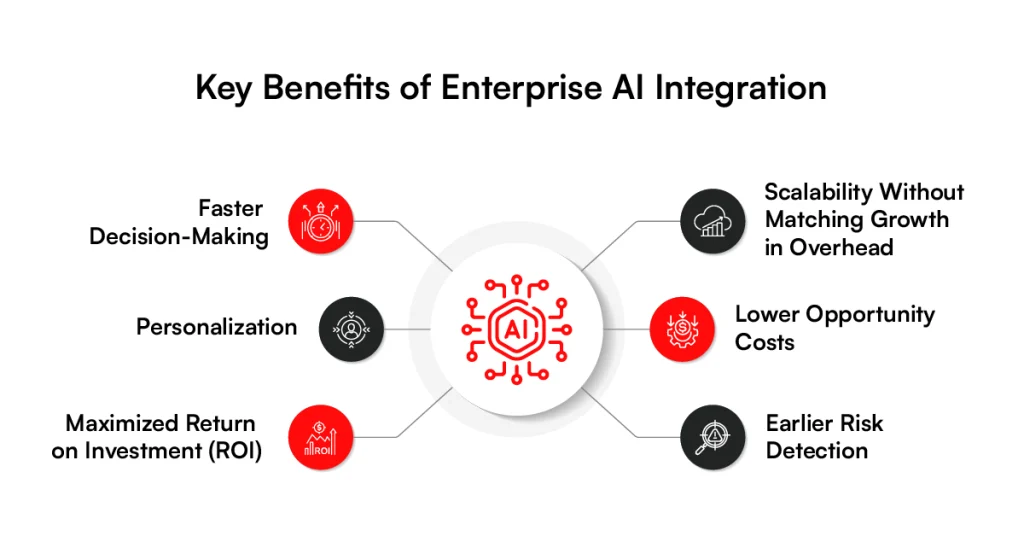
1. Faster Decision-Making
Business decisions often depend on information spread across CRM, ERP, analytics, and operational systems. AI can process those data streams together, identify patterns, and surface relevant information faster than teams reviewing reports manually.
Predictive models can take this further. Instead of waiting for monthly reports, teams can use current and historical data to forecast demand, inventory requirements, revenue changes, or equipment maintenance needs.
2. Personalization
Personalization becomes more useful when AI can work with customer behavior and business data at the same time. Connecting recommendation models with CRM, ecommerce, and product systems gives them more context for deciding what a customer should see next.
For an ecommerce business, AI-powered ecommerce personalization can combine customer behavior with current business data when selecting recommendations. The experience can then change as the underlying customer and product data changes.
3. Maximized Return on Investment (ROI)
A standalone AI tool may save time in one task, but its impact remains limited if the surrounding process still depends on manual work. Integration puts the model inside the workflow where its output can trigger the next system or action.
That makes it easier to connect AI spending with operational measures such as processing time, conversion, labor hours, forecast accuracy, or support volume. Businesses can then judge an implementation against the outcome it was built to improve.
4. Scalability Without Matching Growth in Overhead
Business volume can grow faster than the teams responsible for handling it. Integrated AI systems can process larger numbers of transactions, requests, documents, or data records without requiring staffing to increase at the same rate.
Architecture matters as volume increases. Cloud infrastructure, asynchronous processing, queues, load balancing, and autoscaling can distribute workloads while keeping AI services connected with the applications that depend on them.
5. Lower Opportunity Costs
Slow processes have costs that do not always appear as direct expenses. A delayed inventory decision can leave stock in the wrong location, while a support request waiting in a queue can become a lost customer.
Connecting AI with live operational data helps businesses act while that information is still useful. Predictive models can flag changing demand or other signals early enough for teams and downstream systems to respond.
6. Earlier Risk Detection
AI can continuously analyze transactions, network activity, account behavior, and operational data for patterns that fall outside expected behavior. Instead of relying entirely on scheduled reviews, businesses can identify suspicious activity as new data enters the system.
Detection can also connect directly with existing controls. A high-risk transaction, for example, can trigger an alert, additional authentication, or manual review based on predefined thresholds.
These benefits depend heavily on the systems, data, and controls behind the AI. When those foundations are weak, integration introduces a different set of problems. That is where the challenges of AI integration for businesses need closer attention.
Challenges of AI Integration for Businesses
While the benefits are clear, AI integration can become harder once it meets existing business systems. The challenges below show where data, infrastructure, security, and internal processes can create problems during implementation.
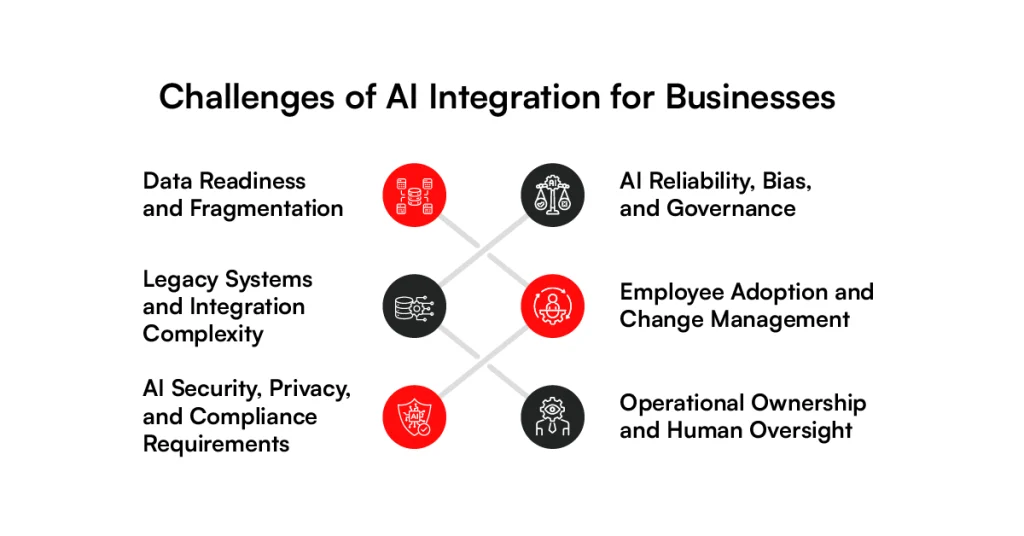
1. Data Readiness and Fragmentation
The first challenge appears in the data AI applications depend on, which is often spread across several enterprise systems. Customer records may sit in a CRM, transactions in an ERP, product information in a PIM, and operational data in other business platforms.
Problems emerge when those systems describe the same customer, product, or transaction differently. Missing information and stale records can leave AI applications with incomplete business context, affecting what models retrieve or predict.
Missing information and stale records can leave AI applications with incomplete business context, affecting what models retrieve or predict. Preparing enterprise data for AI requires consistent structures, ownership, and controls before that information reaches downstream models.
For retail systems, RBMSoft’s Arvyn uses change data capture (CDC) to keep catalog changes current in a unified read layer that downstream applications can access through APIs.
2. Legacy Systems and Integration Complexity
Once the data is ready, the next challenge is connecting AI with applications built around older integration patterns. Some ERP, CRM, and custom systems rely on batch transfers or tightly coupled databases, making it harder to introduce AI without changing how existing applications exchange information.
For AI system integration, replacing those systems is often unnecessary and expensive. An integration layer can sit between legacy applications and AI services, translating data and managing how information moves between them. The architecture can then be designed around the response time and transaction volume the workflow requires.
Production traffic introduces another problem: integrations need predictable behavior when a request cannot be completed.
Retry logic can recover from temporary failures, while idempotency prevents the same transaction from being processed twice. Failed messages can move to a dead-letter queue for investigation instead of disappearing from the workflow.
3. AI Security, Privacy, and Compliance Requirements
Connecting AI with enterprise systems can expose sensitive information to new services and processing paths. Customer or financial data may move outside its original application, so the integration architecture needs to control what information reaches the model and who can access it.
Secure AI integration measures should apply at each connection point. OAuth 2.0 can authenticate services, while role-based access control (RBAC) limits what an authorized user or application can retrieve. Sensitive information should also remain encrypted as it moves between systems.
Compliance adds another layer because the same data may be subject to different rules depending on where and why it is processed. Retention policies and access restrictions therefore need to remain enforceable as information passes from the source system through the integration layer to the AI service.
4. AI Reliability, Bias, and Governance
Even when an integration works correctly, the model behind it can still produce inaccurate or inconsistent results. Generative AI models may hallucinate, while predictive models can carry bias from their training data. Performance may also change when the data entering production no longer resembles what the model was tested against.
Testing therefore needs to continue after deployment. Evaluation datasets can show whether output quality is changing, while confidence thresholds can identify results that should not proceed automatically. Monitoring model drift helps teams determine when changing production data is affecting performance.
Governance then determines how those results are handled inside the workflow. A low-risk recommendation may proceed automatically, while a financial approval could require human review before another system acts on it. Model versioning and audit trails provide a record of how that decision was produced.
5. Employee Adoption and Change Management
A working integration can still fail if employees do not know when to use it or trust its output. Dropping another tool into an existing process without changing the way people work usually adds another step instead of removing one.
Teams need to understand what the system handles, what remains their responsibility, and what to do when the output looks wrong. Training should therefore focus on the actual workflow rather than only showing employees how to operate an AI interface.
When AI takes on tasks that employees previously handled, ownership of the final outcome still needs to be clear. Defining who reviews decisions and has approval authority before rollout prevents accountability gaps once the system becomes part of daily operations.
6. Operational Ownership and Human Oversight
As AI moves into production workflows, businesses need to decide which actions can run automatically and which require human approval. Routine classification may run independently, while decisions with financial, legal, or customer impact may need human-in-the-loop review before another system acts on the output.
Approval workflows can enforce those boundaries through confidence thresholds, role-based access control (RBAC), and escalation rules. When an output falls outside an accepted range, the workflow can route it for review instead of allowing an uncertain result to trigger the next action.
Once the system is running, teams need visibility into model accuracy, latency, API failures, inference costs, and business outcomes. Logs, traces, and alerts help identify whether an issue starts with the model, its data, or the integration connecting it to other systems.
At RBMSoft, AI integration consulting covers these requirements from data flows and APIs to orchestration, security controls, and production monitoring. How those components come together depends on the business problem, which becomes clearer when we look at the different types and use cases of AI integration.
Build AI Around Your Existing Systems
Connect your data, applications, and workflows with an integration architecture designed for production.
Talk to Our AI ConsultantsTypes and Use Cases of AI Integration for Business
Different business problems call for different connections between AI, data, and existing software. Customer service may depend on CRM records and support history, while predictive maintenance relies on equipment telemetry. Here are some common ways those connections work in practice.
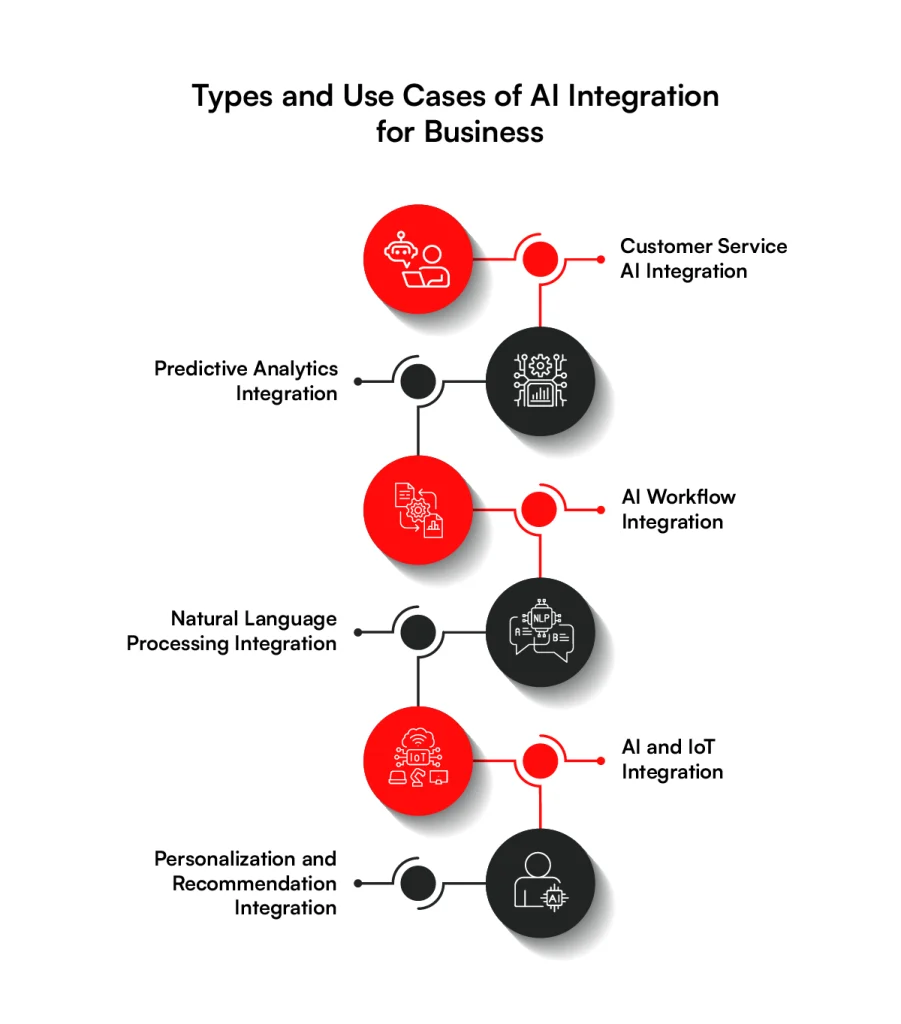
1. Customer Service AI Integration
When a customer asks about an order, a chatbot may need information from the CRM, order management platform, and support system before it can respond accurately. Those connections provide the customer and order context required to answer the request without relying only on the language model.
NLP models classify incoming tickets by intent, urgency, or topic before routing rules send them to the appropriate queue. For human agents, AI can retrieve account information, summarize earlier conversations, and suggest responses. Requests outside defined rules move to an agent for review.
Suggested Read:
Customer Segmentation : How MarTech and AI Drive Smarter Targeting
2. Predictive Analytics Integration
Forecasting models work with historical and current business data to estimate what is likely to happen next. Retailers can use predictive analytics in retail to connect historical sales with current inventory signals for demand planning, while manufacturers use equipment telemetry to estimate maintenance requirements.
For retail predictions to reflect what is happening now, models need current catalog data alongside historical information. RBMSoft’s Arvyn uses change data capture (CDC) to capture updates in price, inventory, product attributes, and categories and move them into a unified read layer for downstream applications.
Downstream applications can access that current catalog information through APIs rather than waiting for nightly batch jobs or search reindexing. Arvyn sits above existing systems of record, so retailers can make catalog data available without replacing the platforms that already manage it.
3. AI Workflow Integration
In an accounts payable workflow, a model can extract supplier details, invoice amounts, and purchase order numbers before checking the data against procurement records. Any mismatch can then move into an exception workflow for human approval.
AI workflow integration connects those steps with the systems responsible for completing the process. APIs handle direct requests, while queues or event streams carry asynchronous work between extraction services, approval workflows, and ERP systems.
AI agents can take the process further when several actions are required. An AI agent development company can help define permissions for which applications an agent can access, while approval rules and escalation thresholds determine when an employee needs to take control.
4. Natural Language Processing Integration
Contracts, emails, support transcripts, policies, and internal documents contain information that conventional database queries cannot easily retrieve. NLP models help classify this content, extract specific information, identify intent, and make it searchable.
For enterprise search, semantic retrieval finds information based on meaning rather than exact keyword matches. A RAG pipeline retrieves relevant documents or records at query time and passes that context to an LLM before a response is generated.
Access controls remain part of the retrieval process. If an employee cannot access a source document in the original system, the AI application should not expose information from that document through search or a generated response. This same permission boundary is central to enterprise AI search security when RAG works across internal company information.
Related read: Generative AI in Ecommerce to Boost Sales: Top 12 Use Cases & Applications
5. AI and IoT Integration
Connected equipment produces a continuous stream of operational data. Temperature, vibration, pressure, location, and power readings can feed models while machinery, vehicles, or other assets are operating.
In a manufacturing plant, an unusual vibration pattern could indicate that a component is moving outside its normal operating range. Event streams carry that sensor data for analysis, while predefined thresholds determine when to create an alert or start a maintenance workflow.
Similar architectures work across warehouses, fleets, and supply chains. Edge processing can handle time-sensitive analysis close to the device, while cloud services retain larger datasets for model training, reporting, and longer-term analysis.
6. Personalization and Recommendation Integration
An ecommerce product recommendation engine needs both customer signals and current business information to decide which products should appear. Browsing behavior, purchase history, customer profiles, product attributes, pricing, and inventory give the model enough context to decide which products or content should appear.
In ecommerce, recommendation systems need current business data because a product that matches a shopper’s interests may already be unavailable in their location. Feeding current inventory and catalog data into the recommendation process helps filter out products that should no longer be presented as suitable options.
Customer segmentation and next-best-action models use similar connections for different decisions. Their outputs can feed ecommerce, CRM, marketing, or customer service applications so the selected action reaches the channel where the customer is interacting.
The next decision is architectural: should a business connect AI through APIs, RAG, embedded capabilities, an integration platform, or a custom integration layer? Answering that question starts with choosing the right AI integration strategy.
Give Your Retail AI Current Product Data
RBMSoft’s Arvyn keeps catalog, pricing, and inventory data current so downstream applications can work with the latest product information.
See How Arvyn WorksHow to Integrate AI into Business: Complete Steps
With the right use case identified, the focus shifts to putting AI into the business without disrupting existing operations. The steps below move from defining the business goal and preparing data to testing, production monitoring, and wider adoption.
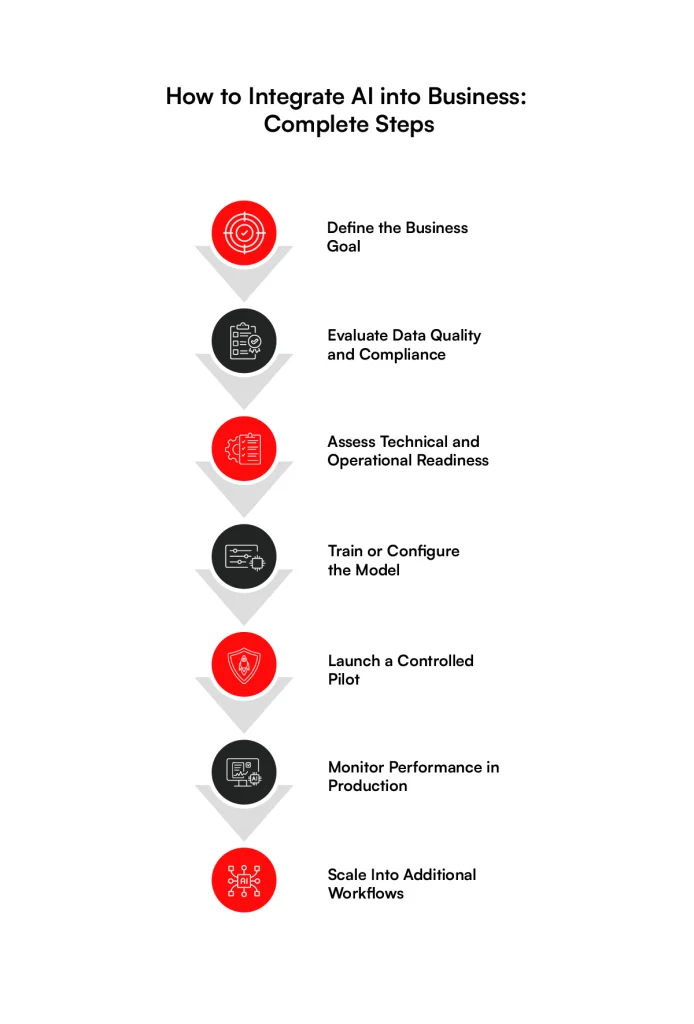
Step 1. Define the Business Goal
A practical AI integration strategy starts with a specific business problem and a measurable outcome rather than a decision to adopt a particular model. For example, a retailer facing frequent stockouts could set a clear goal around improving demand forecast accuracy before deciding what AI technology should support it.
Set the baseline before development begins so the result can be measured against existing performance. Business KPIs should sit alongside technical targets such as response latency, accuracy, and operating cost.
Prat Vemana, Chief Information and Product Officer, Target
Don’t do AI for the sake of doing AI. Know your business, know your roadmap, and really apply for the right reasons.
Step 2. Evaluate Data Quality and Compliance
reliably support the intended use case. Inconsistent schemas and duplicate records can distort training or runtime context, so the data pipeline should validate and standardize information before it reaches the model.
When sensitive business or customer information enters that pipeline, the architecture also needs to control who can access it and how it can be processed. Role-based access control (RBAC) can restrict access, while encryption protects data as it moves between source systems and the AI application.
Step 3. Assess Technical and Operational Readiness
For enterprise AI integration, readiness depends on how well the proposed solution fits the systems already running the business. Existing APIs and integration points need to support the required data flow, while infrastructure capacity has to account for expected request volume and latency.
The readiness assessment should determine how much model customization the use case actually requires. A pre-trained model may work through an API when the task is well defined, while applications that depend on proprietary business knowledge may need RAG to provide relevant context at runtime.
Step 4. Train or Configure the Model
Predictive use cases may require labeled datasets and feature engineering, while an LLM application can use a pre-trained model with business context supplied through RAG. The right approach depends on what the model needs to accomplish and whether the available data can support the expected level of accuracy.
Evaluation metrics should match the model’s job rather than rely on a single standard score. Classification systems may be measured through precision and recall, while forecasting models need metrics that show how far predictions differ from actual outcomes.
Related read: Retrieval Augmented Generation (RAG) with LLM-Powered Search: Smarter AI Answers
Step 5. Launch a Controlled Pilot
Once the model meets its evaluation criteria, introduce it within one defined workflow rather than across the wider operation. This gives engineering teams production-like feedback while keeping the initial scope manageable. The pilot should still process realistic data volumes under production security controls.
Testing should also show how the integration behaves outside normal conditions. API failures and traffic spikes can expose problems that model evaluation will not catch. When the system cannot complete a request safely, a defined fallback or human review path should take over.
Step 6. Monitor Performance in Production
Measuring the success of AI integration requires more than checking whether the model remains available after deployment. Teams need to compare model accuracy and latency with the business KPIs defined at the start, while also tracking changes in production data and operating costs.
Production observability helps engineering teams trace failures back to the model, data pipeline, or surrounding integration. When monitoring detects model drift or repeated workflow exceptions, teams can investigate the underlying cause and adjust the system before performance starts affecting business operations.
Step 7. Scale Into Additional Workflows
When a pilot meets its technical targets and produces the expected business result, the same capability can move into additional workflows or teams where there is a clear use case. As traffic increases, the architecture may need more compute capacity while API throughput and queue performance are adjusted to handle the additional load.
Expansion should follow measured results rather than assuming every process needs AI. The business and technical metrics collected in production provide the evidence for deciding where the next implementation makes sense and what infrastructure needs to change before traffic increases.
Best Practices for AI Integration
Once AI is running in production, the focus shifts from implementation to how it fits into the wider business. These best practices for AI integration help connect technical decisions with operating processes and measurable results.
1. Reengineer the Business Operating Model
As AI takes on more operational work, the operating model needs to reflect where automated decisions begin and where employees remain responsible. Adding AI to an unchanged process can leave the same approval delays and handoffs in place.
Redesigning the operating model starts with deciding who remains responsible when AI influences an operational decision. For example, if a model detects an inventory exception, the workflow should determine when an employee needs to intervene. Permissions and approval logic can enforce that responsibility within the systems where the work takes place.
Andy Jassy, CEO, Amazon (on channel mix)
Still 80% to 85% of [worldwide retail] lives in physical stores. That equation is going to flip over time. And I think AI is going to only accelerate that.
2. Reengineer Customer Relationships and Lead-to-Cash Processes
Customer-facing AI becomes more useful when it can work across the systems involved in a commercial process instead of operating as a separate assistant. A sales recommendation, for example, may need CRM context before it can support the next action.
As the customer moves from a sales conversation toward purchase, AI outputs need to connect with the systems that manage pricing and orders. APIs can pass those outputs into existing workflows, allowing the next action to happen within the applications the business already uses.
3. Redesign Business Processes Around AI-Infused Workflows
Effective AI workflow integration requires more than inserting a model into one task. The surrounding workflow needs to define where data enters, what the model returns, and which system acts on that output.
An exception can move differently from a normal result. Instead of allowing an uncertain model response to continue through the process, orchestration logic can route it for human review and resume the workflow after approval. This keeps AI connected to the process without giving every output the same authority.
4. Develop AI Models Around Business Context
Model selection should reflect the business problem established during implementation. When an off-the-shelf model cannot account for proprietary information or domain-specific behavior, the application may need additional business context rather than an entirely new model.
RAG can supply that context at runtime for knowledge-heavy applications. Predictive systems may require training against company data when the expected output depends on patterns specific to that operation.
The technical approach should follow the use case rather than forcing every problem into the same model architecture.
5. Monitor ROI Against Production Performance
Measuring ROI should continue after deployment because technical performance alone does not show whether the integration of AI is improving the underlying process. The business metric defined before implementation provides the baseline for that comparison.
Production monitoring can then connect model behavior with the outcome it is expected to influence. If accuracy remains stable while the target business metric does not improve, teams have evidence to examine the workflow or integration rather than assuming the model needs to be replaced.
Continuous measurement also provides a stronger basis for deciding where further investment makes sense.
Once these practices are in place, the next decision is how AI should connect with existing applications and data. The right method depends on the system architecture and how information needs to move between the model and the rest of the technology stack.
Turn Your AI Plan Into a Working System
RBMSoft helps connect AI with your existing applications, data, and business processes while keeping production requirements in view.
Talk to Our AI ConsultantsCommon AI Integration Methods and Technologies
Once the operating approach is clear, implementation comes down to choosing how AI will communicate with existing software and data. The right method depends on the application architecture, where the required context resides, and how much control the business needs over the integration.
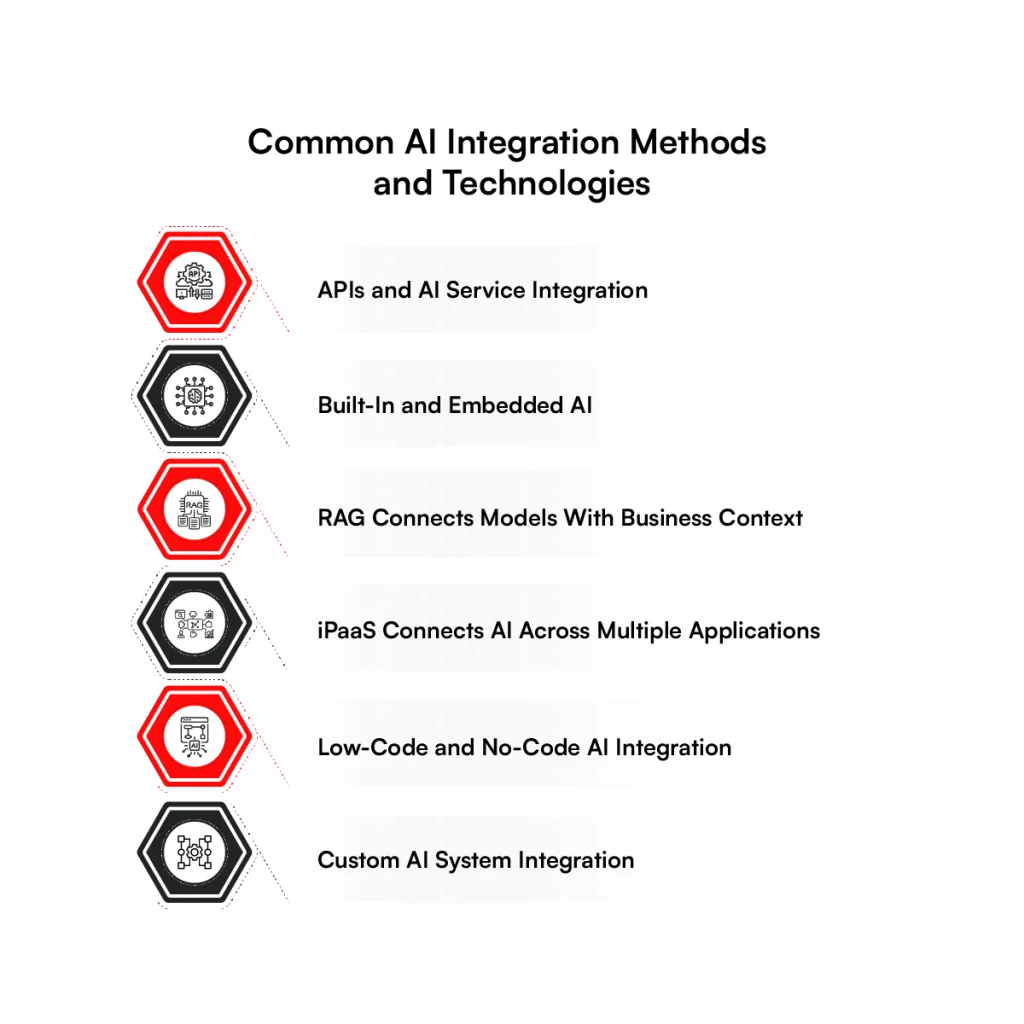
1. APIs and AI Service Integration
APIs are often the most direct way to connect an application with an external AI service. The business application sends a request to a model endpoint and receives an output that can be used inside the existing workflow.
The integration layer still has work to do around that exchange. Authentication controls access to the endpoint, while request validation checks what leaves the application. For production traffic, timeout handling and retries also determine how the application responds when the AI service is slow or unavailable.
2. Built-In and Embedded AI
Some enterprise platforms provide AI capabilities inside the software employees already use. In this model, the connection to application data and workflows is handled largely within the platform rather than through a separately developed AI application.
Embedded AI can reduce the amount of integration engineering required when the capability fits the business requirement. The trade-off is control. Model configuration, data access, and integration behavior are usually constrained by what the software vendor exposes.
3. RAG Connects Models With Business Context
When an LLM needs information outside its training data, retrieval-augmented generation (RAG) can supply relevant business context at runtime. A user query triggers retrieval from an approved knowledge source before the selected information is passed to the model with the request.
How that retrieval layer is built affects the quality of the response. Semantic search can identify relevant content based on meaning, while metadata filters restrict retrieval to the appropriate source or business context. Permission checks should remain aligned with access rules in the source system.
4. iPaaS Connects AI Across Multiple Applications
An Integration Platform as a Service (iPaaS) can sit between AI services and enterprise applications when information needs to move across several systems.
Instead of building every connection independently, integration flows can coordinate data exchange through prebuilt connectors and managed APIs.
This approach can work well when a business already uses an iPaaS for application integration. However, latency requirements and complex transaction logic may still require custom services outside the platform.
5. Low-Code and No-Code AI Integration
Low-code platforms can support simpler integrations where teams need to connect an AI service with an existing application without building the entire workflow in code. Visual workflow builders can define triggers and map data between supported systems.
Their limits become clearer as integration requirements become more specific. High transaction volumes or custom security logic may require engineering outside the platform, particularly when the workflow depends on behavior the available connectors cannot support.
6. Custom AI System Integration
Complex environments may require a custom integration layer when AI needs to work across legacy applications, proprietary data models, or high-volume transaction flows.
Engineers can design the APIs and event-driven services around the requirements of the existing architecture rather than adapting the process to a platform’s connector model.
A custom approach also gives the business direct control over failure handling. For example, asynchronous requests can move through a message queue so temporary model or downstream service failures do not block the originating application. Dead-letter queues can isolate failed messages for investigation without discarding the transaction.
Choosing between these methods depends on what the existing architecture can support and how closely AI needs to participate in production workflows.
That technical choice also affects development effort, infrastructure requirements, and the ongoing cost of running the integration.
How RBMSoft Helps With Enterprise AI Integration
Bringing AI into an enterprise environment requires more than connecting a model to an application. RBMSoft assesses the existing architecture, data flows, and business processes first, then determines where AI can fit without requiring unnecessary changes to core systems.
Through AI integration services, RBMSoft connects models with existing enterprise applications through APIs, data pipelines, and custom integration layers.
Production requirements are addressed within the architecture so the system can handle real workloads and remain manageable as usage increases.
If you are planning an enterprise AI integration, talk to RBMSoft about turning the use case into a production-ready system.
FAQs
1. How Much Does It Cost to Integrate AI for Businesses?
The cost for enterprise AI integration depends on the existing architecture and how much engineering is required around the model.
A focused API integration will usually require less work than a system involving proprietary data, RAG, custom workflows, or several enterprise applications. For projects centered on retrieval and organizational knowledge, see our breakdown of AI-powered enterprise search development pricing.
2. How Long Does It Take to Integrate AI Into Enterprises?
Enterprise AI integration timelines depend on data readiness, system complexity, security requirements, and the scope of the first use case.
A contained integration can move faster when APIs and usable data already exist. Projects involving legacy systems or custom data pipelines generally require more preparation before production deployment.
3. How Do You Prepare for AI Integration?
Understanding how to prepare for AI integration starts with the business problem rather than model selection. Teams should confirm that the required data is usable and determine how the proposed capability will connect with existing applications. Security and ownership requirements should also be settled before development begins.
4. How Do You Test AI Integration in Applications?
To test AI integration in apps, evaluate the model and the surrounding application together. Testing should confirm that requests reach the correct model and that returned outputs are handled correctly by downstream systems. Production-like tests should also cover API failures, traffic spikes, access controls, and fallback behavior.
5. What Are Secure AI Integration Measures?
Secure AI integration measures control how data reaches a model and what the model can access. Authentication and role-based access control (RBAC) can restrict access at the integration layer, while encryption protects information in transit and at rest. Audit logging provides a record of system activity for investigation and compliance review.
6. How Do You Measure the Success of AI Integration?
To understand how to measure the success of AI integration, compare production results with the business metric established before implementation.
Model accuracy and latency show technical performance, while measures such as processing time or operating cost indicate whether the integration is improving the process it was built to support.
7. Which AI Integration Platform Is Best for Enterprises?
There is no single AI integration platform that is best for every enterprise. The right choice depends on the existing application architecture and the level of control required over data movement.
An iPaaS may suit standard application connections, while complex or high-volume environments may need a custom integration layer.
8. What Are the Best AI Tools for Data Integration?
The best AI tools for data integration depend on where enterprise data resides and how quickly it needs to move.
Platforms such as MuleSoft can manage application connectivity, while Apache Spark and dbt support data processing and transformation. Cloud data services may also be required when models depend on large or frequently updated datasets.
9. Which Is the Best AI Integration Consulting Firm?
The best AI integration consulting firm is one that can work with your existing architecture and take the integration beyond a proof of concept.
RBMSoft provides AI integration consulting services covering readiness assessment, architecture, custom integration, deployment, and production monitoring for enterprises that need AI connected with existing business systems.
10. What Compliance Standards Does RBMSoft Follow When Integrating AI for Enterprises?
RBMSoft designs AI integrations around the regulatory requirements that apply to the industry and operating region.
Its published practices include alignment with NIST AI RMF and ISO/IEC 42001, along with requirements such as HIPAA, PCI-DSS, CCPA, GDPR, and the EU AI Act where applicable. RBMSoft also states that its technology practices include SOC 2-aligned controls and ISO 27001 security practices.