






Table of Contents
Quick Summary:
- Ecommerce site search reads real-time buying intent from typed queries, not clicks through menus.
- Sales leak when shopper wording doesn’t match catalog labels. AI search closes this gap by matching meaning, not just keywords.
- Core features: autocomplete, filters, typo tolerance, semantic search, and merchandising controls.
- Six common failures: vocabulary mismatches, poor metadata, complex navigation, irrelevant results, no visual search, manual upkeep.
- Key benefits: higher conversion, faster product discovery, customer insight, and competitive edge.
- Search-influenced revenue often makes up 40-60% of total ecommerce revenue, despite fewer visitors actually searching.
- AI relevance needs data collection, NLP, machine learning, and semantic search working together continuously.
- Personalization ranks results per shopper. Self-optimization fixes zero-result queries at scale. Enterprise retailers need both.
- Algolia = fast setup, Elasticsearch = flexible/self-managed, Coveo = complex B2B, Bloomreach/Constructor = multilingual retail.
- Choose based on catalog size, integration needs, and budget, not just feature lists.
Customers visit your ecommerce store expecting to find the right product in seconds. When they cannot, many leave without making a purchase. It is not always because you lack the product. More often, your site search fails to connect shoppers with the items already in your catalog.
Every unsuccessful search creates lost revenue. Customers who receive irrelevant results, no results, or too many unrelated products quickly lose confidence in your store.
Many assume you do not carry what they need and continue shopping with a competitor. As your product catalog grows, poor site search becomes a bigger barrier to conversions, customer satisfaction, and repeat purchases.
A well-designed ecommerce site search helps shoppers find products faster by understanding the words, attributes, and categories they use when searching. It improves product discovery, increases conversions, and reduces abandoned sessions.
In this article, you will learn how ecommerce site search works, the features that matter most, and how to choose the right solution for your business.
What Is Ecommerce Site Search?
Ecommerce site search is the search functionality built into an online store that helps customers quickly find the products they want. Instead of browsing through multiple categories, shoppers can enter product names, brands, attributes, common terms, misspellings, or even descriptions of what they need.
The search engine then returns the most relevant products, making it easier for customers to find, compare, and purchase the right items.
Site search is more than a convenience feature. It has a direct impact on revenue and customer experience. According to industry data, only 16% of shoppers use the search function, yet they generate 55% of online revenue.
This makes site search one of the highest-value features on an ecommerce website. When customers can quickly find the right products, they are more likely to complete a purchase, increase their order value, and return for future purchases.
For example, when you search Amazon for “T-shirt for a 4-year-old boy,” the search instantly returns a curated list of children’s T-shirts that match your intent. It recognizes the product category, age group, and other relevant attributes instead of relying only on an exact keyword match.
This is how effective ecommerce site search works. It interprets the customer’s query and surfaces the most relevant products, helping shoppers find what they need faster and increasing the likelihood of a purchase.
What are the Benefits of Ecommerce Site Search
The business impact of ecommerce site search extends far beyond faster product discovery. Here are the key benefits it delivers for online retailers.
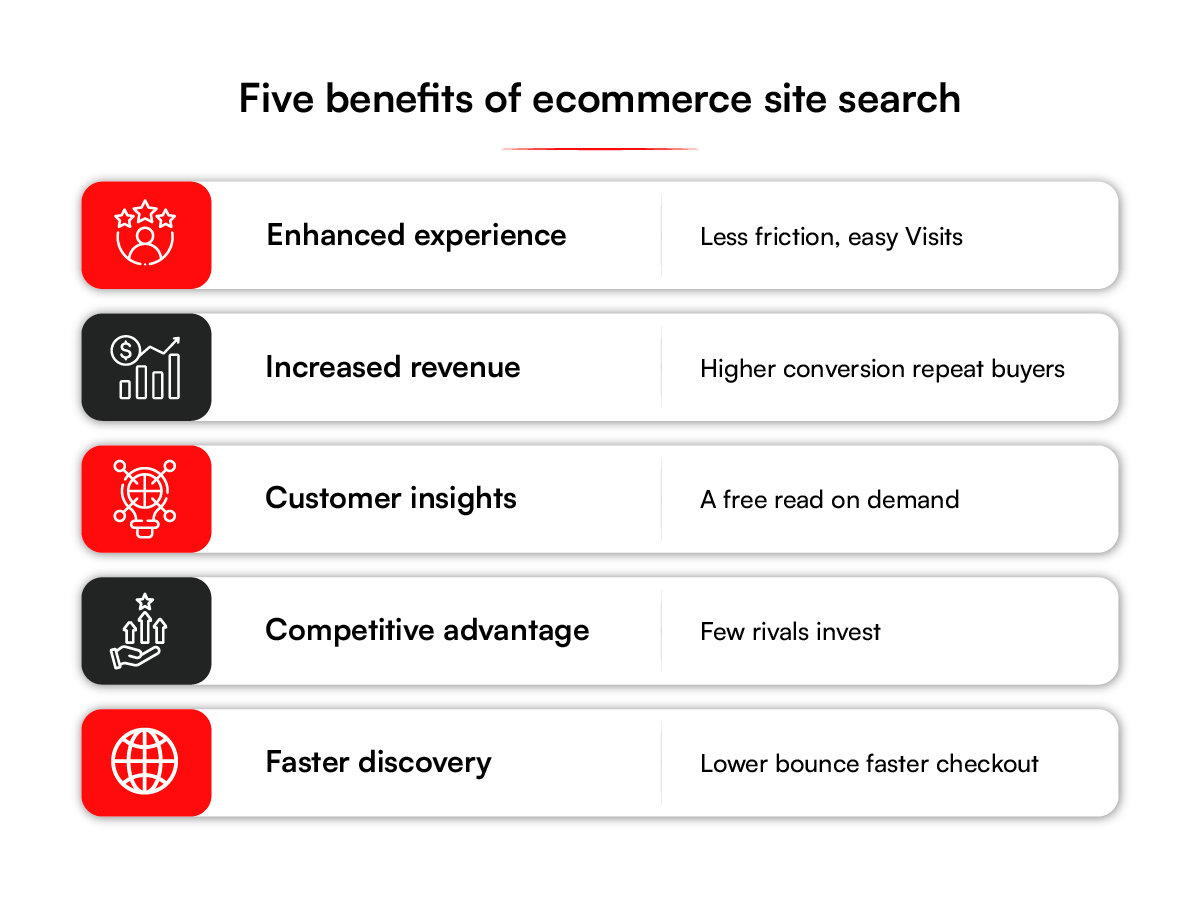
1. Improves the Customer Search Experience
When shoppers land on your ecommerce site, they expect to find relevant products quickly. A strong site search experience helps customers enter a product name, category, brand, feature, or use case and receive accurate results.
This reduces friction, keeps shoppers engaged, and makes it easier for them to continue exploring your catalog.
2. Increases Ecommerce Conversion Rates
Ecommerce site search helps turn high-intent shoppers into buyers. For example, a customer may not know the exact product name, but they may search for “latest mobile phones.”
A well-optimized search experience can show recently launched smartphones from multiple brands, helping the customer compare options and move closer to purchase.
3. Reveals What Customers Actually Want
Every search query provides valuable insight into customer demand. By reviewing successful searches, failed searches, and zero-result queries, ecommerce leaders can identify product gaps, improve merchandising, refine categories, and adjust inventory decisions. When customers search for products you do not carry, that data can help inform future catalog expansion.
4. Creates a Competitive Advantage
Customers are more likely to buy from ecommerce sites that make product discovery easy. Combining traditional site search with visual search in ecommerce helps shoppers find products faster and with greater accuracy, especially when keywords are not enough. If your search experience delivers more relevant results than competitors, you have a stronger chance of converting visitors before they leave for another retailer. Better search can become a meaningful advantage in a crowded ecommerce market.
5. Helps Reduce Customer Acquisition Costs
An intelligent site search experience helps ecommerce businesses get more value from existing traffic. When shoppers can quickly find what they need, conversion rates improve without relying only on additional advertising spend. This can help lower customer acquisition costs and improve the return on marketing investments.
RBMSoft built a merchandising automation engine that generates over 7 million SKU mappings in under an hour. It validates each one before it reaches the storefront and updates as the catalog changes.
Routine updates now need no manual mapping. The product data stays clean enough for search and filters to surface the right item.
Curious how much of this your store is leaving on the table? RBMSoft helps retailers capture it with smarter ecommerce site search solutions.
Talk to our team
Types of Ecommerce Site Search Queries
Customers search in different ways, from exact product names to categories, problems, and natural language. An effective ecommerce site search should recognize these query types and return relevant results for each.

1. Exact Queries
Some shoppers know the exact product, model, or brand they want. They expect the search function to return that product immediately. If an exact search fails because of inconsistent product data, formatting issues, or indexing problems, customers may assume the product is unavailable and leave your site.
2. Product-Type Queries
Many customers know the type of product they need but not the specific product name. They may search for terms such as “running shoes,” “wireless earbuds,” or “office chairs.”
Ecommerce site search should return the most relevant products within that category, allowing shoppers to compare options and complete their purchase.
3. Symptom Queries
Some customers search by describing the problem they need to solve instead of the product itself. For example, a shopper might search for “clothes dryer not heating” instead of a replacement heating element.
An effective search experience connects these problem-based queries with products that solve them, helping customers find the right solution without frustration.
4. Non-Product Queries
Not every search has immediate purchase intent. Customers may search for installation guides, sizing information, warranty details, return policies, or educational content.
Directing these searches to relevant articles, buying guides, FAQs, or support pages improves the customer experience, builds trust, and increases the likelihood of future purchases.
5. Natural Language Queries
Customers increasingly search using complete phrases rather than isolated keywords. For example, a shopper might search for “waterproof jacket under $150 for winter hiking.” This single query includes the product type, price range, and intended use.
Ecommerce site search should interpret these requirements and return products that best match the customer’s intent instead of relying only on exact keyword matches.
Related read: Search Relevance Tuning for E-commerce : Optimize Conversions, Fix Zero-Results, and Drive Retail Growth
Common Ecommerce Site Search Challenges
Even with a large product catalog, customers may struggle to find what they need if site search is not optimized. The following challenges can reduce product discovery, lower conversion rates, and result in lost revenue.

1. Exact-Match Search Misses Synonyms
Many traditional search engines rely on exact keyword matching. If a customer searches using a synonym, alternative product name, or common term, the search may return few or no relevant results.
For example, a shopper searching for “couch” may not find products listed only as “sofa.” Without synonym support, customers are more likely to leave your site and purchase from a competitor.
2. Missing Product Attributes Limit Search Results
Site search depends on complete and accurate product data. When attributes such as color, size, material, brand, or style are missing, products may not appear in search results or filtered collections.
As a result, customers cannot discover products that are already available in your catalog, leading to missed sales opportunities.
3. Complex Navigation Reduces Product Discovery
Large ecommerce catalogs often rely on deep category structures that require customers to browse through multiple levels before finding a product.
Many shoppers abandon this process and turn to the search bar instead. If search also fails to deliver relevant results, the likelihood of cart abandonment and lost revenue increases.
4. Keyword Matching Does Not Understand Search Intent
Traditional keyword search ranks products based on matching words instead of customer intent. For example, a search for “dining chair” may also return office chairs or bar stools simply because they contain the word “chair.”
Customers must sort through irrelevant results, increasing friction and reducing the likelihood of a purchase.
5. Text-Only Search Cannot Support Visual Discovery
Many shoppers know what they want but cannot describe it accurately. They may recognize a product from a photo, a color, or a design rather than its name.
Text-based search cannot interpret images or visual references, making it difficult for customers to find products when they cannot express their intent with keywords alone.
6. Manual Search Management Does Not Scale
Maintaining site search manually requires continuous updates to product attributes, synonym lists, categories, and merchandising rules.
As product catalogs expand, keeping this information accurate becomes increasingly difficult. Outdated search data leads to irrelevant results, poor customer experiences, and lower conversion rates.
Recognize these problems on your own store? Our team can pinpoint where your search is leaking sales.
Book a free search consultation
How to Improve Ecommerce Site Search with Best Practices
Improving ecommerce site search does not require a complete redesign. Small, targeted improvements can significantly increase product discovery, conversion rates, and customer satisfaction. The following best practices help create a faster and more effective search experience.

1. Let shoppers filter results by what matters to them
Give shoppers facets that narrow a long list down to what fits: price, size, material, rating, whatever the category runs on. The right filters depend on the product.
Shoe buyers reach for size, mattress buyers want firmness and dimensions. Match the filter set to the category, since a generic list of filters won’t serve either one well.
2. The Search Bar Where Customers Expect It
The search bar should be clearly visible on every page, preferably in the header. A prominent search box encourages product discovery and allows customers to begin shopping immediately instead of navigating through multiple categories.
3. Enable Search Autocomplete
Autocomplete provides relevant product suggestions as customers type. Displaying matching products, categories, images, and pricing helps shoppers find what they need faster while reducing typing errors and abandoned searches.
4. Provide Category-Specific Filters
Search filters allow customers to narrow results based on the attributes that matter most, such as price, size, color, brand, material, or customer ratings. Tailoring filters to each product category makes it easier for shoppers to compare products and make purchase decisions.
5. Recommend Related Products
When an exact match is unavailable, suggest similar or complementary products instead of displaying limited or empty results. Product recommendations keep customers engaged and increase opportunities for cross-selling and upselling.
6. Offer Advanced Search Options
Some customers, particularly B2B buyers and repeat purchasers, need to search using multiple criteria such as brand, SKU, part number, price range, or product specifications. Advanced search capabilities help these users locate products more efficiently.
7. Support Misspellings and Synonyms
Customers often misspell product names or use different terms for the same item. Site search should recognize common spelling errors, abbreviations, and synonyms to ensure relevant products appear even when search queries are not exact.
8. Create Landing Pages for High-Volume Searches
Frequently searched product categories should have dedicated landing pages rather than relying solely on search results. Optimized category pages improve organic search visibility while providing customers with richer product information and a better shopping experience.
9. Allow Customers to Save Searches
Returning customers often repeat the same searches. Giving them the option to save searches or receive alerts when new products match their criteria improves convenience and encourages repeat visits.
10. Continuously Optimize Search Performance
Your search logs already show you where the problems are: queries that return nothing, and products that get buried under worse matches.
Review and fix these zero-result and low-relevance searches on a regular basis. Few other changes improve search performance this fast for this little effort. RBMSoft took this approach with DSW, the designer footwear retailer, refining product search accuracy and responsiveness through repeated, usage-driven updates.
11. Prepare for Voice Search
Voice search continues to grow, especially on mobile devices. Customers typically use longer, conversational phrases when speaking compared to typing. Optimizing search to understand these natural language queries helps ensure customers receive relevant results regardless of how they search.
Key Features of Ecommerce Site Search
Behind a good search bar sits a platform doing the heavy lifting. When you evaluate a search solution, these are the capabilities that separate a basic engine from a strong one.

1. Personalized Search Results
Personalized search tailors product rankings based on each customer’s browsing history, purchase behavior, and preferences. More relevant search results increase engagement, improve conversion rates, and encourage repeat purchases.
2. Merchandising Controls
Merchandising controls give business teams the ability to promote, prioritize, or hide products in search results without developer involvement.
This flexibility supports seasonal campaigns, new product launches, inventory management, and promotional strategies.
3. Scalability
A scalable search platform maintains fast response times as product catalogs expand and website traffic increases. Consistent performance during peak shopping periods helps protect both the customer experience and revenue.
4. Visual Search
Visual search allows customers to upload an image to find products with a similar style, color, or design. Retailers in fashion, furniture, home décor, and consumer goods can improve product discovery for shoppers who cannot easily describe what they want.
5. Multilingual Support
Multilingual search enables customers to search using their preferred language and regional terminology. Better search accuracy across global markets creates a more consistent shopping experience and supports international growth.
6. A/B Testing
A/B testing compares different search configurations, ranking strategies, and merchandising rules before changes are rolled out to all visitors. Performance data helps ecommerce teams make decisions based on measurable business outcomes rather than assumptions.
7. Headless Integration
Headless commerce integration allows one search platform to serve websites, mobile apps, marketplaces, and other digital channels through a single backend. Development teams gain greater flexibility while customers receive a consistent search experience across every touchpoint.
Most teams assemble these capabilities with an implementation partner. RBMSoft’s enterprise search practice builds them on platforms like Algolia, Coveo, and Elasticsearch.
Comparing search platforms? We build on Algolia, Coveo, and Elasticsearch, and can recommend the right fit for your catalog.
See our enterprise search services
Advanced Technology Integrations with Ecommerce Site Search
The value of ecommerce site search extends well beyond helping customers find products. Search data reveals buying intent, demand trends, and merchandising opportunities that can support better business decisions.
1. Demand Forecasting
Search trends often reveal changes in demand before they appear in sales reports. An increase in searches for seasonal products, such as rain boots or winter jackets, can signal the right time to adjust inventory levels.
Historical search patterns also help forecast recurring seasonal demand and improve purchasing decisions.
2. Improve Merchandising and Paid Search
High-performing search queries identify the products customers are most interested in buying. Those insights can guide product merchandising, homepage promotions, category placement, and paid search campaigns.
Aligning merchandising and marketing with actual customer demand helps maximize return on advertising spend.
3. Analyze Zero-Result Searches
Zero-result searches highlight products customers expected to find but could not. Reviewing these searches helps identify missing inventory, incomplete product data, or opportunities to expand the product catalog.
Addressing these gaps improves the customer experience while creating new revenue opportunities.
4. Identify Competitive Opportunities
Customers often search for brands or products that are not currently available in your catalog. These searches provide valuable insight into competitor demand and emerging market trends.
Business leaders can use this information to evaluate new product lines, refine pricing strategies, or strengthen their competitive positioning.
5. Understand Purchase Intent
Comparison searches and feature-based queries reveal how customers evaluate products before making a purchase. Tracking these patterns helps merchandising and marketing teams highlight the product attributes that matter most, improve product descriptions, and present stronger value propositions across the ecommerce experience.
How AI Powers Relevant Ecommerce Site Search
Modern ecommerce search goes beyond matching keywords. It analyzes customer behavior, product information, and search patterns to deliver more relevant results, helping shoppers find products faster while improving conversion rates and customer satisfaction.
1. Data Collection
Relevant search begins with quality data. Product information, customer behavior, purchase history, inventory, and previous search queries provide the signals needed to deliver accurate results. The more complete and up-to-date this information is, the more effective site search becomes.
2. Natural Language Processing
Customers rarely search using exact product names. They describe products using everyday language, features, benefits, or intended use.
Natural language processing interprets these queries and identifies the products that best match the customer’s intent instead of relying only on keyword matching.
3. Machine Learning
Search performance improves as customer interactions accumulate. Clicks, purchases, and search behavior help refine product rankings over time, allowing the search experience to become more relevant as customer preferences and shopping patterns evolve.
4. Semantic Search
Semantic search focuses on the meaning behind a query rather than matching individual words. For example, a search for “something to keep insulin cold while traveling” can return Insulin Pen Cooler Travel Case, Pen Cooler Travel Case Diabetic Medication and Insulin Cooler even though the word “cooler” was never used. This approach helps customers discover products using natural search behavior.
5. Self-Optimization
Customer search behavior continuously reveals opportunities to improve search performance. Low-performing queries, zero-result searches, and inventory changes can be used to adjust rankings, improve product visibility, and reduce unsuccessful searches without requiring constant manual updates.
6. Context Awareness
The same search term can have different meanings depending on the customer. Factors such as browsing history, purchase behavior, location, season, and device provide additional context that helps deliver more relevant search results.
As a result, customers are more likely to see products that match their needs instead of a generic list of keyword matches.
Conclusion
Site search is one of the highest-intent moments on your store. A shopper typing a query is telling you, in plain words, exactly what they came to buy. Get them fast, relevant results and the sale is yours to lose. Slow or off-target results hand that ready buyer straight to a competitor.
Getting there means treating search as core infrastructure and giving it real investment. Start with the fundamentals: a clear search bar, smart filters, typo tolerance.
Layer on AI that reads intent and keeps learning from every search. The data that those searches generate then sharpens decisions across merchandising, inventory, and wider catalog strategy.
Building all of this in-house is a heavy lift, and most teams move faster with a specialist partner. RBMSoft‘s enterprise search practice designs and builds enterprise ecommerce site search solutions tuned to your catalog and goals. Talk to our team to see what a better search could do for your store.
FAQs
1. How can I optimize my ecommerce site search?
Start with the fundamentals, then layer on AI. Make the search bar prominent and add autocomplete, filters, and typo tolerance.
Then add AI-powered ecommerce site search that reads intent and learns over time. Review your search logs often to fix zero-result and low-relevance queries.
2. Why are customers not finding products on our ecommerce site?
Usually it’s a vocabulary mismatch: shoppers use different words than your catalog. Thin product data and tags make it worse, since search matches only what you record. Weak relevance ranking then buries the right items. Better metadata and semantic matching close most of these gaps.
3. Why does our ecommerce site search show no results for many queries?
High zero-result rates usually come from missing synonyms, no typo tolerance, or gaps in your data. Sometimes the demand is real and you just don’t stock the item.
Add synonym handling and fuzzy matching, then use an ecommerce site search engine that matches meaning. Track zero-result queries to separate data gaps from assortment gaps.
4. What percentage of ecommerce revenue is influenced by on-site search?
Estimates vary, but search consistently punches above its traffic share. Search-influenced revenue is often cited between 40 and 60 percent of the total, even though only a minority of visitors search.
Searchers also convert at higher rates than browsers. For a board case, pull your own figures: search sessions, their conversion rate, and the resulting revenue.
5. Why do shoppers abandon our site after searching?
They leave when results miss their intent or come back empty. A page of loosely related products signals you don’t stock what they want. Slow load times and clumsy mobile search push them out too. Relevant, fast results keep them moving toward checkout.
6. What are the best ecommerce site search solutions for an enterprise retailer with 500,000 SKUs?
At that scale, look at enterprise ecommerce site search solutions built for large catalogs. Strong options include Algolia, Coveo, Bloomreach, Constructor, and Lucidworks. Prioritize relevance at scale, fast indexing, personalization, and merchandising controls. The best fit depends on your stack, budget, and integration needs.
7. Algolia vs Elasticsearch vs Coveo for a B2B ecommerce site: which should we choose?
All three can work, so the choice comes down to your team and needs. Elasticsearch is flexible and self-managed, strong if you have engineers to tune it.
Algolia is a hosted search API with fast setup and solid relevance defaults. Coveo leans into AI relevance and personalization, often fitting complex B2B ecommerce site search with ERP data, custom pricing, and part numbers.
8. What’s the difference between keyword search, semantic search, and vector search?
Keyword search matches the literal words in a query against your catalog text. Semantic search matches meaning, connecting “warm jacket” to “insulated coat.”
Vector search powers it: queries and products become vectors that capture meaning, and the engine finds the closest. Most modern ecommerce site search engines blend keyword and vector search, an approach called hybrid search.
9. What features should a modern ecommerce search solution have?
Use this checklist to compare ecommerce site search tools:
- Autocomplete, faceted filters, and typo tolerance
- Semantic search and AI relevance ranking
- Personalized ranking per shopper
- Merchandising controls (boost, bury, pin)
- Scalability for traffic spikes
- Analytics and A/B testing
- Multilingual support
- Headless API for any front end
- Clear pricing and strong vendor support
10. How long does it take to implement ecommerce site search solutions?
Timelines vary with catalog size and integration depth. A hosted ecommerce site search engine can go live in a few weeks for a simple catalog.
Enterprise rollouts with ERP, personalization, and custom front ends often take a few months. A typical project covers data integration, relevance tuning, testing, and a staged launch.
11. What’s the typical ROI timeline for better ecommerce site search?
Many teams see early gains within the first few months after launch. Conversion improvements often show up first, since search reaches high-intent shoppers.
Full ROI depends on your traffic, catalog, and how aggressively you tune. Track search conversion rate and revenue per visit to measure payback.
12. How do I build a conversational search experience, and what architecture does it need?
A conversational search experience lets shoppers ask in natural language and refine across turns. It combines NLP, a semantic or vector search layer, and a language model.
The ecommerce site search architecture links your catalog, a vector index, and an orchestration layer behind an API. Most teams build this on an existing AI search platform rather than from scratch.
13. What are the best ecommerce site search solutions for a retailer across the UK, Germany, and France?
For multi-country retail, prioritize ecommerce site search solutions with strong multilingual support. The engine should handle queries, synonyms, and spelling in English, German, and French.
Look for per-locale relevance, regional catalog handling, and fast performance in each market. Algolia, Coveo, and Bloomreach all support multi-language deployments.
14. What are the specific challenges of B2B ecommerce search vs B2C?
B2B ecommerce site search carries complexity that B2C rarely faces. Buyers search by part number, SKU, and spec, so exact-match precision matters.
Customer-specific pricing and contracts mean results and prices vary by account. The engine must also handle large, attribute-heavy catalogs and bulk ordering.
15. How do we build search infrastructure that handles 10x traffic on Black Friday?
Slow search at peak usually means an engine that can’t scale elastically. Move to a cloud-based ecommerce site search engine that auto-scales with demand. Add caching, a delivery layer, and load testing well before peak events. Hosted platforms handle this scaling for you, a key reason many retailers buy over build.
16. How do I use search merchandising during sales events without hurting relevance?
Use merchandising controls to boost, pin, or bury products for specific queries and campaigns. Apply rules narrowly, so promoted items still match what the shopper searched. Keep relevance as the base and let merchandising adjust at the margins. Test changes with A/B experiments so a promotion never tanks conversion.


