

Quick Summary:
- Headless architecture decouples your content from the frontend to deliver sub-second load times across global locations.
- It allows marketing teams to launch global campaigns and manage hundreds of product pages without waiting in a developer queue.
- Moving to headless eliminates the “monolith tax” by letting you upgrade specific parts of your store without rebuilding the entire system.
- While the initial setup requires a specialized IT partner, the long-term ROI comes from massive increases in conversion rates and site security.
- Adopting a headless CMS in 2026 ensures your retail brand is ready for any new device, from 5G phones to IoT shopping interfaces.
Why Headless CMS Platforms is the “Secret Sauce” for 2026
The best headless CMS platforms for retail companies can help online stores run faster by separating the content from the design. This setup is the most popular headless CMS choice in 2026 because it lets you update your shop instantly on any device, which is a big reason headless commerce is becoming the default for ecommerce.
Imagine you’re building with LEGO bricks. A normal website is like a pre-built house you can’t change without breaking the whole thing. A headless CMS gives you separate bricks to build a house, a truck, or even a plane.
For retailers, headless architecture delivers more than speed. It gives your merchandising team the freedom to update content without waiting on developers, supports seamless experiences across web, mobile, and in-store, scales without performance drops during peak traffic, and integrates cleanly with your existing CRM, ERP, and personalization tools.
The result is a storefront that is faster to manage, easier to optimize, and built to grow with your business.
These most popular headless CMS tools also keep your data safer by hiding your backend from the public. If you want a store that is ready for the future, going headless is a smart move.
Why Old E-Commerce Websites Are Slowing Down Your Business
Sticking with a monolith setup is a major headache for any growing brand. These old systems glue your design and data into one messy pile.
This makes the best headless CMS platforms for retail companies look like a dream by comparison. When your front-end and back-end are tied together, a tiny update can stall your entire checkout flow.
This gap between your vision and your tech’s ability is why most popular headless CMS options are winning. Traditional platforms act like a heavy anchor that slows your site down.
Customers will switch to a faster competitor if pages don’t load instantly on a 5G network. Top-rated headless CMS platforms for enterprise ecommerce solve this by upgrading specific parts without the need to modify the entire system.
Technical debt acts as a hidden drain on your resources, eventually crippling even the most promising digital storefronts. Sticking with rigid, outdated systems forces you into a “start-over” cycle every time you need a minor upgrade. It is the equivalent of buying a brand-new vehicle just because you ran out of storage space in the old one.
Ready to stop paying the “monolith tax” and start scaling?
Get Your Free Headless Strategy Audit
The Fast-Track Comparison: Which Best Headless CMS Platform wins for your store?
Finding the right fit from thirty different headless cms vendors is easy with this quick-start guide. Compare the most popular headless CMS options to see which features and pricing models align with your store’s growth.
Not all platforms are created equal. Let’s break down the 30 most popular headless CMS platforms that are dominating the e-commerce space in 2026.
| Platform Name | Best For… | Visual Editor | Supported Site Generators | Starting Price (USD) |
| Sanity.io | Custom Content Models | Yes (Live Preview) | Next.js, Gatsby, Nuxt, Astro | Free / $99 per month |
| Contentful | Global Enterprise Brands | Yes (Compose) | Next.js, Gatsby, Hugo, Nuxt | Free / $489 per month |
| Storyblok | Marketing Teams | Yes (Real-time) | Next.js, Gatsby, Nuxt, Vue | Free / $99 per month |
| Strapi | Open-Source Control | Yes (Live Preview) | Next.js, Gatsby, Hugo, Nuxt | Free / Self-Hosted |
| Hygraph | Massive Data Catalogs | Yes (Live Preview) | Next.js, Gatsby, Astro, Hugo | Free / $299 per month |
| Contentstack | Agile Enterprise Teams | Yes (Visual Modeler) | Next.js, Gatsby, Nuxt, Hugo | Custom Quote |
| ButterCMS | Fast Blog Setup | Yes (Previews) | Next.js, Gatsby, Nuxt, Jekyll | $99 per month |
| Prismic | Component-Based Design | Yes (Page Builder) | Next.js, Gatsby, Nuxt, Svelte | Free / $7 per month |
| Builder.io | Visual Drag-and-Drop | Yes (Full Builder) | Next.js, Gatsby, Nuxt, Qwik | Free / $462 per month |
| Payload CMS | Modern TypeScript Devs | Yes (Live Preview) | Next.js, Nuxt, SvelteKit, Astro | Free / Self-Hosted |
| Directus | Existing SQL Databases | Yes (App Interface) | Next.js, Gatsby, Nuxt, Hugo | Free / $149 per month |
| DatoCMS | Performance & Speed | Yes (Live Preview) | Next.js, Gatsby, Hugo, Nuxt | Free / $199 per month |
| Kontent.ai | Content Operations | Yes (Web Spotlight) | Next.js, Gatsby, Nuxt, Hugo | Free / Custom Quote |
| Ghost | Content-First Retailing | Yes (Rich Editor) | Next.js, Gatsby, Hugo, Nuxt | $9 per month |
| Magnolia | Hybrid CMS Needs | Yes (Page Editor) | Next.js, Gatsby, Nuxt, Hugo | Custom Quote |
| Agility CMS | Balanced Business Growth | Yes (Page Mgmt) | Next.js, Gatsby, Nuxt, Hugo | Free / $490 per month |
| Zesty.io | Automated Content Flow | Yes (Live Preview) | Next.js, Gatsby, Nuxt, Hugo | Custom Quote |
| Crystallize | Modern Product Stories | Yes (Previews) | Next.js, Remix, Gatsby, Nuxt | Free / $299 per month |
| Wix Studio | Small Retail Agencies | Yes (Full Visual) | Next.js, Gatsby, Nuxt, Astro | Free / Pro Plans |
| Webflow | High-End Visual Design | Yes (Designer) | Next.js, Gatsby (via DevLink) | $23 per month |
| Umbraco | .NET Development Teams | Yes (Live Preview) | Next.js, Gatsby, Nuxt, Hugo | Free / $50 per month |
| Enonic | Web App Integration | Yes (Page Editor) | Next.js, Gatsby, Nuxt, Svelte | Free / $100 per month |
| Squidex | Complex Data Querying | Yes (Previews) | Next.js, Gatsby, Nuxt, Hugo | Free / $21 per month |
| Decap CMS | Simple Static Websites | Yes (Basic Preview) | Jekyll, Hugo, Gatsby, Nuxt | Free / Open-Source |
| Cockpit | Minimalist Web Projects | Yes (Previews) | Next.js, Gatsby, Nuxt, Hugo | Free / Open-Source |
| Prepr | Personalized Content | Yes (Live Preview) | Next.js, Gatsby, Nuxt, Svelte | Free / Custom Quote |
| Sitecore XM | Enterprise AI Scaling | Yes (Pages) | Next.js, Gatsby, Nuxt, Hugo | Custom Quote |
| Adobe AEM | Adobe Ecosystem Users | Yes (Live Editor) | Next.js, Gatsby, Nuxt, Hugo | Custom Quote |
| CrafterCMS | High Security Projects | Yes (Experience) | Next.js, Gatsby, Nuxt, Hugo | Free / Custom Quote |
| Cosmic | AI-Powered Content | Yes (Previews) | Next.js, Gatsby, Nuxt, Svelte | Free / $99 per month |
1. Sanity.io
Best For: Highly customized content models
Top Feature: The “Content Lake” real-time collaborative backend.
Pros: Extremely flexible; excellent documentation.
Cons: Requires developer knowledge to set up.
Pricing: Free tier available; Growth starts at $15/seat per month.
2. Contentful
Best For: Global enterprise brands with massive scale.
Top Feature: “Contentful Compose” for easy marketing page assembly.
Pros: Industry-leading uptime; robust app marketplace.
Cons: Entry-level paid plans are quite expensive.
Pricing: Free tier available; Team starts at $300/mo.
3. Storyblok
Best For: Marketing teams that love visual editing.
Top Feature: Real-time visual editor with drag-and-drop components.
Pros: Very intuitive for non-technical users; easy setup.
Cons: Visual tools can be resource-heavy on older laptops.
Pricing: Free tier available; Growth starts at $99/mo.
4. Strapi
Best For: Companies that want full open-source control.
Top Feature: Fully customizable self-hosted Node.js admin panel.
Pros: No vendor lock-in; massive community support.
Cons: You must manage your own hosting and security.
Pricing: Free (Community); Pro starts at $99 per project/mo.
5. Hygraph
Best For: Managing complex product data and large catalogs.
Top Feature: Native GraphQL API with powerful content federation.
Pros: Best-in-class data relationships; very fast performance.
Cons: The learning curve for GraphQL can be steep.
Pricing: Free tier available; Professional starts at $199/mo.
6. Contentstack
Best For: Agile enterprise teams needing high-end support.
Top Feature: Automation Hub for connecting third-party apps.
Pros: Excellent customer service; highly secure infrastructure.
Cons: Focused strictly on enterprise budgets and needs.
Pricing: No free tier; Custom enterprise quotes only.
7. Prismic
Best For: Fast-growing startups using component-based design.
Top Feature: “Slice Machine” for building reusable website sections.
Pros: Very affordable; integrates perfectly with Next.js.
Cons: Limited built-in roles on the lower-priced plans.
Pricing: Free tier available; Starter starts at $7/mo.
8. Crystallize
Best For: Modern storytelling and subscription-based products.
Top Feature: Built-in PIM (Product Information Management) system.
Pros: Blazing fast checkout speeds; great for SEO.
Cons: Limited marketing features compared to older rivals.
Pricing: Free tier available; Pro starts at $299/mo.
9. DatoCMS
Best For: High-performance sites with global audiences.
Top Feature: Built-in video streaming and image optimization.
Pros: Zero-management infrastructure; great multi-language support.
Cons: Locales and environments are capped on lower tiers.
Pricing: Free tier available; Professional starts at €199/mo.
10. Kontent.ai
Best For: Large teams with complex content approval flows.
Top Feature: AI-powered content audits and governance tools.
Pros: Strong security certifications; very clean user interface.
Cons: Can be overkill for small, simple projects.
Pricing: Free tier available; Custom quotes for business plans.
11. ButterCMS
Best For: Marketing teams needing a fast, easy blog and page setup.
Top Feature: Pre-configured marketing dashboard with built-in SEO.
Pros: Extremely quick to launch; zero-maintenance hosting.
Cons: Less flexibility for complex, custom-coded data structures.
Pricing: Free tier available; Basic starts at $71/mo.
12. Builder.io
Best For: Teams that want a visual drag-and-drop page builder experience.
Top Feature: Visual editor that converts designs into production-ready code.
Pros: Empowers non-technical marketers; works with any frontend.
Cons: High price point for advanced enterprise-level features.
Pricing: Free tier available; Growth starts at $462/mo.
13. Payload CMS
Best For: Developers who prefer modern TypeScript and a code-first approach.
Top Feature: Fully customizable admin UI that feels like a native app.
Pros: Outstanding performance; total control over the backend.
Cons: Steeper learning curve for non-technical content editors.
Pricing: Free for personal use; Pro starts at $35/mo.
14. Directus
Best For: Businesses with existing SQL databases that need a modern UI.
Top Feature: A “Data Studio” that sits on top of any SQL database.
Pros: No vendor lock-in; highly flexible data modeling.
Cons: Setup can be complex for those unfamiliar with databases.
Pricing: Free Cloud version; Standard starts at $25/mo.
15. Ghost
Best For: Content-first retailers focused on high-quality blogs and newsletters.
Top Feature: Native membership and subscription management tools.
Pros: Clean writing interface; best-in-class email marketing integration.
Cons: Limited e-commerce features without custom API work.
Pricing: Starts at $9/mo for the Starter plan.
16. Agility CMS
Best For: Mid-market brands looking for an all-in-one composable feel.
Top Feature: Built-in page management and sitemap control tools.
Pros: Excellent customer support; very reliable for scaling.
Cons: The user interface can feel slightly dated for some users.
Pricing: Free trial available; Starter starts at $1,249/mo.
17. Zesty.io
Best For: Automated content delivery for high-traffic, global retail sites.
Top Feature: Automated media optimization and global CDN delivery.
Pros: High security; simplifies large-scale content management.
Cons: Pricing and features are geared strictly toward large enterprises.
Pricing: Custom enterprise quotes only.
18. Wix Studio
Best For: Agencies building professional retail sites with a visual focus.
Top Feature: Advanced design tools paired with a robust headless API.
Pros: Fast setup; includes integrated hosting and security.
Cons: Content migration to other platforms can be difficult later.
Pricing: Free plan available; Core starts at $29/mo.
19. Webflow
Best For: Design-led brands that want total control over visual interactions.
Top Feature: A world-class visual designer for advanced animations.
Pros: Professional-grade results; excellent for high-conversion landing pages.
Cons: CMS item limits can be restrictive for massive catalogs.
Pricing: Free tier available; CMS plan starts at $23/mo.
20. Umbraco Heartcore
Best For: Organizations already invested in the Microsoft .NET ecosystem.
Top Feature: Managed SaaS cloud based on the flexible Umbraco core.
Pros: Strong security; great for highly complex content structures.
Cons: Requires .NET developer expertise to maximize its potential.
Pricing: Starter plans begin at $75/mo.
21. Enonic
Best For: Complex web applications and high-security government projects.
Top Feature: Native content search with advanced query scoring and field sorting.
Pros: Java-based stability; excellent for large-scale data handling.
Cons: Steep learning curve for those outside the Java ecosystem.
Pricing: Free tier available; Professional starts at $990/mo.
22. Squidex
Best For: Developers needing an affordable, multi-tenant cloud solution.
Top Feature: Rule-based system for automated content triggers and webhooks.
Pros: Cost-effective; high transparency with open-source roots.
Cons: Admin interface is functional but lacks a “premium” design feel.
Pricing: Free tier available; Basic starts at approximately $112/mo.
23. Decap CMS
Best For: Small teams using Git-based workflows (formerly Netlify CMS).
Top Feature: Open-source UI that saves content directly into your Git repo.
Pros: Completely free; no separate database maintenance required.
Cons: Lacks real-time previews without additional technical configuration.
Pricing: Free (Open Source).
24. Cockpit CMS
Best For: Developers building lightweight, fast-loading micro-sites.
Top Feature: Simple JSON-based storage for rapid content retrieval.
Pros: Extremely fast performance; easy to self-host on a VPS.
Cons: Minimal features; not suitable for complex enterprise workflows.
Pricing: Free (Open Source); Pro/Managed versions vary.
25. Prepr CMS
Best For: Data-driven retailers focused on A/B testing and personalization.
Top Feature: Built-in personalization engine based on real-time user behavior.
Pros: Connects marketing strategy directly to the tech stack.
Cons: The UI can be overwhelming for simple blogging needs.
Pricing: Free tier available; Professional quotes for larger teams.
26. Sitecore XM Cloud
Best For: Global enterprises transitioning from legacy Sitecore to headless.
Top Feature: Cloud-native SaaS that includes deep AI-driven personalization.
Pros: Massive ecosystem; unmatched scalability for global brands.
Cons: Very high implementation costs and long setup times.
Pricing: Custom enterprise quotes; typically starts at $40,000/year.
27. Adobe Experience Manager (AEM)
Best For: Corporations deeply integrated into the Adobe Creative Cloud.
Top Feature: Seamless asset sharing between Photoshop/Illustrator and the CMS.
Pros: Industry standard for massive, multi-national site management.
Cons: Extremely complex; requires specialized developers to maintain.
Pricing: Custom enterprise quotes only (high-tier pricing).
28. CrafterCMS
Best For: High-security projects requiring Git-based versioning and Java.
Top Feature: “Crafter Studio” provides a high-end visual editing experience.
Pros: Boosts developer productivity; enterprise-grade security.
Cons: Requires Java/Spring expertise for any custom extensions.
Pricing: Open-source version available; Enterprise via custom quote.
Best For: Modern teams wanting native AI tools to speed up content creation.
29. Cosmic
Top Feature: Built-in AI agents for automated content and code generation.
Pros: Saves massive amounts of time; very intuitive dashboard.
Cons: Higher price point for small startups once you leave the free tier.
Pricing: Free tier available; Starter starts at $299/mo
30. Magnolia
Best For: Large retailers needing a “hybrid” headless and traditional approach.
Top Feature: Visual experience editor that integrates with legacy systems.
Pros: Highly flexible; allows for gradual migration to headless.
Cons: Pricing is prohibitive for most small to mid-sized businesses.
Pricing: Starts at $3,500/mo for DX Core.
Implementing Headless CMS: Critical Considerations
Implementing a headless CMS for ecommerce is a strategic move, but it requires more than just picking a vendor. To avoid a “technical debt” trap in 2026, retail brands must balance their creative freedom with operational reality.
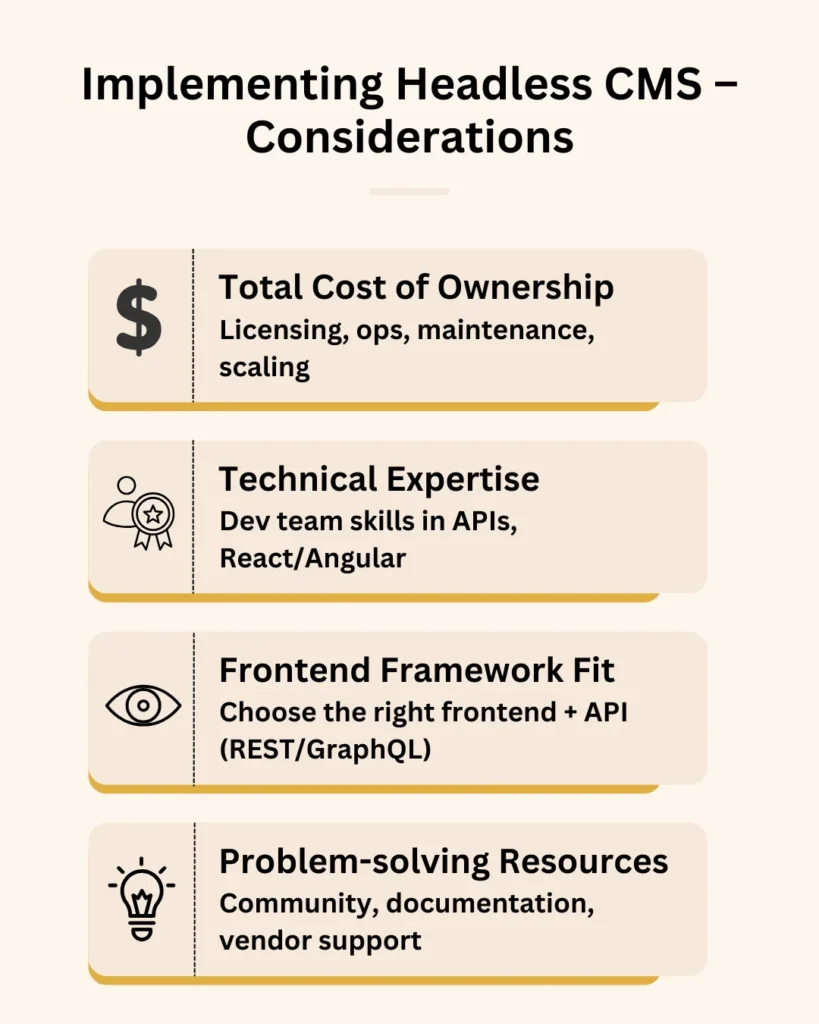
Here are the four critical pillars to factor into your implementation roadmap:
1. Total Cost of Ownership (TCO)
In a headless environment, the price tag goes beyond the monthly subscription. E-commerce companies must calculate TCO by looking at the entire ecosystem.
- Implementation & Migration: Budget for specialized IT services to handle content engineering and API development. Moving data out of legacy monoliths is complex and requires a clear headless CMS integration roadmap to avoid future bottlenecks. This phase is important to ensure your new system doesn’t inherit the same rigidities as your old one.
- Infrastructure & Hosting: Since the CMS is decoupled, you are responsible for hosting your frontend (e.g., Vercel, Netlify, or AWS).
- Maintenance & Security: Factor in the cost of regular software updates, data backups, and API security audits.
- Scalability Limits: Check for “hidden” costs like overage fees for high traffic spikes or exceeding API call quotas during holiday sales.
2. Technical Skills and Development
Switching to a top-rated headless CMS platform shifts the burden from “managing a system” to “building a product.” Your team needs high-level expertise in:
- Modern Frameworks: Deep knowledge of React, Next.js, or Vue is essential for building the presentation layer.
- API Management: Developers must be proficient in managing REST or GraphQL endpoints to ensure fast data retrieval.
- DevOps Culture: Implementation often requires a CI/CD mindset to handle frequent frontend deployments without disrupting the backend content lake.
Ready to stop manual price updates?
We migrate, integrate, and launch your headless storefront on schedule.
Talk to a Headless Migration Expert3. Frontend Framework and API Choice
The beauty of headless is being “framework agnostic,” but that flexibility requires a firm decision early on.
- Framework Selection: Choose a framework based on your SEO needs (Server-Side Rendering) and team skills. Next.js is currently the 2026 industry favorite for its balance of performance and developer experience.
- API Protocol: Decide between REST (standard, reliable) and GraphQL (efficient, prevents over-fetching). Most popular headless CMS vendors now offer both REST and GraphQL, but your choice will dictate how your frontend consumes data. This decision becomes even more critical when building on an API-first architecture.
4. Problem-Solving and Long-term Support
For a headless stack to remain stable, e-commerce brands must ensure they aren’t stranded in a “code desert” after launch.
- Documentation Quality: Ensure the vendor provides extensive, updated API documentation.
- Community & Ecosystem: A large community means more third-party plugins and a wider pool of talent for hire.
- Support Channels: For enterprise-level stores, look for vendors offering dedicated solution architects and 24/7 technical helpdesks to handle high-stakes issues.
Headless CMS – E-Commerce Case Studies
Successful brands are moving away from restrictive monoliths to embrace the top-rated headless CMS platforms for enterprise ecommerce. Here are four real-world examples of retail companies that leveraged these tools for massive growth:
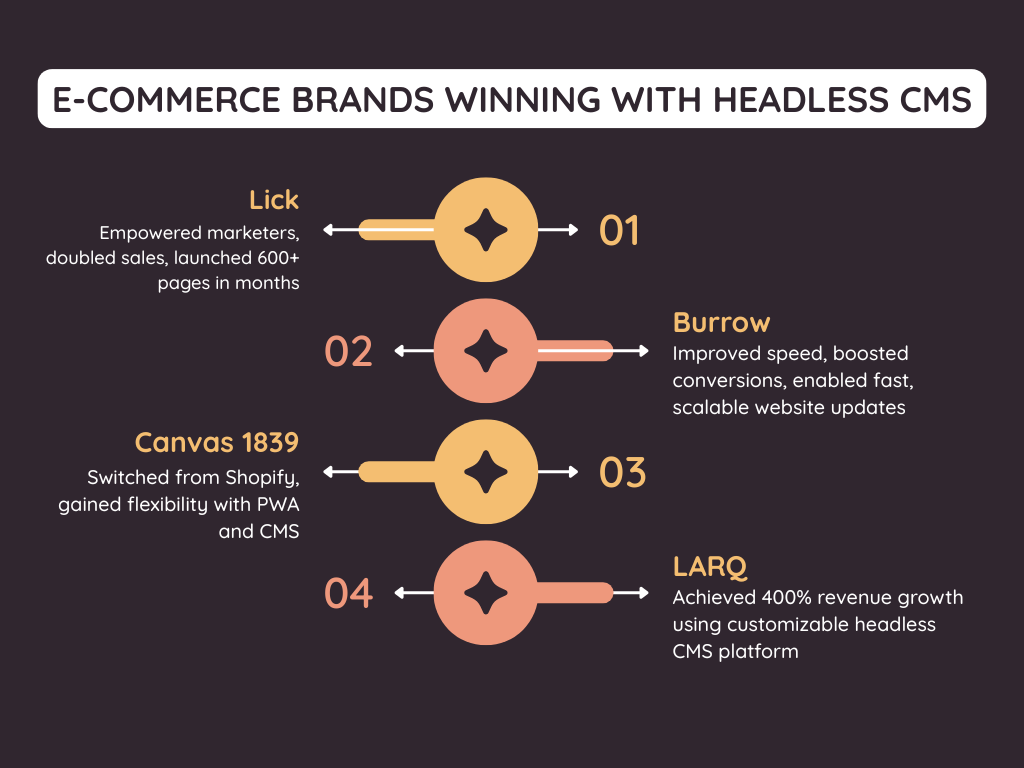
1. How Lick Doubled Online Sales
Lick, a leading home decor brand, moved to a headless CMS to develop custom content models. This shift allowed marketing teams to build high-converting pages without waiting for developer assistance.
The brand launched the entire project in just six months. The result was an immediate doubling of their online sales.
The team now manages over 600 product pages with total ease. They can scale their content and launch new campaigns faster than ever before.
2. How Burrow Solved the Scalability Crisis
Scalability and speed became major hurdles for Burrow as their customer base exploded. The brand moved to one of the top-rated headless CMS platforms for enterprise ecommerce to regain control.
Conversion rates climbed by 30% in just two months after the transition. This shift allowed for rapid updates that the old system simply couldn’t handle.
Overall website speeds increased by 50% following the rollout. Burrow now delivers a frictionless shopping experience that scales as fast as their furniture sales.
3. How Canvas 1839 Unlocked Innovation
Canvas 1839, a wellness brand, found their Shopify setup too restrictive. The rigid system limited their payment options and creative layout needs.
Moving to a headless CMS allowed them to build a Progressive Web App (PWA). This shift provided the custom frontend innovation they desperately required.
Developers now use the best CMS companies for content delivery APIs with Gatsby and React. This setup delivers a high-performance experience that bypasses all previous limitations.
4. How LARQ Scaled Globally
Sustainability brand LARQ needed a platform that could scale globally while maintaining a premium feel. Implementing a top headless CMS allowed them to launch high-speed, localized storefronts in record time.
Revenues skyrocketed by 400% within the first three months of the new launch. Conversion rates also jumped by 80%, proving the impact of a faster, more responsive user journey.
These results highlight why headless CMS solutions for modern commerce platforms are essential. LARQ now manages multiple international regions with total design control and zero technical lag.
Final Recommendation
Top-rated headless CMS platforms for enterprise ecommerce provide retail brands the flexibility and scalability needed to stay competitive in a 5G-driven market. Transitioning to this modern architecture requires deep technical precision. RBMSoft acts as a strategic headless CMS agency, helping online retailers navigate the shift from monolithic drag to high-speed innovation.
Our teams specialize in headless CMS solutions for modern commerce platforms, ensuring your brand can reuse content across every digital touchpoint. We are the best CMS vendor for composable content blocks and a reuse strategy that accelerates your time-to-value while significantly reducing implementation risks.
FAQs
1. What are the best headless cms software for ecommerce and dynamic applications?
For brands prioritizing data-driven retail, the best headless CMS platforms for retail companies include Sanity.io, Contentful, and Strapi.
These popular headless CMS options excel because they treat content as programmable data, making them ideal for high-performance storefronts and dynamic web applications that require real-time updates across thousands of product pages.
2. What does a headless CMS development agency do?
A specialized headless CMS agency bridges the gap between raw backend content and a polished frontend experience. These headless CMS development companies handle the complex architectural work, including API orchestration, custom content modeling, and the integration of third-party retail tools.
By partnering with agencies specializing in headless CMS, retail brands can offload the technical burden of building a custom “head” while ensuring their system is optimized for speed and security.
3. What are the best headless e-commerce solutions that integrate with CMS and DXP tools?
The top headless commerce platforms in 2026, such as BigCommerce, Shopify Plus (Hydrogen), and commercetools, are designed to play well with others. These are among the best headless e-commerce solutions because they provide robust APIs that allow for seamless integration with high-end enterprise CMS companies.
This “composable” approach lets you pair a world-class commerce engine with a best cms vendor for composable content blocks and reuse to create a unified Digital Experience Platform (DXP).
4. What are the top headless CMS platforms for building scalable e-commerce websites?
When scaling globally, the top headless CMS providers are Contentstack, Hygraph, and Storyblok. These headless CMS providers optimized for global content delivery offer high-availability infrastructure that handles massive traffic spikes during holiday sales.
They are recognized as the best cloud-based headless CMS solutions for brands that need to manage multi-region storefronts from a single, centralized dashboard.
5. What’s the best headless CMS for omnichannel content delivery across web, mobile, apps and IoT?
Contentful and Sanity currently rank among the best headless CMS platforms for retail companies looking to master omnichannel content delivery. Because these platforms are built as the best CMS companies for content delivery APIs, they allow a single product description to be updated once and instantly pushed to your website, mobile app, and even smart IoT devices.
This “create once, publish everywhere” model is the hallmark of modern CMS vendors in 2026, ensuring brand consistency across every digital touchpoint.
6. Why choose RBM Soft among best-in-class headless CMS vendors in the content management system industry?
RBM Soft stands out among headless CMS companies because we don’t just provide a tool; we provide a strategy. As a leading best headless CMS provider for content management, we focus on reducing your “monolith tax” through tailored implementations.
We are one of the few agencies specializing in headless CMS that offers a dedicated evaluation for the best headless CMS with seamless marketing tool integration, ensuring your creative team isn’t left behind by the technology.
7. How much does a headless CMS cost?
The cost of headless cms solutions for modern commerce platforms varies based on your scale.
- In 2026, entry-level SaaS plans start around $300/mo, while enterprise cms companies typically charge between $2,000 and $5,000+ per month.
- Beyond the license, remember to budget for top headless cms providers’ implementation costs, which usually range from $25,000 to $150,000.
- This price depends on the complexity of your best headless cms for b2b ecommerce requirements and integration needs.
8. How to choose the right headless CMS agency?
Look for a partner with proven success in your specific retail niche. The right headless cms agency must have deep expertise in frameworks like Next.js and a clear migration roadmap. Ensure the headless CMS development companies you interview can demonstrate past success with the best headless CMS vendor for omnichannel content delivery to support your long-term growth.